A 10GbE switch is a network device that transmits data at 10 Gigabits per second (Gbps), which is ten times faster than standard Gigabit Ethernet. This upgrade is crucial for eliminating network bottlenecks in environments with high data demands, such as transferring large files, streaming 4K/8K video, or running multiple virtual machines. VGLan, with over two decades of experience in network architecture, provides this guide to help users understand, choose, and deploy a 10GbE switch for optimal network performance.
What Exactly is a 10GbE Switch and Why Does it Matter?
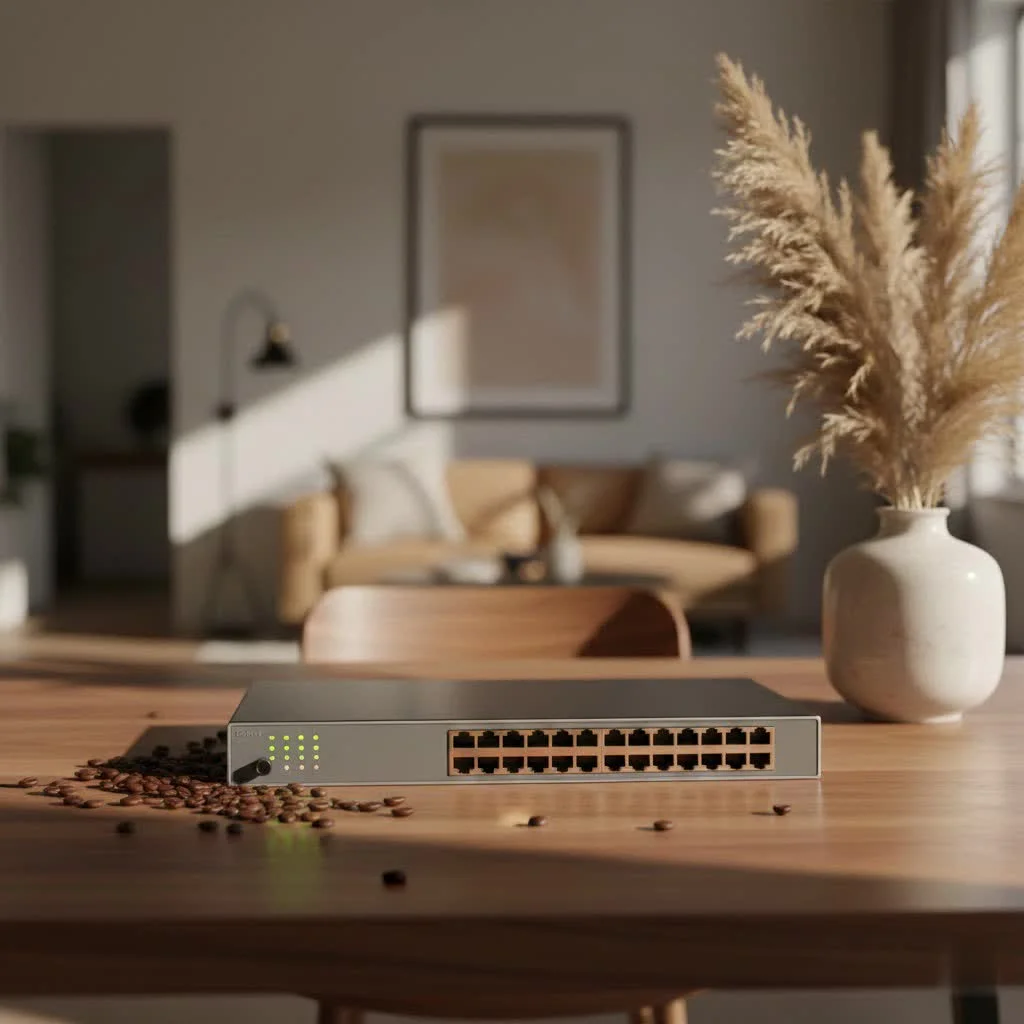
At its core, a 10GbE switch is a network device designed to transmit data at a blistering 10 Gigabits per second (Gbps) – that’s ten times faster than your everyday Gigabit Ethernet. Think of it as upgrading from a winding country road to a super-highway for your data. This dramatic leap in speed isn’t just about bragging rights; it’s about eliminating bottlenecks and enabling applications that were once constrained by slower networks.
The Need for Speed: Beyond Gigabit Ethernet
For years, Gigabit Ethernet (1GbE) was the gold standard, perfectly adequate for most home users and small businesses. But as file sizes exploded with 4K/8K content, raw footage for editing, and sophisticated applications demanding constant, high-speed data access, 1GbE simply can’t keep up. You’d find yourself waiting agonizing minutes, sometimes hours, for large file transfers to complete, or experiencing frustrating lag during intensive network tasks. A 10GbE switch steps in to solve this, offering significantly improved speed and performance.
How a 10GbE Switch Turbocharges Your Network
Imagine copying a 20GB file in under 20 seconds, or seamlessly editing video directly from your Network Attached Storage (NAS) without a stutter. This isn’t wishful thinking; it’s the reality a 10GbE switch enables. Here’s how it transforms various use cases:
- Home Labs and Virtualization: If you run multiple virtual machines, containers, or a powerful home server, a 10GbE backbone ensures your virtualized environment operates without performance hitches.
- Content Creation and Media Editing: Video editors, graphic designers, and photographers can access and transfer massive project files to and from storage servers at unprecedented speeds, dramatically shortening workflows.
- Gaming and Streaming: While 1GbE is often sufficient for internet gaming, a 10GbE switch provides ultra-low latency for local network gaming and ensures smooth, unbuffered 4K/8K media streaming across multiple devices.
- Business and Data Centers: For small to medium businesses or aggregation layers in larger data centers, 10GbE switches provide the necessary bandwidth for heavy data traffic, server interconnectivity, and demanding applications.
“The leap from 1GbE to 10GbE is more than just a speed bump; it’s a foundational shift that empowers modern digital ecosystems, from a powerful home lab to a bustling enterprise. Ignoring it is like trying to drive a sports car on a bicycle path.” – Ethan Vance, Lead Network Architect at VGLan.com
Navigating the Market: Key Features to Look for in a 10GbE Switch
Choosing the right 10GbE switch can feel like a labyrinth, with a many specifications and features to consider. But don’t fret! Let’s break down the crucial aspects to help you make an informed decision.
Port Power: Quantity and Type (RJ45 vs. SFP+)
|
Our Picks for the Best Network Switch in 2026
As an Amazon Associate I earn from qualifying purchases.
|
||
| Num | Product | Action |
|---|---|---|
| 1 | BrosTrend 2.5Gb Switch, 8 Port Network Switch 2.5 Gigabit, Unmanaged Ethernet Switch for Game Console, NAS, PC, Computer Networking Switch Plug & Play Fanless, Desktop Wall Mount, Lifetime Protection |

|
| 2 | TP-Link TL-SG105S-M2 - 5-Port Multi-Gigabit 2.5G Ethernet Switch - Unmanaged Network Switch - Ethernet Splitter - Plug & Play - Desktop/Wall Mount - Silent Operation |
|
| 3 | UGREEN 16 Port Gigabit Switch, Plug & Play Ethernt Switch, Standard/VLAN Mode, Unmanaged, Sturdy Metal, Fanless Quiet, Desktop & Wall Mount Network LAN Splitter Hub for Laptop, Printer, NAS, Router |
|
| 4 | TP-Link Litewave 5 Port Gigabit Ethernet Switch - Desktop Ethernet Splitter - Unshielded Network Switch - Plug & Play - Fanless Quiet - Unmanaged (LS1005G) |
|
| 5 | TP-Link 24 Port Gigabit Ethernet Switch Desktop/ Rackmount Plug & Play Shielded Ports Sturdy Metal Fanless Quiet Traffic Optimization Unmanaged (TL-SG1024S) |
|
| 6 | TP-Link 5-Port Gigabit Ethernet Easy Smart Switch- Plug and Play - Desktop - Sturdy Metal w/Shielded Ports - Limited Lifetime Replacement (TL-SG105E), Black… |
|
| 7 | NETGEAR 8-Port Gigabit Ethernet Unmanaged Essentials Switch (GS308) - Home Network Hub, Office Ethernet Splitter, Plug-and-Play, Silent Operation, Desktop or Wall Mount |
|
| 8 | UGREEN Ethernet Switch, 5 Port Gigabit Ethernet Splitter, Plug & Play, Wall Mount & Desktop Network Switch Hub, Unmanaged, Compact, with LED, Fanless Quiet, for Internet Cable, Laptop, Router, NAS |
|
| 9 | TP-Link 8 Port Gigabit Ethernet Network Switch - Ethernet Splitter - Plug & Play - Fanless - Sturdy Metal w/ Shielded Ports - Traffic Optimization - Unmanaged - Lifetime Protection (TL-SG108) |
|
| 10 | TP-Link TL-SG105, 5 Port Gigabit Unmanaged Ethernet Switch, Network Hub, Ethernet Splitter, Plug & Play, Fanless Metal Design, Shielded Ports, Traffic Optimization |
|
The ports on your 10GbE switch are your network’s gateways, and understanding their types and numbers is paramount.
Port Count: 10GbE switches come in various port configurations, typically ranging from 5 to 48 ports. For a home lab or small office, a 5- to 8-port switch often suffices. Larger organizations or growing networks might require 12, 24, or even 48 ports. Consider your current needs and potential future expansion when deciding on port count.
Port Types:
- 10GBASE-T (RJ45): These are the familiar Ethernet ports you’re used to. They use standard copper cabling like Cat6a or Cat7 and can support 10Gbps speeds up to 100 meters. The main advantage here is compatibility with existing copper infrastructure, often making it a more affordable solution for upgrading. Many modern 10GBASE-T ports also support multi-gig speeds (2.5Gbps and 5Gbps), ensuring backward compatibility with slower devices.
- SFP+: Small Form-Factor Pluggable Plus (SFP+) ports are designed for fiber optic cables or Direct Attach Copper (DAC) cables. SFP+ is generally more power-efficient, offers lower latency, and can achieve much longer distances over fiber. While they require SFP+ transceiver modules and fiber/DAC cables (which can be an additional cost), they are often preferred in environments where distance, efficiency, or interference are concerns.
Many switches offer a mix of RJ45 and SFP+ ports, providing flexibility to connect different types of devices and uplinks.
Smart or Simple? Understanding Managed vs. Unmanaged Switches
The management capabilities of a switch significantly impact its functionality and your control over the network.
- Unmanaged Switches: These are the “plug-and-play” heroes of the networking world. They require no configuration, work right out of the box, and are generally the most affordable. Perfect for basic home users or simple network segments where you just need to connect devices at high speed without worrying about advanced settings.
- Managed Switches: These switches offer a comprehensive suite of features and allow granular control over your network traffic. Via a web interface or command-line interface (CLI), you can configure VLANs (Virtual Local Area Networks) for network segmentation, Quality of Service (QoS) to prioritize critical traffic, link aggregation (LAG) for increased bandwidth, and advanced security features. Managed switches are ideal for businesses, complex home labs, or anyone needing to optimize network performance, security, and scalability. There are also “Smart Managed” switches that offer a good balance of features and ease of use, often at a more accessible price point.
Powering Up: The Role of PoE/PoE+
Power over Ethernet (PoE) and its enhanced versions like PoE+ are incredible technologies that allow you to deliver both data and electrical power to devices over a single Ethernet cable. If you plan to connect devices like Wi-Fi access points, IP cameras, VoIP phones, or even some mini-PCs to your 10GbE network, a switch with PoE/PoE+ ports can simplify deployment and reduce cable clutter. Always check the total power budget of the switch and the power requirements of your devices to ensure compatibility.
Beyond the Basics: Switching Capacity, Latency, and Form Factor
- Switching Capacity (Backplane Bandwidth): This metric indicates the maximum amount of data the switch can handle at one time without creating internal bottlenecks. For a 10GbE switch, you want a switching capacity that can comfortably support the full theoretical throughput of all its ports simultaneously. A “non-blocking” architecture is ideal.
- Latency: Critical for real-time applications, latency refers to the delay in data transmission. For high-performance environments, aim for switches with low “store-and-forward” latency, ideally below 2.5 microseconds.
- Form Factor: Will your switch sit on a desk, or do you need to mount it in a server rack? 10GbE switches come in both desktop and rackmount designs, so choose one that fits your physical space.
Choosing Your Perfect 10GbE Switch: A Practical Buying Guide
- Assess Your Bandwidth Needs: Which devices absolutely need 10GbE speeds? Servers, NAS, high-end workstations, specific virtual machine hosts? A single 10GbE link can push about 1.25 GB/s, so determine how many simultaneous high-speed connections you require.
- Define Your Budget: While 10GbE switches are much more affordable than they used to be, prices vary significantly based on features, port count, and brand. Unmanaged switches with fewer ports are generally the most budget-friendly, while fully managed, high-port-count switches with PoE+ will be at the higher end. to factor in the cost of compatible network interface cards (NICs) for your devices and appropriate cabling.
- Count Your Connections: How many devices need to connect directly to the 10GbE switch? This dictates the minimum number of ports you need. Always consider future growth – it’s often wise to have a few spare ports.
- Consider PoE Requirements: Do you have any devices that would benefit from Power over Ethernet? If so, ensure your chosen switch has sufficient PoE/PoE+ ports and a robust power budget.
- Managed or Unmanaged? For a simple network where you just want raw speed, an unmanaged switch is a great choice. For granular control over traffic, security, and network segmentation (e.g., separating IoT devices, servers, and workstations), a managed or smart managed switch is essential.
- Cabling Infrastructure: Do you have existing Cat6a or Cat7 copper cabling, or are you starting fresh? This will heavily influence your choice between 10GBASE-T (RJ45) and SFP+ ports. For short runs, copper is often simpler; for longer distances or a more robust backbone, fiber via SFP+ is superior.
- Future-Proofing: While 10GbE is excellent now, consider if you might need even higher speeds (like 25GbE or 40GbE) in the distant future for core uplinks. Some advanced 10GbE switches offer higher-speed uplink ports.
| Feature / Network Size | Small Home/Lab (5-6 Ports) | Medium Home/Lab/SMB (6-8 Ports) | Large Business/Pro Lab (>8 Ports) |
|---|---|---|---|
| RJ45 10G Ports | 4-6 | 6-8 | 8+ |
| PoE+ Ports | Optional (2-4) | Optional (4-8) | Highly Recommended (8+) |
| 10G SFP+ Uplink | 1 (Optional) | 1-2 | 2+ (for aggregation) |
| Management | Unmanaged / Smart Managed | Smart Managed / Managed | Fully Managed |
| Switching Capacity | Up to 120Gbps | 120-200Gbps | 200Gbps+ |
| Form Factor | Desktop | Desktop / Rackmount | Rackmount |
Setting Up Your 10GbE Network: From Unboxing to Blazing Speeds
Essential Hardware and Cabling for 10GbE
Before you even touch your new switch, ensure you have the necessary components:
- 10GbE Network Interface Cards (NICs): For your computers, servers, or NAS devices to utilize 10GbE speeds, they’ll need a compatible 10GbE NIC installed in an available PCIe slot.
- Appropriate Cabling:
- For 10GBASE-T (RJ45) ports, you need at least Cat6a Ethernet cables for runs up to 100 meters. Cat7 or Cat8 cables offer even better performance and future-proofing.
- For SFP+ ports, you’ll need SFP+ transceivers (either copper DAC cables or fiber optic transceivers with matching fiber cables – multi-mode or single-mode, depending on distance).
Basic Installation and Initial Configuration
- Physical Placement: Place your 10GbE switch in a well-ventilated area, preferably near the devices it will connect. If it’s a rackmount model, secure it in your server rack.
- Connect Power: Plug in the power cord and turn on the switch. Allow it a few moments to boot up.
- Connect Devices: Using the correct cabling, connect your 10GbE-enabled devices to the 10GbE ports on the switch. Watch for link lights to confirm connectivity.
- Firmware Updates: For managed switches, it’s always a good practice to check for and install the latest firmware. This ensures you have the latest features, bug fixes, and security updates.
- Initial Access (Managed Switches): For managed switches, you’ll typically access a web-based management interface via a default IP address (check the switch’s manual). From there, you can begin configuring advanced settings. Some switches also offer CLI access via a console port.
Optimizing Performance: VLANs and Jumbo Frames
Once your switch is up and running, consider these advanced configurations for optimal performance:
- VLANs (Virtual Local Area Networks): VLANs allow you to logically segment your network into smaller, isolated broadcast domains. This can significantly improve security by separating critical servers from general user traffic, or isolating guest networks. It also helps manage broadcast traffic, making your network more efficient.
- Jumbo Frames: Ethernet frames typically have a Maximum Transmission Unit (MTU) of 1500 bytes. Jumbo frames allow for larger MTUs, typically 9000 bytes. When transferring large files, using jumbo frames can reduce the overhead of processing many small frames, leading to a noticeable increase in throughput. Ensure all devices and switches on the 10GbE path support and are configured for jumbo frames.
Common Hurdles and How to Overcome Them
Even with the best hardware, you might encounter a few bumps on the road to 10GbE nirvana.
Troubleshooting Connectivity and Speed Issues
- No Link Light or Slow Speed: The most common culprit is incorrect cabling. Ensure you are using at least Cat6a for RJ45 connections, or correctly paired SFP+ transceivers and fiber/DAC cables. Always verify cable integrity. Older 10G equipment might not auto-negotiate with newer multi-gig (2.5G/5G) devices, leading to slower speeds or no link at all.
- Performance Bottlenecks: your 10GbE switch is only as fast as its slowest component. If you’re not seeing expected speeds, check the NICs in your devices, the storage speed (HDDs are much slower than SSDs/NVMe), and the CPU utilization of the devices transferring data. A single slow component can drastically impact overall throughput.
- Firmware Glitches: Occasionally, outdated or buggy firmware can cause stability or performance issues. Regularly check for and apply updates from the manufacturer.
Conclusion
Upgrading to a 10GbE switch is no longer a luxury reserved for enterprise data centers; it’s a practical and powerful step towards a truly high-performance network, whether you’re a home user pushing the boundaries of media creation or a small business demanding uncompromised data flow. By understanding the core benefits, key features, and practical setup considerations, you’re now equipped to make an informed decision and improve your network’s capabilities.
At VGLan, we believe a well-architected network is the backbone of modern efficiency. Take the leap, invest in a 10GbE switch, and experience the unparalleled speed and reliability that will improve your digital life. Start exploring your 10GbE switch options today and build the network you deserve!
Choosing Your Perfect 10GbE Switch
This guide provides practical steps to select the ideal 10GbE switch for your specific network needs, considering bandwidth, budget, and future growth.
Identify which devices require 10GbE speeds, such as servers, NAS, or high-end workstations. A single 10GbE link can transfer about 1.25 GB/s, so determine the number of simultaneous high-speed connections needed.
Set a budget, remembering that prices vary based on features and port count. Unmanaged switches are generally more affordable, while fully managed switches with PoE+ are at the higher end. Factor in costs for compatible network interface cards (NICs) and cabling.
Determine the minimum number of ports required by counting devices that need direct 10GbE connections. Always consider future growth and aim for a few spare ports to accommodate expansion.
Evaluate if any devices would benefit from Power over Ethernet (PoE). If so, ensure your chosen switch has sufficient PoE/PoE+ ports and a robust power budget to support these devices.
Decide between an unmanaged switch for simple speed or a managed switch for granular control and security features like VLANs. Also, consider your existing cabling infrastructure (Cat6a/Cat7 for RJ45 or fiber/DAC for SFP+) to influence port type selection.
Get our weekly buyer guide
Practical specs, not advice. Unsubscribe anytime.

I got a 10GbE switch primarily for 4K video streaming and editing, and it’s been fantastic. No more buffering or lag when working with huge video files. The setup was pretty straightforward, though I did have to make sure all my other components were compatible. It’s a solid investment for anyone serious about media production.
The 10GbE switch definitely improved my network speed, especially for gaming and large downloads. However, I found that the power consumption was a bit higher than I expected for a home setup. It’s not a deal-breaker, but something to consider if you’re trying to keep your energy bill down. Still, the performance boost is undeniable.
Upgrading to a 10GbE switch was a game-changer for my small business. We do a lot of CAD work and constantly transfer huge design files, which used to take forever. Now, it’s almost instantaneous. The difference in productivity is huge, and it really eliminated the network bottlenecks we were experiencing daily. Highly recommend for professional environments.
I finally pulled the trigger on a 10GbE switch after reading up on them, and wow, what a difference! My home lab with multiple virtual machines was always struggling with network bottlenecks, but now everything is so much snappier. Transferring large files between my NAS and workstation is incredibly fast. This upgrade was definitely worth it for anyone dealing with high data demands.