A 24-port network switch is a crucial networking device that connects 24 individual network segments or devices within a local area network (LAN), efficiently directing data traffic to reduce congestion and improve overall network efficiency. These switches are predominantly Gigabit Ethernet, supporting data transfer speeds up to 1000 Mbps per port, making them ideal for small to medium-sized businesses (SMBs) and advanced home users who require ample connectivity and high performance for modern, bandwidth-intensive applications.
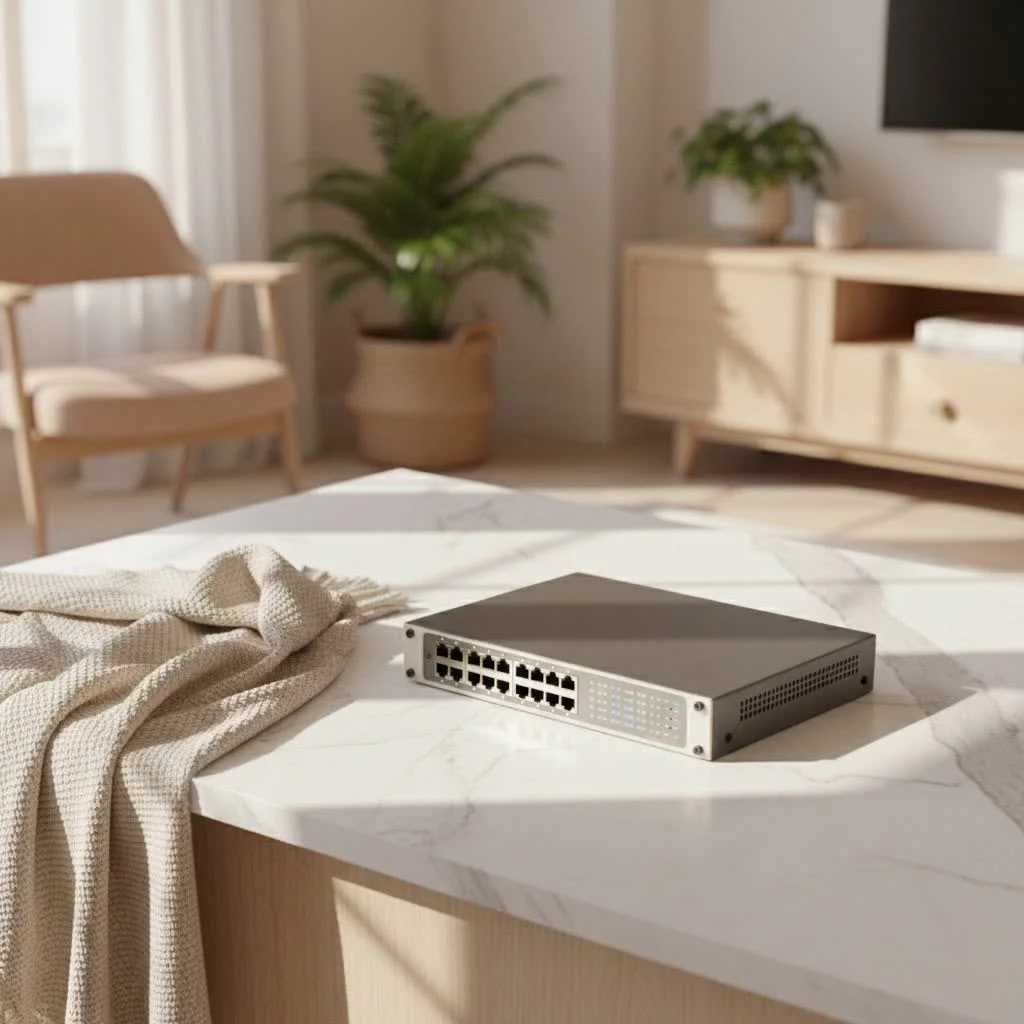
Whether expanding an office network, connecting smart home devices, or boosting overall network performance, understanding the nuances of a 24-port switch is essential. This guide covers its fundamental role, selection criteria, and common troubleshooting challenges.
What Exactly is a 24-Port Network Switch?
At its core, a 24-port switch is a networking device designed to connect 24 individual network segments or devices within a local area network (LAN). Unlike older network hubs that broadcast data to all connected devices, a switch intelligently forwards data packets only to their intended recipient, significantly reducing network congestion and improving overall efficiency.
The “24-port” designation refers specifically to the number of Ethernet ports available for connecting devices such as computers, servers, printers, IP cameras, and wireless access points. For many small to medium-sized environments, this port count strikes an excellent balance between providing sufficient connectivity for current needs and offering room for future expansion, making it a highly versatile and popular choice. These switches are predominantly Gigabit Ethernet, meaning each port can handle data transfer speeds of up to 1000 Mbps, which is crucial for modern, bandwidth-intensive applications.
Why Choose a 24-Port Switch for Your Network?
Opting for a 24-port switch brings a wealth of advantages that can significantly enhance your network’s capabilities and longevity. It’s not just about having enough plugs; it’s about smart, efficient network management.
Ample Connectivity and Scalability
With 24 ports, you gain substantial capacity to connect a multitude of devices. For a growing SMB, this means you can hook up all your workstations, servers, network printers, and conference room equipment with ease. At home, it accommodates everything from gaming consoles and smart TVs to home office PCs and network-attached storage (NAS) devices. This inherent scalability also provides headroom for new devices you might add in the future, reducing the immediate need for additional networking hardware.
Cost-Effectiveness
In many scenarios, a 24-port switch offers a more economical solution than deploying multiple smaller switches or overspending on a larger, 48-port alternative that might exceed your current needs. It consolidates your connectivity into a single, manageable unit, often at a better price point per port. This smart investment helps you build a robust network without breaking the bank.
High-Performance Gigabit Speeds
|
Our Picks for the Best Network Switch in 2026
As an Amazon Associate I earn from qualifying purchases.
|
||
| Num | Product | Action |
|---|---|---|
| 1 | UGREEN Ethernet Switch, 5 Port Gigabit Ethernet Splitter, Plug & Play, Wall Mount & Desktop Network Switch Hub, Unmanaged, Compact, with LED, Fanless Quiet, for Internet Cable, Laptop, Router, NAS |

|
| 2 | TP-Link 5-Port Gigabit Ethernet Easy Smart Switch- Plug and Play - Desktop - Sturdy Metal w/Shielded Ports - Limited Lifetime Replacement (TL-SG105E), Black… |
|
| 3 | TP-Link TL-SG105, 5 Port Gigabit Unmanaged Ethernet Switch, Network Hub, Ethernet Splitter, Plug & Play, Fanless Metal Design, Shielded Ports, Traffic Optimization |
|
| 4 | TP-Link Litewave 5 Port Gigabit Ethernet Switch - Desktop Ethernet Splitter - Unshielded Network Switch - Plug & Play - Fanless Quiet - Unmanaged (LS1005G) |
|
| 5 | BrosTrend 2.5Gb Switch, 8 Port Network Switch 2.5 Gigabit, Unmanaged Ethernet Switch for Game Console, NAS, PC, Computer Networking Switch Plug & Play Fanless, Desktop Wall Mount, Lifetime Protection |
|
| 6 | TP-Link 8 Port Gigabit Ethernet Network Switch - Ethernet Splitter - Plug & Play - Fanless - Sturdy Metal w/ Shielded Ports - Traffic Optimization - Unmanaged - Lifetime Protection (TL-SG108) |
|
| 7 | NETGEAR 8-Port Gigabit Ethernet Unmanaged Essentials Switch (GS308) - Home Network Hub, Office Ethernet Splitter, Plug-and-Play, Silent Operation, Desktop or Wall Mount |
|
| 8 | UGREEN 16 Port Gigabit Switch, Plug & Play Ethernt Switch, Standard/VLAN Mode, Unmanaged, Sturdy Metal, Fanless Quiet, Desktop & Wall Mount Network LAN Splitter Hub for Laptop, Printer, NAS, Router |
|
| 9 | TP-Link TL-SG105S-M2 - 5-Port Multi-Gigabit 2.5G Ethernet Switch - Unmanaged Network Switch - Ethernet Splitter - Plug & Play - Desktop/Wall Mount - Silent Operation |
|
| 10 | TP-Link 24 Port Gigabit Ethernet Switch Desktop/ Rackmount Plug & Play Shielded Ports Sturdy Metal Fanless Quiet Traffic Optimization Unmanaged (TL-SG1024S) |
|
The vast majority of modern 24-port switches are Gigabit Ethernet switches. This means each port supports speeds of 1 Gigabits per second (Gbps), which is ten times faster than older Fast Ethernet (100 Mbps) connections. Gigabit speeds are critical for smooth operation when transferring large files, streaming high-definition video, or running bandwidth-hungry applications, ensuring your network doesn’t become a bottleneck.
Potential for Power Efficiency
Many 24-port switches are designed with energy efficiency in mind. Some models feature low-power designs and even fanless operation, which not only reduces energy consumption but also ensures a quiet working environment. This is particularly beneficial for small offices or home setups where noise can be a distraction.
Installation Flexibility
Whether you prefer to mount your switch in a standard server rack or place it discreetly on a desktop, 24-port switches come in various form factors to suit your physical space. Rack-mountable options are common for organized IT environments, while compact desktop models are perfect for smaller setups.
Decoding the Different Types of 24-Port Switches
Just like cars, 24-port network switches come in different models, each tailored for specific needs and functionalities. Understanding these distinctions is key to choosing the right one for your network.
Unmanaged 24-Port Switches: The Plug-and-Play Choice
If you’re looking for simplicity, an unmanaged 24-port switch is your go-to. These devices are truly “plug-and-play” – you connect your devices, and they start communicating. There’s no configuration required, no web interface to log into, and no settings to tweak. They provide basic connectivity and are ideal for small offices, home networks, or extending existing networks where advanced features aren’t necessary. They are generally the most affordable option.
Managed 24-Port Switches: Taking Control of Your Network
For those who need more control and customization, a managed 24-port switch is the answer. These switches come with a web-based interface or command-line interface (CLI) that allows you to configure, monitor, and troubleshoot your network with precision. Key features often include:
- VLANs (Virtual Local Area Networks): Segment your network into smaller, isolated broadcast domains, enhancing security and performance.
- QoS (Quality of Service): Prioritize certain types of traffic (like voice or video) to ensure smooth performance even during peak usage.
- SNMP (Simple Network Management Protocol): Allows you to monitor network devices remotely.
- Port Mirroring: Duplicates network traffic from one port to another for analysis and troubleshooting.
- Security Features: Implement Access Control Lists (ACLs), port security, and 802.1X authentication to protect your network from unauthorized access.
“A managed 24-port switch isn’t just about connecting devices; it’s about intelligent network orchestration,” explains David Nguyen, Senior Network Architect at VGLan. “It empowers you to sculpt your network traffic, fortify your defenses, and ensure critical applications always perform optimally.”
PoE (Power over Ethernet) 24-Port Switches: Streamlined Power and Data
A 24-port PoE switch is a major upgrade for many installations. These switches deliver both electrical power and data over a single Ethernet cable, simplifying cabling and reducing the need for separate power outlets for connected devices. This is incredibly useful for powering:
- IP Cameras: Deploy surveillance systems easily without needing power outlets near each camera.
- VoIP Phones: Provide power and data to desk phones, streamlining office setups.
- Wireless Access Points (WAPs): Install WAPs in optimal locations for coverage, regardless of power outlet availability.
There are different PoE standards:
- PoE (802.3af): Provides up to 15.4W per port.
- PoE+ (802.3at): Delivers up to 30W per port, suitable for more power-hungry devices.
- PoE++ (802.3bt): Offers even higher power, up to 60W or 100W, for advanced applications.
When choosing a 24-port PoE switch, it’s crucial to consider its total PoE power budget. This is the maximum amount of power the switch can supply across all its PoE ports. You’ll need to calculate the total wattage required by all your PoE devices and ensure the switch’s budget can accommodate it, with some headroom for future expansion.
Stackable 24-Port Switches: Expanding Without Complexity
For networks anticipating significant growth, stackable 24-port switches offer an elegant solution. These switches allow you to connect multiple physical switches and manage them as a single logical unit. This simplifies administration, provides increased bandwidth between the stacked units, and offers redundancy. Many stackable switches utilize dedicated SFP or SFP+ (Small Form-Factor Pluggable) uplink ports for high-speed fiber connectivity between units, allowing for greater distances and faster inter-switch communication.
How to Select the Perfect 24-Port Switch for Your Needs
Choosing the right 24-port switch can feel daunting with so many options available. However, by considering a few key factors, you can confidently narrow down your choices and find the perfect fit for your network.
Assess Your Connectivity Requirements
Before anything else, take stock of your current and anticipated devices. How many computers, printers, servers, and other network-enabled devices do you need to connect? While a 24-port switch offers a good number of connections, always factor in some spare ports for future expansion.
Evaluate Power over Ethernet (PoE) Needs
If you plan to power devices like IP cameras, VoIP phones, or wireless access points directly from your network switch, then a 24-port PoE switch is essential. Carefully calculate the power consumption of all your PoE devices to ensure the switch’s total PoE power budget is sufficient. to account for peak loads and potential future additions.
Managed vs. Unmanaged: What’s Your Control Level?
- Unmanaged: If you have a simple network with basic connectivity needs and prefer a hands-off approach, an unmanaged 24-port switch is a straightforward choice.
- Managed: For complex networks requiring features like VLANs, QoS, security controls, or remote monitoring, a managed 24-port switch is indispensable. It provides the granular control needed for optimized performance and robust security.
Consider Switching Capacity and Throughput
The switching capacity (or backplane speed) indicates the maximum amount of data the switch can handle simultaneously. For a full-duplex Gigabit 24-port switch, a minimum switching capacity of 48 Gbps (24 ports 1 Gbps 2 for full-duplex) is generally recommended to avoid bottlenecks. Throughput (forwarding rate) measures how quickly the switch can process and forward packets, usually expressed in Millions of Packets Per Second (Mpps).
Uplink Ports: The Gateway to the Rest of Your Network
Many 24-port switches come with additional uplink ports, often SFP or SFP+ slots. These are crucial for connecting the switch to your core network infrastructure, such as a router or another switch, typically using fiber optic cables for longer distances or higher bandwidth. SFP+ ports offer 10 Gigabit speeds, ideal for high-speed uplinks to servers or network backbones.
Energy Efficiency & Noise
If the switch will be in an office or home environment, consider models with fanless designs for quieter operation. Many modern switches also incorporate energy-efficient features (like IEEE 802.3az, Energy-Efficient Ethernet) to reduce power consumption during periods of low activity.
Security Features
For managed 24-port switches, look for features like Access Control Lists (ACLs), port security, DHCP snooping, and VLAN segmentation. These help protect your network from unauthorized access and various cyber threats.
Brand Reputation and Support
Investing in a reputable brand often means better build quality, more reliable performance, and access to robust customer support and warranties. Check reviews and consider the manufacturer’s track record.
Setting Up Your 24-Port Network Switch: A Step-by-Step Guide
Once you’ve chosen your 24-port switch, getting it up and running is typically a straightforward process. Here’s a basic guide:
1. Physical Placement and Mounting
- Unbox and Inspect: Carefully unpackage your 24-port switch and ensure all components (power cord, mounting brackets if applicable) are present.
- Ventilation is Key: Place the switch in a well-ventilated area to prevent overheating. If it’s a rack-mount model, install it securely in your server rack using the provided brackets. For desktop models, ensure it’s on a stable, flat surface.
2. Power Connection
- Connect Power: Plug the power cord firmly into the switch and then into a reliable power source. It’s highly recommended to connect your switch to an Uninterruptible Power Supply (UPS) to protect it from power fluctuations and outages.
- Power On: Turn on the switch. Observe the power LED indicator; it should light up, usually green, indicating it’s receiving power.
3. Connecting Network Devices
- Ethernet Cables: Use appropriate Ethernet cables (Cat5e or Cat6 for Gigabit speeds) to connect your network devices (computers, printers, etc.) to the available RJ45 ports on the switch.
- Uplink: If your network has a router or another core switch, connect one of the switch’s standard or SFP/SFP+ uplink ports to it. This provides the gateway to the internet and other network segments.
4. Initial Configuration (for Managed 24-Port Switches)
If you have a managed 24-port switch, you’ll need to perform some initial configuration:
- Connect a PC: Temporarily connect a computer directly to any standard Ethernet port on the switch.
- Access the Web Interface: Most managed switches have a default IP address (e.g., 192.168.1.1, 192.168.0.239) and login credentials (e.g., admin/admin, admin/password) provided in the user manual. Open a web browser on your connected PC and enter the switch’s default IP address. You might need to temporarily configure your PC’s IP address to be in the same subnet as the switch’s default IP for initial access.
- Change Default Credentials: The very first thing you should do is change the default username and password for security reasons.
- Configure IP Address: Assign a static IP address, subnet mask, and default gateway to your switch that aligns with your network’s addressing scheme. This allows you to manage the switch from anywhere on your network.
5. Advanced Configuration (for Managed 24-Port Switches)
Once you have basic access, you can examine more advanced settings:
- VLANs: Create and assign VLANs to logically segment your network.
- QoS: Configure Quality of Service rules to prioritize traffic.
- Port Settings: Adjust individual port settings like speed, duplex mode, and PoE capabilities.
- Security: Implement port security, access control lists, and other security measures.
Troubleshooting Common 24-Port Switch Issues
Even the most reliable 24-port switch can occasionally encounter hiccups. Knowing how to troubleshoot common problems can save you time and frustration.
No Connectivity or Link Down
- Check Physical Connections: Ensure all Ethernet cables are securely plugged into both the switch and the connected device. A loose cable is a common culprit.
- Inspect LED Indicators: Each port on the switch usually has an LED. A solid green light typically indicates a good link. No light or an amber light could signal an issue.
- Cable Integrity: Try swapping the cable with a known-good one. Damaged or faulty cables are frequent causes of connectivity issues.
- Test Different Ports: Connect the device to a different port on the switch to rule out a faulty port.
- Managed Switch Port Status: For managed switches, log into the web interface and ensure the port isn’t administratively disabled or in a shutdown state.
Slow Network Speeds
- Duplex Mismatch: This occurs when the switch port and the connected device are configured for different duplex modes (full vs. half). Ensure both are set to auto-negotiate or manually configured to the same full-duplex setting.
- Network Overload: If your network is experiencing very high traffic, it can lead to slower speeds. Monitor traffic to identify bandwidth-hungry applications or devices.
- Device Speed Limitations: Ensure all connected devices and cables support Gigabit Ethernet. Older devices or Cat5 cables might only support 10/100 Mbps, which can slow down traffic on that specific connection.
PoE Devices Not Powering On
- PoE Power Budget: Verify the total PoE power budget of your 24-port PoE switch is sufficient for all connected devices. If the budget is exceeded, some devices may not power up.
- PoE Standard Compatibility: Ensure your PoE devices and the switch support compatible PoE standards (802.3af, 802.3at, 802.3bt). A device requiring PoE+ won’t power correctly from a switch only capable of standard PoE.
- Cable Quality: Use high-quality Cat5e or Cat6 cables, as lower quality or damaged cables might not reliably transmit power.
- Port Configuration: For managed PoE switches, check the configuration to ensure PoE is enabled on the specific ports and that power limits are appropriate.
Inability to Access Managed Switch Interface
- IP Address/Subnet Mismatch: Ensure the computer you’re using to access the switch is on the same IP subnet as the switch itself.
- Default Gateway: If managing from a different subnet, verify the default gateway is correctly configured on the switch.
- Firewall/ACLs: Check if any firewall rules on your PC or Access Control Lists on the switch are blocking management access.
- Factory Reset: As a last resort, if you’ve forgotten the password or configuration, you can perform a factory reset (refer to your switch’s manual for instructions). Be aware this will wipe all configurations.
Overheating
- Ventilation: Ensure the switch has adequate airflow. Clear any obstructions around its vents.
- Ambient Temperature: Verify the ambient temperature of the room is within the switch’s operating range.
- Fan Operation: If your switch has fans, ensure they are running properly and not obstructed or making unusual noises.
Frequently Asked Questions (FAQ)
What is the difference between a managed and unmanaged 24-port switch?
An unmanaged 24-port switch is a basic plug-and-play device requiring no configuration, ideal for simple networks. A managed 24-port switch offers advanced features like VLANs, QoS, and security controls via a web interface, providing greater network control for complex environments.
Can a 24-port PoE switch power all types of devices?
A 24-port PoE switch can power PoE-compatible devices like IP cameras, VoIP phones, and wireless access points. However, you must ensure the switch’s total PoE power budget is sufficient for all connected devices and that device power requirements match the switch’s PoE standard (e.g., PoE, PoE+, PoE++).
What are SFP ports on a 24-port switch used for?
SFP (Small Form-Factor Pluggable) ports on a 24-port switch are used for flexible uplink connections. They allow you to connect fiber optic cables for longer distances or use copper transceivers for high-speed connections to other switches, routers, or network backbones, offering greater network topology flexibility.
How much switching capacity does a 24-port Gigabit switch need?
For optimal performance, a 24-port Gigabit switch should have a switching capacity of at least 48 Gbps. This ensures that all 24 ports can operate at full Gigabit speed in full-duplex mode simultaneously without creating bottlenecks, allowing for efficient data transfer across your entire network.
Can I connect older 10/100 Mbps devices to a 24-port Gigabit switch?
Yes, most 24-port Gigabit switches are backward compatible with older 10/100 Mbps devices. The ports will auto-negotiate to the highest common speed supported by both the switch and the connected device. However, devices connected at lower speeds will operate at their respective maximum, not the Gigabit speed.
Is a 24-port switch better than a 48-port switch for a small business?
For many small to medium-sized businesses, a 24-port switch is often a more practical and cost-effective choice than a 48-port switch. It provides ample connectivity for typical needs, uses less power, and often has a smaller footprint. A 48-port switch is usually better suited for larger enterprises or data centers with higher density connectivity requirements.
Conclusion
The 24-port network switch is a foundational component for building a robust, efficient, and scalable network. Whether you’re upgrading an existing infrastructure or designing a new one, this versatile device offers the perfect blend of connectivity, performance, and cost-effectiveness for a wide range of applications. By understanding the different types of 24-port switches available, making informed decisions based on your specific needs, and knowing how to properly set up and troubleshoot your equipment, you empower your network to handle today’s demands and prepare for tomorrow’s growth.
Don’t let your network be a bottleneck! Take charge, choose wisely, and unlock the full potential of your connected world with a well-deployed 24-port switch. What challenges or successes have you experienced with your network switches? Share your thoughts and help our community thrive!
Frequently Asked Questions
What is the difference between a managed and unmanaged 24-port switch?
An unmanaged 24-port switch is a basic plug-and-play device requiring no configuration, ideal for simple networks. A managed 24-port switch offers advanced features like VLANs, QoS, and security controls via a web interface, providing greater network control for complex environments for up to 24 devices.
Can a 24-port PoE switch power all types of devices?
A 24-port PoE switch can power PoE-compatible devices such as IP cameras, VoIP phones, and wireless access points. However, you must ensure the switch's total PoE power budget is sufficient for all connected devices and that device power requirements match the switch's PoE standard (e.g., 802.3af, 802.3at, 802.3bt).
What are SFP ports on a 24-port switch used for?
SFP (Small Form-Factor Pluggable) ports on a 24-port switch are used for flexible uplink connections. They allow you to connect fiber optic cables for longer distances or use copper transceivers for high-speed connections to other switches, routers, or network backbones, offering greater network topology flexibility with speeds up to 10 Gigabit.
How much switching capacity does a 24-port Gigabit switch need?
For optimal performance, a 24-port Gigabit switch should have a switching capacity of at least 48 Gbps. This ensures that all 24 ports can operate at full Gigabit speed in full-duplex mode simultaneously without creating bottlenecks, allowing for efficient data transfer across your entire network.
Can I connect older 10/100 Mbps devices to a 24-port Gigabit switch?
Yes, most 24-port Gigabit switches are backward compatible with older 10/100 Mbps devices. The ports will auto-negotiate to the highest common speed supported by both the switch and the connected device. However, devices connected at lower speeds will operate at their respective maximum, not the Gigabit speed of 1000 Mbps.
Is a 24-port switch better than a 48-port switch for a small business?
For many small to medium-sized businesses, a 24-port switch is often a more practical and cost-effective choice than a 48-port switch. It provides ample connectivity for typical needs, uses less power, and often has a smaller footprint. A 48-port switch is usually better suited for larger enterprises or data centers with higher density connectivity requirements.
Set Up Your 24-Port Network Switch
This guide provides a basic step-by-step process for setting up your 24-port network switch, from physical placement to initial configuration for managed switches.
Unbox and inspect your 24-port switch, ensuring all components are present. Place the switch in a well-ventilated area to prevent overheating. If it's a rack-mount model, install it securely in your server rack; for desktop models, ensure it's on a stable, flat surface.
Plug the power cord firmly into the switch and then into a reliable power source. Connecting your switch to an Uninterruptible Power Supply (UPS) is highly recommended for protection. Turn on the switch and observe the power LED indicator, which should light up, usually green.
Use appropriate Ethernet cables (Cat5e or Cat6 for Gigabit speeds) to connect your network devices (computers, printers, etc.) to the available RJ45 ports on the switch. If your network has a router or another core switch, connect one of the switch's standard or SFP/SFP+ uplink ports to it to provide a gateway to the internet and other network segments.
For managed 24-port switches, temporarily connect a computer directly to any standard Ethernet port on the switch. Access the web interface using the default IP address and login credentials found in the manual. Immediately change the default username and password for security, then assign a static IP address, subnet mask, and default gateway that aligns with your network's addressing scheme.
Once basic access is established, delve into advanced settings. Create and assign VLANs to logically segment your network, configure Quality of Service (QoS) rules to prioritize traffic, and adjust individual port settings like speed, duplex mode, and PoE capabilities. Implement port security, access control lists, and other security measures to protect your network.
Get our weekly buyer guide
Practical specs, not advice. Unsubscribe anytime.

This guide really helped me understand what to look for in a 24-port switch. I ended up getting a managed switch for my small business, and the ability to prioritize traffic has been a game-changer for our VoIP system. The setup was a bit more involved than I expected, but the performance gains are worth it.
Finally got around to expanding my office network, and a 24-port switch was exactly what we needed. We were constantly running into congestion issues with our old setup, but now data flows freely. It’s great to have so many ports available for future expansion without worrying about performance drops.
I recently upgraded my home network with a 24-port Gigabit Ethernet switch, and the difference is night and day. My old 8-port just wasn’t cutting it with all the smart home devices and streaming. Now, everything runs smoothly, even when multiple devices are hogging bandwidth. Definitely a solid investment for anyone with a growing network.
I bought a 24-port switch for my home lab, and while it handles the data traffic well, I was a little disappointed with the noise level. It’s not terrible, but it’s definitely noticeable in a quiet room. I wish I had paid more attention to the fanless options mentioned for advanced home users. Still, it gets the job done for the price.