A Power over Ethernet (PoE) switch revolutionizes network connectivity by delivering both data and electrical power to compatible devices over a single standard Ethernet cable. This eliminates the need for separate power adapters and outlets, streamlining installations, reducing cable clutter, and offering greater flexibility in device placement. For example, a PoE switch can power an IP camera in a remote location without an AC outlet, simplifying deployment and ensuring continuous operation.
What Exactly is a Power Over Ethernet Switch?
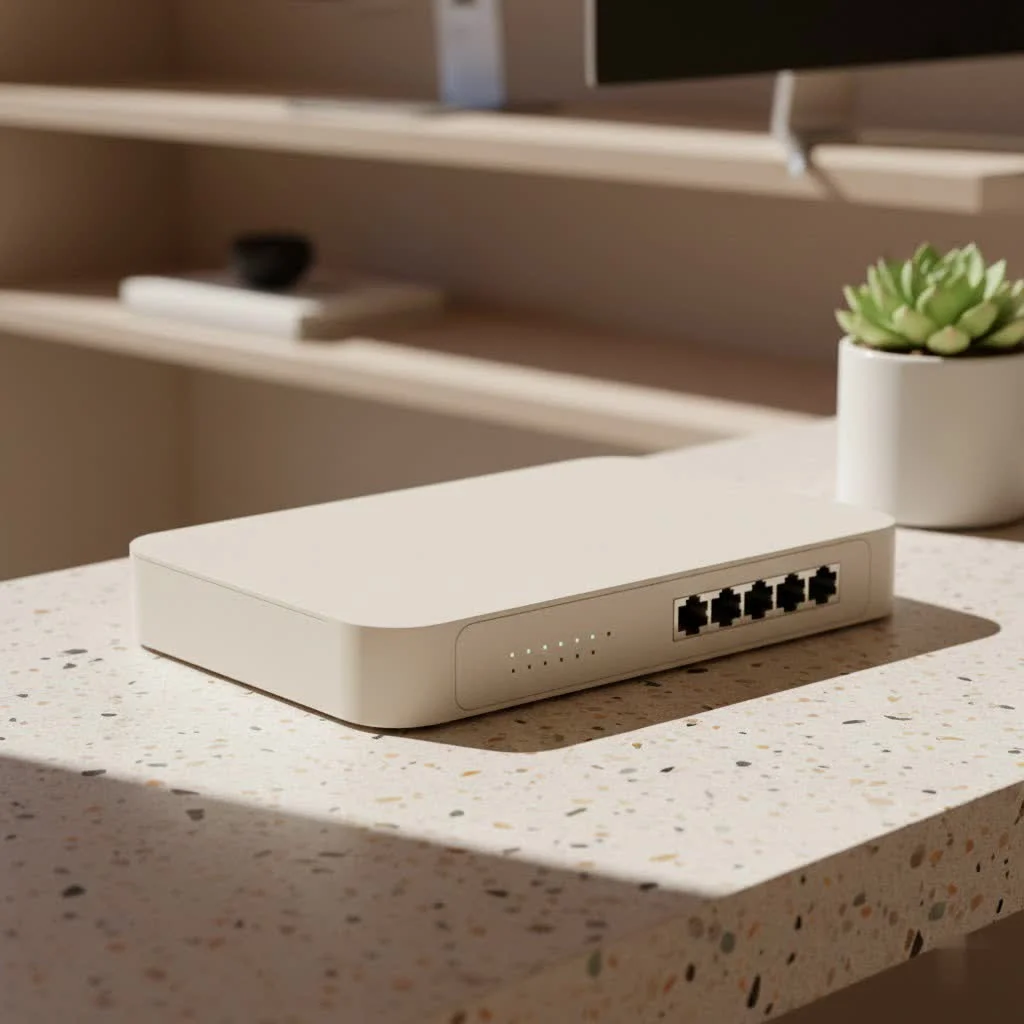
At its core, a power over ethernet switch is a specialized network switch that performs a dual function. It acts as a central hub that manages data traffic between network devices and simultaneously delivers electrical power to them through the same Ethernet cable. This ingenious combination removes the necessity for individual power sources for compatible devices, known as Powered Devices (PDs). For complete network switches library on this site.
When a PoE-compatible device is connected, the PoE switch, functioning as Power Sourcing Equipment (PSE), intelligently detects if the device requires power. If power is needed, the switch then supplies the precise amount of electricity, ensuring that non-PoE devices remain safe and only receive data. This smart negotiation process prevents any damage to your equipment.
The Unmistakable Benefits of Embracing a PoE Switch
PoE switches are gaining significant traction due to their compelling advantages, offering practical solutions for both home users and large enterprises.
Streamlined Cabling and Installation
One of the most immediate benefits is the dramatic reduction in cable clutter. This results in a cleaner workspace, fewer tangled wires, and a significantly simpler installation process. With PoE, only one cable is needed for both data and power, which means less time spent on wiring and a more organized environment. This simplicity is highly beneficial for intricate network setups.
Significant Cost Savings
Beyond aesthetics, this streamlined approach translates into tangible cost savings. Users will spend less on electrical wiring, fewer power outlets will be needed, and the overall labor for electrical installation can be substantially reduced. Over time, these savings accumulate, making PoE switches a smart financial decision for long-term network health.
Unmatched Flexibility in Device Placement
With a PoE switch, devices are no longer restricted by the nearest electrical outlet. This freedom allows for strategic placement of devices like wireless access points or security cameras exactly where they offer the best performance and coverage. This includes challenging locations such as high ceilings, outdoor areas, or remote corners of a building where power outlets are unavailable. This flexibility is crucial for optimizing a network’s physical layout.
Centralized Control and Enhanced Reliability
|
Our Picks for the Best Network Switch in 2026
As an Amazon Associate I earn from qualifying purchases.
|
||
| Num | Product | Action |
|---|---|---|
| 1 | UGREEN 16 Port Gigabit Switch, Plug & Play Ethernt Switch, Standard/VLAN Mode, Unmanaged, Sturdy Metal, Fanless Quiet, Desktop & Wall Mount Network LAN Splitter Hub for Laptop, Printer, NAS, Router |

|
| 2 | TP-Link Litewave 5 Port Gigabit Ethernet Switch - Desktop Ethernet Splitter - Unshielded Network Switch - Plug & Play - Fanless Quiet - Unmanaged (LS1005G) |
|
| 3 | TP-Link 5-Port Gigabit Ethernet Easy Smart Switch- Plug and Play - Desktop - Sturdy Metal w/Shielded Ports - Limited Lifetime Replacement (TL-SG105E), Black… |
|
| 4 | TP-Link TL-SG105, 5 Port Gigabit Unmanaged Ethernet Switch, Network Hub, Ethernet Splitter, Plug & Play, Fanless Metal Design, Shielded Ports, Traffic Optimization |
|
| 5 | TP-Link 24 Port Gigabit Ethernet Switch Desktop/ Rackmount Plug & Play Shielded Ports Sturdy Metal Fanless Quiet Traffic Optimization Unmanaged (TL-SG1024S) |
|
| 6 | TP-Link 8 Port Gigabit Ethernet Network Switch - Ethernet Splitter - Plug & Play - Fanless - Sturdy Metal w/ Shielded Ports - Traffic Optimization - Unmanaged - Lifetime Protection (TL-SG108) |
|
| 7 | TP-Link TL-SG105S-M2 - 5-Port Multi-Gigabit 2.5G Ethernet Switch - Unmanaged Network Switch - Ethernet Splitter - Plug & Play - Desktop/Wall Mount - Silent Operation |
|
| 8 | NETGEAR 8-Port Gigabit Ethernet Unmanaged Essentials Switch (GS308) - Home Network Hub, Office Ethernet Splitter, Plug-and-Play, Silent Operation, Desktop or Wall Mount |
|
| 9 | BrosTrend 2.5Gb Switch, 8 Port Network Switch 2.5 Gigabit, Unmanaged Ethernet Switch for Game Console, NAS, PC, Computer Networking Switch Plug & Play Fanless, Desktop Wall Mount, Lifetime Protection |
|
| 10 | UGREEN Ethernet Switch, 5 Port Gigabit Ethernet Splitter, Plug & Play, Wall Mount & Desktop Network Switch Hub, Unmanaged, Compact, with LED, Fanless Quiet, for Internet Cable, Laptop, Router, NAS |
|
PoE switches provide a centralized point for power management, allowing users to easily monitor and control the power supply to connected devices from one location. Connecting a PoE switch to an uninterruptible power supply (UPS) ensures all powered devices continue operating during power outages, significantly boosting network reliability. Some advanced PoE switches include “watchdog” functions that automatically reboot a connected device if it stops responding, maintaining smooth network operation without manual intervention.
Future-Proofing Your Network
The Internet of Things (IoT) is rapidly expanding, with more devices requiring both network connectivity and power, from smart lighting to environmental sensors. By implementing a power over ethernet switch, users build an infrastructure inherently ready for this growth, ensuring the network remains agile and capable of integrating new technologies with ease.
Popular Types and Standards of PoE Switches
Understanding the different standards and types of PoE is crucial for making informed decisions.
Understanding PoE Standards: 802.3af, 802.3at (PoE+), 802.3bt (PoE++)
The amount of power a PoE switch can deliver is defined by IEEE standards:
- IEEE 802.3af (PoE): This original standard provides up to 15.4 watts of power per port, sufficient for basic IP phones and early wireless access points.
- IEEE 802.3at (PoE+): An upgrade, PoE+ delivers up to 30 watts per port, supporting more demanding devices like pan-tilt-zoom (PTZ) IP cameras and modern 802.11ac wireless access points.
- IEEE 802.3bt (PoE++): The latest and most powerful standard, PoE++ can supply up to 60 watts (Type 3) or even 100 watts (Type 4) per port. This is essential for high-power devices such as video conferencing systems, LED lighting, and high-performance PTZ cameras with heaters.
Newer standards are backward compatible, meaning a PoE++ switch can power PoE and PoE+ devices.
Managed vs. Unmanaged PoE Switches
PoE switches generally fall into two categories based on functionality:
- Unmanaged PoE Switches: These are plug-and-play devices, ideal for small offices or home networks where simplicity and cost-effectiveness are priorities, and advanced configuration options are not needed.
- Managed PoE Switches: Offering greater control, managed switches allow configuration, monitoring, and troubleshooting with advanced features like Virtual Local Area Networks (VLANs), Quality of Service (QoS), and remote management. These are perfect for larger organizations or complex network environments requiring granular control and optimized performance.
Where Do PoE Switches Shine? Real-World Applications
The versatility of power over ethernet switches makes them indispensable across various sectors.
IP Cameras and Surveillance
For security systems, PoE switches are highly beneficial. IP cameras can be installed almost anywhere, including high walls or outdoors, without needing nearby power outlets. A single Ethernet cable handles both video feed and power, simplifying deployment and ensuring continuous surveillance.
VoIP Phones
Voice over Internet Protocol (VoIP) phones are another prime example. PoE allows these phones to receive both data and power from the network switch, simplifying office cabling, making desk setups cleaner, and allowing for easy relocation. If the PoE switch is connected to a UPS, VoIP phones can remain operational during power outages.
Wireless Access Points
To achieve optimal Wi-Fi coverage, wireless access points often need to be placed in central locations like ceilings or hallways. PoE eliminates the need for an AC outlet at each access point, making installation much cleaner and more flexible, ensuring a strong Wi-Fi signal where it’s needed most.
Smart Office & IoT Devices
As offices become smarter and more automated, PoE becomes even more critical. Devices like smart lighting fixtures, environmental sensors, digital signage, and some thin clients can all be powered and connected via a PoE switch, leading to a more integrated and efficient smart building infrastructure.
Choosing the Right Power Over Ethernet Switch for Your Needs
Selecting the perfect power over ethernet switch requires careful planning to meet current demands and future growth.
Assessing Your Power Budget and Standards
This is arguably the most crucial step. First, list all PoE devices you plan to connect and note their maximum power consumption. Sum these wattages, then add a 20-25% buffer for cable loss and potential power spikes to determine your total power budget. Ensure the chosen switch has a total power budget exceeding this figure and that each individual port can deliver the required power for your most demanding devices, matching the PoE standards (af, at, or bt) they utilize.
Port Count and Scalability Considerations
Consider how many devices need to be connected. PoE switches come in various port configurations, commonly ranging from 4 to 48 ports. Always account for current needs and add a few extra ports for future expansion. that uplink ports typically do not provide PoE power, so focus on the actual PoE-capable ports for your powered devices.
Data Speed Requirements
Network speed is vital. For basic devices, a 10/100 Mbps switch might suffice. However, for modern networks, especially those with high-resolution IP cameras or multiple demanding devices, a Gigabit (1 Gbps) PoE switch is essential. For modern applications, look for 2.5/5/10 Gbps options to ensure maximum performance and future readiness.
Environmental Factors and Distance
Consider the deployment location. For harsh environments (e.g., factories, outdoor cabinets), an industrial-grade PoE switch designed to withstand extreme temperatures and conditions might be necessary. Also, the standard maximum transmission length for PoE is 100 meters. For distances beyond this, some switches offer an “Extend Mode” or users can utilize PoE extenders.
PoE vs. Non-PoE Switches: A Clear Comparison
Understanding the fundamental difference between a power over ethernet switch and a traditional, non-PoE switch is key to building an efficient network.
The core distinction lies in power delivery capability. A non-PoE switch, often called a standard Ethernet switch, only transmits data. Every device connected to it requires its own separate power adapter and an electrical outlet. This can lead to a messy setup and restricted device placement.
In contrast, a power over ethernet switch integrates both data and power transmission into one cable, simplifying installation, reducing clutter, and offering unmatched flexibility. While PoE switches typically have a higher initial cost, the long-term savings in cabling, electrical installation, and simplified maintenance often outweigh this upfront investment.
Can They Work Together? Absolutely! PoE and non-PoE switches can coexist in the same network seamlessly. A PoE switch is smart enough to detect whether a connected device is PoE-compatible. If it’s a non-PoE device (like a printer or a regular PC), the switch will only send data, ensuring no damage occurs. However, it’s crucial to that a non-PoE switch placed between a PoE switch and a powered device will block the power transmission. In such cases, a PoE injector can be used to add power to the Ethernet cable before it reaches the device.
Empower Your Network with VGLan Insights
A power over ethernet switch is more than just a piece of networking gear; it’s a strategic investment in a more efficient, flexible, and scalable network. From simplifying installations to centralizing power management and preparing for the growing world of IoT, the benefits are undeniable. By carefully considering your power needs, port requirements, and network speed, you can confidently select the right PoE switch to truly empower your network infrastructure. Stay tuned to VGLan.com for more in-depth guides and practical advice to help you master your network like a pro!
Frequently Asked Questions
What is the main function of a Power over Ethernet (PoE) switch?
The main function of a Power over Ethernet (PoE) switch is to transmit both data and electrical power to compatible network devices over a single Ethernet cable. This eliminates the need for separate power adapters and electrical outlets, simplifying installation and reducing cable clutter in network setups.
What are the key benefits of using a PoE switch in a network?
Key benefits of using a PoE switch include streamlined cabling and installation, significant cost savings by reducing electrical wiring, and unmatched flexibility in device placement. Additionally, PoE switches offer centralized control and enhanced reliability, and they help future-proof networks for the growing number of IoT devices.
What are the different IEEE standards for PoE switches?
The different IEEE standards for PoE switches define the amount of power delivered per port. IEEE 802.3af (PoE) provides up to 15.4 watts, IEEE 802.3at (PoE+) delivers up to 30 watts, and IEEE 802.3bt (PoE++) can supply up to 60 watts (Type 3) or 100 watts (Type 4). Newer standards are backward compatible.
How do managed and unmanaged PoE switches differ?
Managed PoE switches offer advanced configuration, monitoring, and troubleshooting features like VLANs and QoS, making them suitable for complex network environments. Unmanaged PoE switches are plug-and-play devices, ideal for small offices or home networks where simplicity and cost-effectiveness are priorities without advanced settings.
Can PoE and non-PoE switches work together in the same network?
Yes, PoE and non-PoE switches can coexist seamlessly in the same network. A PoE switch can detect if a connected device is PoE-compatible and will only send data to non-PoE devices. However, a non-PoE switch placed between a PoE switch and a powered device will block power transmission, requiring a PoE injector to add power.
What factors should be considered when choosing a PoE switch?
When choosing a PoE switch, consider your total power budget by summing device wattages and adding a 20-25% buffer, ensuring individual ports meet device standards. Also, assess the required port count for current and future needs, data speed requirements (e.g., Gigabit for modern networks), and environmental factors like temperature or distance limitations (standard maximum is 100 meters).
Get our weekly buyer guide
Practical specs, not advice. Unsubscribe anytime.
This technology is fantastic for reducing cable clutter. I used to have so many power bricks for my access points and VoIP phones, but now everything runs off one Ethernet cable. My only minor complaint is that the setup for some of the advanced features on my specific switch was a bit more complicated than I expected, but once it’s running, it’s solid.
I was hesitant about upgrading my network, but the concept of a single cable for both data and power really sold me on a PoE switch. It’s made such a difference in my home office setup. My wireless access points are now in optimal locations without worrying about power outlets, which has significantly improved my Wi-Fi coverage. Highly recommend for anyone looking to simplify their network.
I finally pulled the trigger on a PoE switch for my home security cameras, and it’s been a game changer. The ability to power my IP cameras without needing an AC outlet nearby made installation so much cleaner and easier. No more messy extension cords or trying to find an electrician to run new lines. It really does simplify deployment like the article mentioned.
I got a basic 8-port PoE switch for my small office, and it works as advertised for powering my few devices. However, I wish I’d paid more attention to the total power budget. I tried to add another device, and it just wouldn’t power up. Make sure you calculate your needs carefully, especially if you plan to expand later. It’s a good solution for streamlining installations, but capacity matters.