A 1 Gb switch, or Gigabit Ethernet switch, is a crucial networking device that connects multiple devices within a local area network (LAN), enabling them to communicate at speeds up to 1 Gigabit per second (Gbps), which is 1000 Megabits per second (Mbps). This speed is ten times faster than older Fast Ethernet (10/100 Mbps) switches, significantly improving data transfer, reducing latency, and enhancing overall network performance for activities like 4K streaming, online gaming, and large file transfers. VGLan.com, with over two decades of experience, emphasizes that a 1 Gb switch is the fundamental baseline for modern network efficiency.
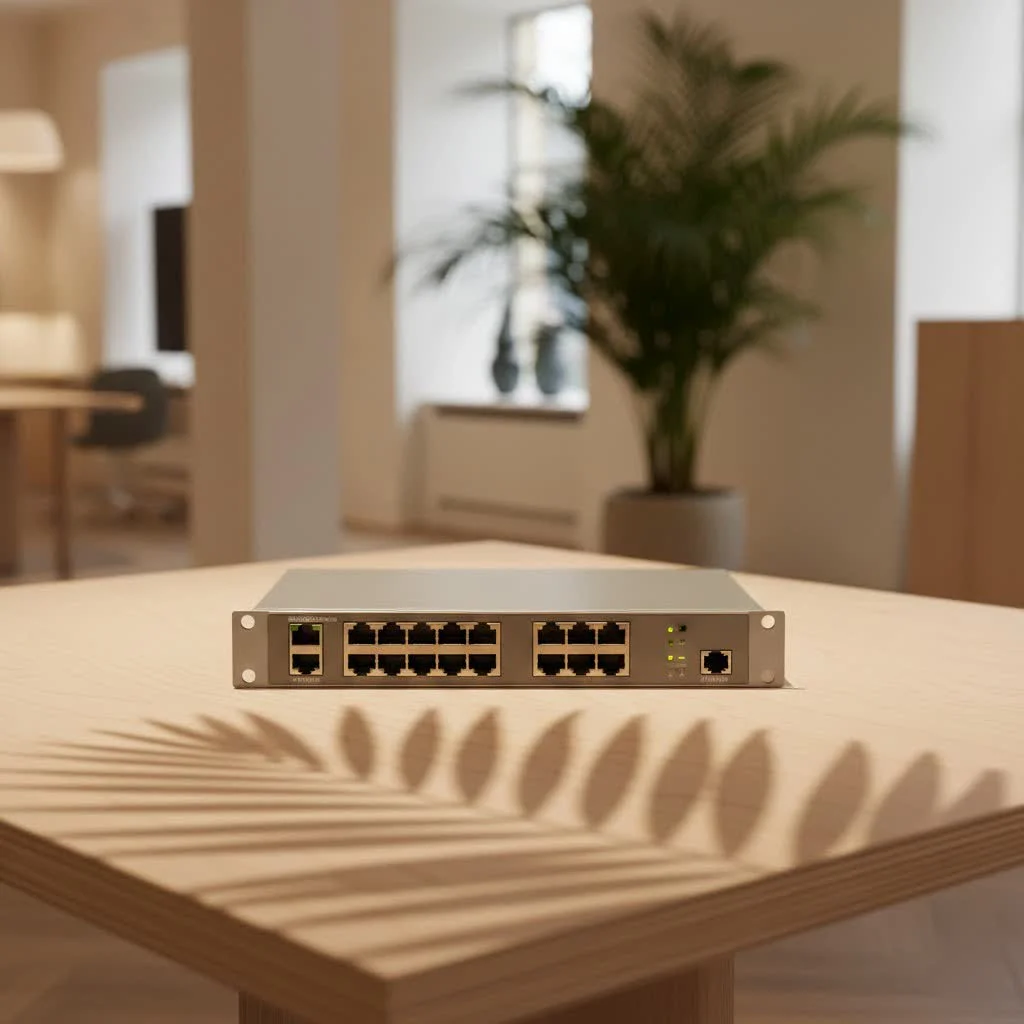
This guide will explore the core functions of a 1 Gb switch, help you choose the right type for your needs, walk you through the setup process, and address common troubleshooting issues. Get ready to improve your network performance and confidently manage your digital infrastructure.
What Exactly is a 1 Gb Switch and Why Do You Need One?
A 1 Gb switch, short for a Gigabit Ethernet switch, is a networking device designed to connect multiple devices within your local area network, enabling them to communicate with each other at speeds up to 1 Gigabit per second (Gbps), or 1000 Megabits per second (Mbps). To put that in perspective, a Gigabit switch is ten times faster than its predecessor, the Fast Ethernet (10/100 Mbps) switch. This remarkable leap in speed fundamentally transforms your network’s capabilities.
How does it achieve this speed? Unlike older Fast Ethernet, which only uses two out of the four twisted pairs of wires in an Ethernet cable, a Gigabit switch intelligently utilizes all four pairs. This full-duplex operation allows data to be transmitted and received simultaneously across all eight wires, ensuring maximum throughput and minimal bottlenecks.
The advantages of integrating a 1 Gb switch into your network are manifold:
- Blazing-Fast Data Transfer: Moving large files between computers, backing up data to a Network Attached Storage (NAS), or syncing cloud services becomes a significantly quicker and smoother experience.
- Reduced Latency and Lag: For real-time applications like online gaming, video conferencing, and VoIP calls, reduced latency means a more responsive and frustration-free experience.
- Enhanced Network Performance: By minimizing network congestion, your entire network operates more efficiently, allowing multiple devices to simultaneously access high-bandwidth content without a noticeable slowdown.
- Future-Proofing Your Setup: While 10 GbE switches are emerging, a 1 Gb switch remains a cost-effective and highly capable solution for most home and small to medium-sized business (SMB) networks, providing ample bandwidth for current and near-future demands.
As Jane Doe, a veteran network architect with VGLan’s R&D team, often says, “A 1 Gb switch is no longer an upgrade; it’s the fundamental baseline for any network that wants to handle modern internet traffic and internal data flow efficiently. It’s the critical link that keeps everything flowing smoothly.”
Types of 1 Gb Switches: Finding Your Perfect Match
Just like cars, not all 1 Gb switches are created equal. They come with varying features and functionalities, each tailored for specific networking needs. Understanding the different types is key to making an informed decision.
Unmanaged 1 Gb Switches: Simplicity at Its Best
These are the “plug-and-play” heroes of the networking world. Unmanaged switches are incredibly easy to set up—simply plug them in, connect your devices, and they work. They come with a fixed configuration and don’t require any user intervention. They operate purely at Layer 2 (data link layer) of the OSI model, forwarding data based on MAC addresses.
- Pros: Cost-effective, simple to install, no technical expertise required.
- Cons: No control over network traffic, security features, or network segmentation.
- Ideal for: Home networks, small offices, or extending an existing network where basic connectivity is the primary goal.
|
Our Picks for the Best Network Switch in 2026
As an Amazon Associate I earn from qualifying purchases.
|
||
| Num | Product | Action |
|---|---|---|
| 1 | TP-Link TL-SG105, 5 Port Gigabit Unmanaged Ethernet Switch, Network Hub, Ethernet Splitter, Plug & Play, Fanless Metal Design, Shielded Ports, Traffic Optimization |

|
| 2 | BrosTrend 2.5Gb Switch, 8 Port Network Switch 2.5 Gigabit, Unmanaged Ethernet Switch for Game Console, NAS, PC, Computer Networking Switch Plug & Play Fanless, Desktop Wall Mount, Lifetime Protection |
|
| 3 | TP-Link 8 Port Gigabit Ethernet Network Switch - Ethernet Splitter - Plug & Play - Fanless - Sturdy Metal w/ Shielded Ports - Traffic Optimization - Unmanaged - Lifetime Protection (TL-SG108) |
|
| 4 | TP-Link TL-SG105S-M2 - 5-Port Multi-Gigabit 2.5G Ethernet Switch - Unmanaged Network Switch - Ethernet Splitter - Plug & Play - Desktop/Wall Mount - Silent Operation |
|
| 5 | TP-Link 5-Port Gigabit Ethernet Easy Smart Switch- Plug and Play - Desktop - Sturdy Metal w/Shielded Ports - Limited Lifetime Replacement (TL-SG105E), Black… |
|
| 6 | UGREEN 16 Port Gigabit Switch, Plug & Play Ethernt Switch, Standard/VLAN Mode, Unmanaged, Sturdy Metal, Fanless Quiet, Desktop & Wall Mount Network LAN Splitter Hub for Laptop, Printer, NAS, Router |
|
| 7 | TP-Link Litewave 5 Port Gigabit Ethernet Switch - Desktop Ethernet Splitter - Unshielded Network Switch - Plug & Play - Fanless Quiet - Unmanaged (LS1005G) |
|
| 8 | UGREEN Ethernet Switch, 5 Port Gigabit Ethernet Splitter, Plug & Play, Wall Mount & Desktop Network Switch Hub, Unmanaged, Compact, with LED, Fanless Quiet, for Internet Cable, Laptop, Router, NAS |
|
| 9 | NETGEAR 8-Port Gigabit Ethernet Unmanaged Essentials Switch (GS308) - Home Network Hub, Office Ethernet Splitter, Plug-and-Play, Silent Operation, Desktop or Wall Mount |
|
| 10 | TP-Link 24 Port Gigabit Ethernet Switch Desktop/ Rackmount Plug & Play Shielded Ports Sturdy Metal Fanless Quiet Traffic Optimization Unmanaged (TL-SG1024S) |
|
Managed 1 Gb Switches: Taking Control of Your Network
Managed switches offer a comprehensive suite of features that give network administrators granular control over their network traffic. They typically come with a web-based interface or a Command Line Interface (CLI) for configuration.
- Pros:
- VLANs (Virtual Local Area Networks): Segment your network for improved security and performance.
- QoS (Quality of Service): Prioritize certain types of traffic (e.g., VoIP, video streaming) to ensure critical applications run smoothly.
- Port Security: Restrict which devices can connect to specific ports, enhancing network security.
- Remote Management: Configure and monitor the switch from anywhere.
- Cons: More expensive, requires networking knowledge to configure and maintain.
- Ideal for: Businesses, advanced home users, or anyone needing precise control over their network’s performance and security.
Power over Ethernet (PoE) 1 Gb Switches: Power and Data, Simplified
PoE switches are a major upgrade for deploying network devices where power outlets are scarce or inconvenient. These switches can deliver both data and electrical power to compatible devices over a single Ethernet cable.
- Pros: Simplifies cabling, reduces installation costs, offers flexibility in device placement.
- Cons: Generally more expensive than non-PoE switches, power budget needs to be considered.
- Ideal for: Powering IP security cameras, wireless access points, VoIP phones, and other IoT devices. Make sure the PoE standard (e.g., 802.3af, 802.3at) matches your devices.
Stackable 1 Gb Switches: Scaling with Ease
Stackable switches allow you to connect multiple physical switches together to function as a single logical unit. This means you can manage several switches as one, simplifying administration and increasing network resilience.
- Pros: Simplified management, increased scalability, improved redundancy.
- Cons: Higher initial cost, specific stacking cables often required.
- Ideal for: Growing businesses or environments where future expansion and centralized management are critical.
How to Choose the Right 1 Gb Switch for Your Network
Selecting the perfect 1 Gb switch requires a bit of planning. It’s not just about speed; it’s about meeting your specific needs and ensuring compatibility.
Assessing Your Port Needs
How many devices do you plan to connect directly to the switch? This is your starting point. to factor in your existing router’s Ethernet ports and any potential future devices.
- Rule of thumb: Always get a few more ports than you currently need. Common port counts are 5, 8, 16, 24, and 48. For most homes, a 5-port or 8-port 1 Gb switch is usually sufficient.
Managed vs. Unmanaged: What Level of Control Do You Need?
- For pure simplicity (home users or small, non-critical networks): An unmanaged 1 Gb switch is often the best choice. Just plug it in and enjoy faster speeds.
- For businesses or advanced users (security, performance optimization): A managed 1 Gb switch offers the tools you need for robust network control, such as creating separate Virtual Local Area Networks (VLANs) for guest Wi-Fi and internal networks, or using Quality of Service (QoS) to prioritize video calls.
Considering PoE Capabilities
Do you have devices like IP cameras, VoIP phones, or wireless access points that could benefit from receiving power directly through their Ethernet cable?
- If so, a PoE 1 Gb switch will simplify your wiring and provide greater flexibility for device placement. Always check the power budget of the switch to ensure it can support all your PoE devices.
Ensuring Network Compatibility and Speed
A 1 Gb switch will only perform at its peak if all other components in your network can keep up.
- Cables: For true Gigabit speeds, you absolutely need Cat5e or Cat6 Ethernet cables. Older Cat5 cables might only support 100 Mbps, becoming a bottleneck. Ensure your cables are in good condition and properly terminated, using all eight wires.
- Devices: Your connected devices (computers, servers, gaming consoles, network adapters) must also have Gigabit Ethernet ports. Most modern devices do, but it’s always worth a quick check.
- Router: Your primary router should also have Gigabit Ethernet ports to avoid creating a bottleneck for your internet connection or inter-VLAN routing (if using a managed switch).
Advanced Features to Look For (QoS, VLAN, SFP)
For those looking to fine-tune their network:
- QoS (Quality of Service): Allows you to prioritize network traffic for specific applications. For example, ensuring your video conference doesn’t drop frames when someone else starts a large download.
- VLAN Support: Essential for segmenting your network into logical groups, enhancing security and managing traffic more efficiently. You might create a VLAN for IoT devices separate from your main network.
- SFP Ports: Small Form-Factor Pluggable ports allow you to use fiber optic transceivers. These are useful for connecting switches over longer distances or for very high-speed uplinks where copper cables might not suffice, though less common in typical home setups.
Setting Up Your 1 Gb Switch: A Step-by-Step Guide
Getting your 1 Gb switch up and running is typically straightforward, especially for unmanaged models. Here’s a general guide:
Unboxing and Placement
- Unbox and Inspect: Carefully remove your new 1 Gb switch from its packaging. Give it a quick visual inspection for any signs of damage.
- Choose a Location: Find a suitable spot for your switch. It should be a cool, dry place with good airflow to prevent overheating. Avoid placing it in enclosed cabinets without ventilation. Ensure it’s near a power outlet and centrally located to your wired devices if possible.
Connecting Your Devices
- Connect to Power: Plug the power adapter into your 1 Gb switch and then into a wall outlet or power strip. The power LED on the switch should illuminate.
- Connect to Your Router (or Existing Network): Use a high-quality Cat5e or Cat6 Ethernet cable to connect one of the switch’s ports to a LAN port on your primary router. This provides internet access to all devices connected to the switch.
- Connect Your Devices: Now, use Cat5e or Cat6 Ethernet cables to connect your computers, gaming consoles, network printers, NAS devices, or any other wired network devices to the remaining ports on the 1 Gb switch.
- Verify Connection: Check the link/activity LEDs on the switch ports. A solid light usually indicates a valid connection, and a blinking light shows data activity. Many switches use different colored LEDs (e.g., green for Gigabit, amber for 100 Mbps) to indicate connection speed.
Basic Configuration for Managed 1 Gb Switches
For unmanaged switches, you’re done! For managed switches, a bit more setup is involved:
- Initial Access: Typically, you’ll connect a computer directly to the switch’s console port (using a serial cable) or via an Ethernet cable to a default management IP address (check your switch’s manual for specifics).
- Set Management IP: Configure a static IP address for the switch within your network’s subnet. This allows you to access its web interface or CLI remotely.
- Configure Ports: Adjust port settings as needed, such as setting specific speeds (though auto-negotiation usually works well for access ports), duplex modes, or enabling/disabling PoE.
- Implement VLANs/QoS (Optional but Recommended for Managed Switches): If you require network segmentation or traffic prioritization, this is where you’ll configure your VLANs and QoS policies.
- Save Configuration: Crucially, always save your configuration changes to the switch’s startup configuration. Otherwise, your settings will be lost if the switch reboots.
Troubleshooting Common 1 Gb Switch Issues
Even the most reliable 1 Gb switch can encounter hiccups. Here are some common problems and practical troubleshooting steps:
“My 1 Gb Switch Isn’t Powering On!”
If your switch is completely unresponsive:
- Check Power Cable: Ensure the power cable is securely plugged into both the switch and a working power outlet.
- Test Outlet/Adapter: Try plugging the switch into a different outlet. If possible, test with a different power adapter (if it’s an external adapter) to rule out a faulty power supply.
- Power over Ethernet (PoE) Source: If it’s a PoE-powered switch, ensure the PoE source (e.g., another PoE switch or injector) is working correctly and providing sufficient power.
“Why is My Network So Slow or Disconnecting?”
This is a common frustration, especially if you expect Gigabit speeds but aren’t getting them.
- Cable Integrity is Key: The most frequent culprit!
- Check Cable Type: Are you using Cat5e or Cat6 cables? Older Cat5 will limit you to 100 Mbps.
- Inspect Cables: Look for any kinks, cuts, or damaged connectors. A single broken wire pair can drop your speed from 1 Gbps to 100 Mbps. Replace any suspicious cables.
- Secure Connections: Ensure all Ethernet cables are firmly seated in their ports on both the switch and the connected device.
- Observe Link Lights: Check the LEDs on your switch ports. If they’re indicating 100 Mbps (often amber or a different color than the Gigabit indicator), it points to a cable or device negotiation issue.
- Firmware Updates: Outdated firmware on a managed switch can sometimes lead to performance issues or intermittent connectivity. Check the manufacturer’s website for the latest updates.
- Overheating: Ensure your switch has adequate ventilation. Excessive heat can cause performance degradation or instability.
- Network Loops: In complex networks, accidental loops (connecting two ports of the same switch, or two switches, in a way that creates a circular path) can cause broadcast storms and bring down the network. Managed switches use Spanning Tree Protocol (STP) to prevent this.
“A Port Isn’t Working on My Switch”
If a single port seems dead or inconsistent:
- Swap Cables/Devices: Test the problematic port with a known good Ethernet cable and a different device. This helps isolate if the issue is with the port, the cable, or the connected device.
- Check Switch Configuration (Managed Switches): For a managed 1 Gb switch, log into the management interface and ensure the port hasn’t been accidentally disabled or configured incorrectly.
- Try Another Port: Connect the device to a different, working port on the switch. If it works there, the original port might be faulty.
- Restart the Switch: Sometimes a simple reboot can resolve transient port issues.
“I Can’t Access Network Resources!”
If devices connected to the switch can’t reach the internet or other network resources:
- Verify Router Connection: Ensure the uplink cable from your 1 Gb switch to your router is securely connected and the router itself is functioning correctly and providing internet access.
- DHCP/DNS Verification: If your devices aren’t getting IP addresses or can’t resolve domain names, verify that your DHCP server (usually your router) is operational and that the switch (if managed and configured for IP) can reach its configured DNS server.
Frequently Asked Questions (FAQ) About 1 Gb Switches
Q: What’s the real difference a 1 Gb switch makes compared to an older 10/100 Mbps switch?
A 1 Gb switch offers a significant performance boost, transmitting data at 1000 Mbps, which is ten times faster than a 10/100 Mbps switch. This speed is crucial for modern applications, reducing file transfer times, improving streaming quality, and ensuring smoother online gaming by minimizing latency. It effectively removes a major bottleneck in your local network.
Q: Do I need special cables for a 1 Gb switch?
Yes, for reliable 1 Gbps speeds, you need Category 5e (Cat5e) or Category 6 (Cat6) Ethernet cables. Older Category 5 (Cat5) cables are typically limited to 100 Mbps. Ensure your cables are in good condition and all eight wires are properly terminated to achieve full Gigabit performance.
Q: Can I use a 1 Gb switch with my existing router?
Absolutely! A 1 Gb switch is designed to integrate seamlessly with most modern routers. Simply connect one of the switch’s ports to a LAN port on your router using a Cat5e or Cat6 cable. All devices connected to the switch will then share the router’s internet connection and communicate at Gigabit speeds locally.
Q: How many ports do I really need on my 1 Gb switch?
The number of ports depends on your current and future needs. Count all the wired devices you have and any you plan to add. that your router usually has 3-4 LAN ports, which can also be used. For most home users, a 5-port or 8-port 1 Gb switch is usually sufficient. It’s always a good idea to have a couple of spare ports for unexpected additions.
Q: Is a managed 1 Gb switch worth it for a home network?
For a typical home network with basic needs, an unmanaged 1 Gb switch is usually more than enough and more cost-effective. However, if you’re an advanced user, run a home lab, have specific security concerns, or want to create separate networks for guests or IoT devices using VLANs, then a managed 1 Gb switch offers the control and flexibility you need.
Conclusion
The 1 Gb switch is an indispensable component in today’s digital landscape, serving as the silent workhorse that powers our high-speed network connections. Whether you’re a casual home user looking for smoother streaming or a business owner demanding efficient data transfer, investing in the right Gigabit Ethernet switch can dramatically enhance your network’s performance, reliability, and security.
We hope this comprehensive guide has empowered you with the knowledge to understand, choose, set up, and troubleshoot your 1 Gb switch. a well-configured network is the foundation of a productive and enjoyable digital experience. Keep exploring, keep learning, and trust VGLan.com as your go-to resource for all things networkingFeel free to share your experiences and questions as you embark on your journey to a faster, more efficient network!
Frequently Asked Questions
What is the main performance difference of a 1 Gb switch?
A 1 Gb switch transmits data at 1000 Mbps, which is ten times faster than a 10/100 Mbps switch. This speed significantly reduces file transfer times, improves streaming quality, and ensures smoother online gaming by minimizing latency, effectively removing a major bottleneck in your local network.
Are special Ethernet cables required for a 1 Gb switch?
Yes, for reliable 1 Gbps speeds, you need Category 5e (Cat5e) or Category 6 (Cat6) Ethernet cables. Older Category 5 (Cat5) cables are typically limited to 100 Mbps. Ensure your cables are in good condition and all eight wires are properly terminated to achieve full Gigabit performance.
Can a 1 Gb switch be used with an existing home router?
Absolutely! A 1 Gb switch is designed to integrate seamlessly with most modern routers. Simply connect one of the switch's ports to a LAN port on your router using a Cat5e or Cat6 cable. All devices connected to the switch will then share the router's internet connection and communicate at Gigabit speeds locally.
How many ports are typically needed on a 1 Gb switch for home use?
The number of ports depends on your current and future needs. For most home users, a 5-port or 8-port 1 Gb switch is usually sufficient, considering that your router typically provides 3-4 additional LAN ports. It is always recommended to have a couple of spare ports for future additions.
Is a managed 1 Gb switch a good investment for a typical home network?
For a typical home network with basic connectivity needs, an unmanaged 1 Gb switch is usually more than sufficient and cost-effective. However, if you are an advanced user, run a home lab, have specific security concerns, or wish to create separate networks for guests or IoT devices using VLANs, then a managed 1 Gb switch offers the necessary control and flexibility.
Setting Up Your 1 Gb Switch
This guide provides step-by-step instructions for installing and configuring your new 1 Gigabit Ethernet switch, covering both unmanaged and managed models.
Carefully remove your new 1 Gb switch from its packaging and inspect it for any damage. Choose a cool, dry location with good airflow, near a power outlet, and centrally located to your wired devices to prevent overheating.
Plug the power adapter into your 1 Gb switch and then into a wall outlet; the power LED should illuminate. Use a high-quality Cat5e or Cat6 Ethernet cable to connect one of the switch's ports to a LAN port on your primary router, providing internet access to connected devices.
Use Cat5e or Cat6 Ethernet cables to connect your computers, gaming consoles, network printers, NAS devices, or any other wired network devices to the remaining ports on the 1 Gb switch. Verify connections by checking the link/activity LEDs on the switch ports; a solid light indicates a valid connection.
For managed switches, access the management interface via a console port or default IP address. Configure a static IP, adjust port settings, and implement VLANs or QoS policies as needed. Always save your configuration changes to the switch's startup configuration to prevent loss upon reboot.
Get our weekly buyer guide
Practical specs, not advice. Unsubscribe anytime.

This guide really helped me understand the core functions of a 1 Gb switch. I was hesitant about which type to choose for my small business, but the breakdown made it clear. My team’s large file transfers are much smoother now, which has boosted our productivity significantly. Good stuff.
The 1 Gb switch I got works well for the most part, and I’ve noticed better file transfer speeds. My only minor complaint is that the unit runs a bit warmer than I expected, even with light use. It’s not a dealbreaker, but something to keep in mind if you’re placing it in a confined space.
I finally upgraded my home network with a 1 Gb switch after dealing with slow speeds for ages. The difference for 4K streaming and online gaming is night and day. Setup was surprisingly easy, even for someone not super tech-savvy. Definitely recommend making the jump if you’re still on older Fast Ethernet.
I was struggling with latency issues during video calls and thought it was my internet. Turns out, my old switch was the bottleneck! Switched to a 1 Gb model, and now everything is super smooth. It’s amazing how much of a difference 1000 Mbps makes compared to my old 10/100 Mbps setup. Very happy with the upgrade.