Welcome to VGLan.com, where we empower you with the knowledge to build and optimize robust networks. In today’s interconnected world, Power over Ethernet (PoE) switches are game-changers, simplifying network deployments and offering unparalleled flexibility. When it comes to reliable and feature-rich PoE solutions, Ubiquiti, particularly their UniFi line, often leads the conversation. These devices are more than just simple network hubs; they’re intelligent power distributors designed to streamline your infrastructure and enhance performance.
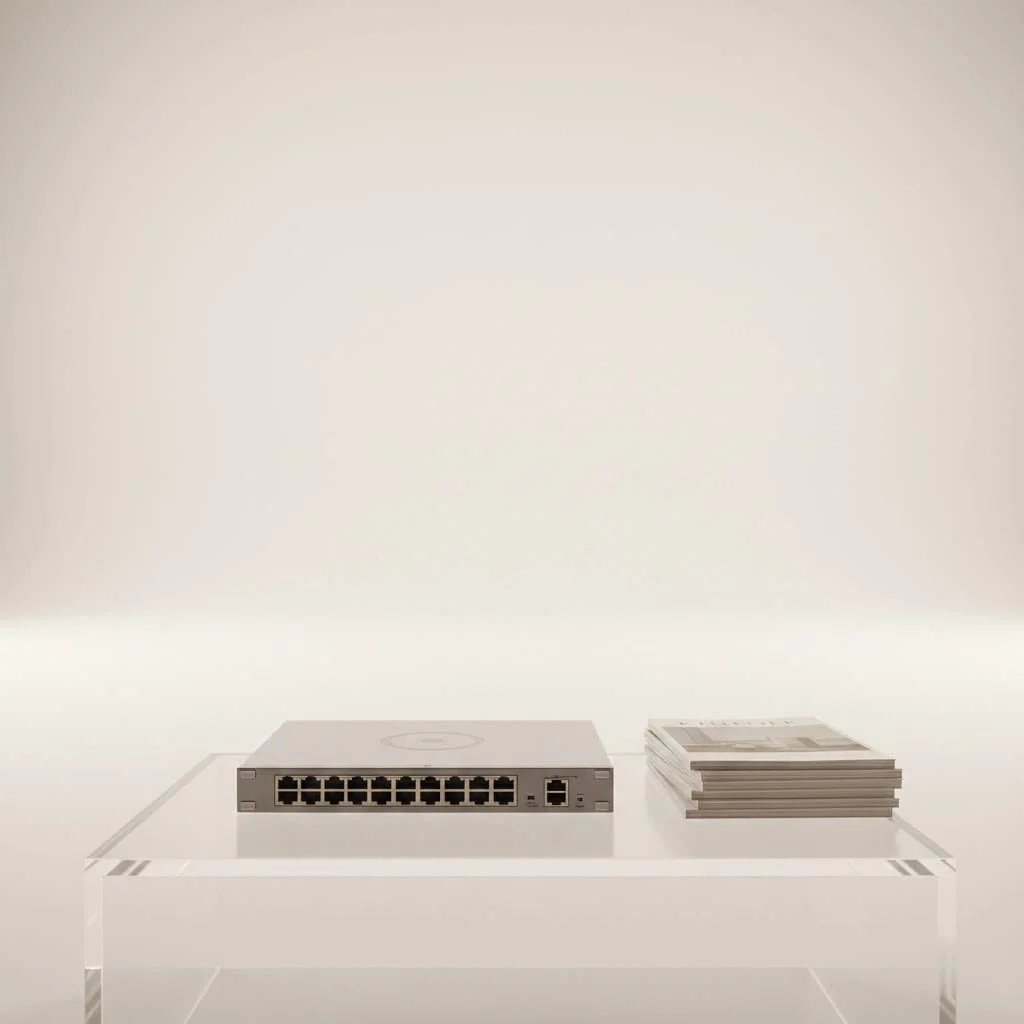
Imagine running a single cable to power both your network camera and its data connection, or setting up a new wireless access point without hunting for an available power outlet. That’s the magic of a Ubiquiti PoE switch. They take the complexity out of powering essential network devices, allowing for cleaner installations, easier management, and greater deployment versatility, whether you’re building a compact home setup or a sprawling enterprise network.
Understanding Network Switches and Their Role in Modern Networks
Before we dive deep into Ubiquiti’s specific offerings, let’s quickly demystify the humble network switch. At its core, a network switch is a device that connects other devices together on a computer network by using packet switching to receive, process, and forward data to the destination device. Unlike older hubs that broadcast data to all connected devices, a switch intelligently directs traffic, leading to more efficient and faster networks.
Why PoE Matters: Simplifying Your Network Deployments
PoE, or Power over Ethernet, is a technology that allows network cables to carry electrical power simultaneously with data. This means you can power devices like IP cameras, wireless access points, VoIP phones, and more, using the same Ethernet cable that provides their network connection. The advantages are clear:
- Reduced Cabling: No need for separate power cables, simplifying installation and reducing clutter.
- Flexible Placement: Devices can be installed in locations where power outlets are inconvenient or unavailable.
- Cost Savings: Less electrical infrastructure means lower installation costs.
- Centralized Power Management: Easily manage power to all connected devices from a single switch.
It’s about making your network smarter, cleaner, and more adaptable to your needs.
Diving Deep into Ubiquiti’s PoE Switch Ecosystem
Ubiquiti has carved out a significant niche in the networking world, largely thanks to its UniFi line of products. UniFi PoE switches are central to this ecosystem, offering a wide array of options tailored for various network sizes and complexities. What makes them stand out? Beyond robust hardware, it’s the seamless integration with the UniFi Network Application – a centralized platform for managing all your UniFi devices, from switches and access points to security gateways.
Key Features and Technologies
|
Our Picks for the Best Network Switch in 2026
As an Amazon Associate I earn from qualifying purchases.
|
||
| Num | Product | Action |
|---|---|---|
| 1 | TP-Link TL-SG105, 5 Port Gigabit Unmanaged Ethernet Switch, Network Hub, Ethernet Splitter, Plug & Play, Fanless Metal Design, Shielded Ports, Traffic Optimization |

|
| 2 | TP-Link 5-Port Gigabit Ethernet Easy Smart Switch- Plug and Play - Desktop - Sturdy Metal w/Shielded Ports - Limited Lifetime Replacement (TL-SG105E), Black… |
|
| 3 | UGREEN 16 Port Gigabit Switch, Plug & Play Ethernt Switch, Standard/VLAN Mode, Unmanaged, Sturdy Metal, Fanless Quiet, Desktop & Wall Mount Network LAN Splitter Hub for Laptop, Printer, NAS, Router |
|
| 4 | TP-Link 8 Port Gigabit Ethernet Network Switch - Ethernet Splitter - Plug & Play - Fanless - Sturdy Metal w/ Shielded Ports - Traffic Optimization - Unmanaged - Lifetime Protection (TL-SG108) |
|
| 5 | TP-Link TL-SG105S-M2 - 5-Port Multi-Gigabit 2.5G Ethernet Switch - Unmanaged Network Switch - Ethernet Splitter - Plug & Play - Desktop/Wall Mount - Silent Operation |
|
| 6 | NETGEAR 8-Port Gigabit Ethernet Unmanaged Essentials Switch (GS308) - Home Network Hub, Office Ethernet Splitter, Plug-and-Play, Silent Operation, Desktop or Wall Mount |
|
| 7 | TP-Link Litewave 5 Port Gigabit Ethernet Switch - Desktop Ethernet Splitter - Unshielded Network Switch - Plug & Play - Fanless Quiet - Unmanaged (LS1005G) |
|
| 8 | TP-Link 24 Port Gigabit Ethernet Switch Desktop/ Rackmount Plug & Play Shielded Ports Sturdy Metal Fanless Quiet Traffic Optimization Unmanaged (TL-SG1024S) |
|
| 9 | BrosTrend 2.5Gb Switch, 8 Port Network Switch 2.5 Gigabit, Unmanaged Ethernet Switch for Game Console, NAS, PC, Computer Networking Switch Plug & Play Fanless, Desktop Wall Mount, Lifetime Protection |
|
| 10 | UGREEN Ethernet Switch, 5 Port Gigabit Ethernet Splitter, Plug & Play, Wall Mount & Desktop Network Switch Hub, Unmanaged, Compact, with LED, Fanless Quiet, for Internet Cable, Laptop, Router, NAS |
|
Ubiquiti PoE switches come packed with features designed for both performance and ease of use:
- Etherlighting™: Some advanced UniFi switches feature Etherlighting™, an innovative technology that visually indicates port speed and native VLANs directly on the switch itself. This makes troubleshooting and network identification incredibly intuitive, transforming cable management from a chore into a breeze.
- UniFi Network Application: This software-defined networking (SDN) platform provides a single pane of glass for monitoring and configuring your entire UniFi infrastructure. From setting up VLANs to tracking network performance, it offers powerful control without complexity.
- Fanless Cooling: Many Ubiquiti switches, especially the compact and standard models, feature fanless designs. This is crucial for silent operation, making them ideal for homes, offices, and environments where noise is a concern.
- Advanced Layer Capabilities: While many entry-level switches operate at Layer 2 (data link layer), Ubiquiti also offers Layer 3 switches with advanced routing capabilities, allowing for more sophisticated network segmentation and inter-VLAN routing, essential for larger, more complex networks.
- High-Speed Uplinks: To handle increasing network traffic, many UniFi PoE switches include high-speed uplink ports such as 10 Gigabit Ethernet (10GbE) SFP+ or even 25 Gigabit Ethernet (25GbE) SFP28, ensuring your core network can keep pace.
PoE Standards Explained (PoE, PoE+, PoE++, PoE+++)
Understanding PoE standards is crucial when selecting a Ubiquiti PoE switch. These standards dictate the maximum power output per port:
- PoE (802.3af): Provides up to 15.4W of power per port (12.95W available to the device). Suitable for basic IP phones, older access points, and low-power cameras.
- PoE+ (802.3at): Delivers up to 30W of power per port (25.5W available to the device). Commonly used for more powerful access points, pan-tilt-zoom (PTZ) cameras, and video conferencing systems.
- PoE++ (802.3bt Type 3): Offers up to 60W of power per port (51W available to the device). Ideal for high-performance wireless access points, thin clients, and LED lighting.
- PoE+++ (802.3bt Type 4): The most powerful standard, providing up to 100W of power per port (71W available to the device). Reserved for demanding applications like high-power digital signage, laptops, and specialized industrial equipment.
Ubiquiti offers switches supporting all these standards, ensuring you can power virtually any PoE-compatible device.
Popular Ubiquiti PoE Switch Series: Finding Your Perfect Match
Ubiquiti categorizes its UniFi switches into several series, each designed with specific use cases and network sizes in mind.
The Compact & Versatile: Lite and Flex Series
These switches are the entry point for many users, offering robust performance in smaller footprints.
- Ideal for: Home networks, small offices, remote installations, and outdoor deployments where space is limited and basic PoE functionality is needed.
- Features: Typically feature 8 or 16 Gigabit Ethernet ports with a portion of them offering PoE+ output. Many are fanless for silent operation, and some, like the Switch Flex, are weatherproof or designed for flexible mounting options (desktop, wall, pole). The UniFi Switch Flex Mini even supports PoE input, allowing it to be powered by another PoE switch.
- Example Models: UniFi Switch Lite 8 PoE, UniFi Switch Lite 16 PoE, UniFi Switch Flex, UniFi Switch Flex Mini.
The Workhorses: Standard Series
Stepping up in capability, the Standard series offers a balanced blend of port density and PoE budget for growing networks.
- Ideal for: Mid-sized businesses, larger home networks, and professional installations requiring more ports and a higher overall PoE budget.
- Features: Available in 16, 24, and 48-port configurations, often with a significant number of PoE+ ports. They maintain a fanless design for quiet operation and are typically rack-mountable, making them suitable for network closets. These are robust Layer 2 switches, offering features like IGMP snooping and port mirroring.
- Example Models: UniFi Switch Standard 16 PoE, UniFi Switch Standard 24 PoE, UniFi Switch Standard 48 PoE.
The Powerhouses: Pro and Enterprise Series
For demanding environments, the Pro and Enterprise series deliver advanced features, high-power PoE, and lightning-fast connectivity.
- Ideal for: Large enterprises, data centers, high-density deployments, and networks requiring Layer 3 routing, high-bandwidth uplinks, and maximum PoE availability.
- Features: These switches offer high port counts (up to 48 ports), often including 2.5GbE or 10GbE RJ45 ports for high-speed access points and devices. They provide substantial PoE++ or even PoE+++ power budgets. Advanced models boast 10G SFP+ or 25G SFP28 uplink ports for aggregation, Layer 3 capabilities for advanced routing, stacking support, and features like Etherlighting™ for easy management. They often include redundant power options for mission-critical reliability.
- Example Models: UniFi Switch Enterprise 8 PoE, UniFi Switch Pro XG 8 PoE, UniFi Switch Pro Max series, UniFi Switch Pro Aggregation.
How to Choose the Right Ubiquiti PoE Switch for Your Needs
Selecting the perfect Ubiquiti PoE switch involves a careful assessment of your current and future network requirements. Don’t just pick the biggest or smallest; choose what truly fits.
Assessing Your PoE Requirements
First, list all the devices you plan to power via PoE. Identify their individual power consumption and the PoE standard they require (PoE, PoE+, PoE++, PoE+++). Sum these up to determine your total PoE budget. Always add a buffer for future expansion. A common mistake is underestimating the required PoE budget, leading to devices not powering on.
Port Count and Speed Considerations
- Port Count: Count the number of wired devices you have today and anticipate future additions. It’s always wise to have a few spare ports.
- Port Speed: Most common devices use Gigabit Ethernet (1GbE). However, if you’re deploying high-performance WiFi 6/6E access points or connecting high-bandwidth servers, consider switches with 2.5GbE or 10GbE RJ45 ports. For uplinks to your core network or server, 10G SFP+ or 25G SFP28 ports are crucial for avoiding bottlenecks.
Management Needs: Managed vs. Unmanaged
While Ubiquiti primarily focuses on managed switches through its UniFi Network Application, understanding the difference is key. Unmanaged switches are plug-and-play with no configuration options, suitable for very basic networks. Managed switches, like Ubiquiti’s offerings, provide extensive control over network traffic, VLANs, QoS (Quality of Service), and security settings, essential for any serious network deployment.
Physical Environment: Indoor vs. Outdoor, Form Factor
Consider where the switch will be located.
- Indoor: Most UniFi switches are designed for indoor use, offering desktop, wall-mountable, or rack-mountable options.
- Outdoor: For outdoor deployments (e.g., powering outdoor cameras or access points), dedicated weatherproof switches like the UniFi Switch Flex or using a Switch Flex Utility enclosure are necessary.
- Form Factor: Compact switches are great for tight spaces, while rack-mount switches are standard for network cabinets.
Future-Proofing Your Investment
Technology evolves rapidly. Investing in a switch with slightly more ports, a higher PoE budget, and faster uplinks than you currently need can save you from costly upgrades down the line. Think about your network’s potential growth over the next 3-5 years.
Setting Up Your Ubiquiti PoE Switch: A Basic Guide
Setting up a Ubiquiti PoE switch within the UniFi ecosystem is generally straightforward thanks to the UniFi Network Application.
- Initial Connection: Connect the switch to your router/gateway and power it on. For initial setup, connect a computer to any port on the switch that is not designated as an uplink.
- UniFi Network Application: Ensure you have the UniFi Network Application running, either on a dedicated UniFi Cloud Key, a UniFi Dream Machine, or a software controller installed on a computer or server.
- Adoption: The UniFi Network Application should automatically discover the new switch. Navigate to the “Devices” section and click “Adopt” next to your new switch. This integrates it into your UniFi network for centralized management.
- Basic Configuration: Once adopted, you can begin configuring ports, creating VLANs, setting up port profiles (e.g., for specific camera types or access points), and monitoring performance directly from the UniFi Network Application interface. The intuitive GUI makes complex configurations accessible.
Common Challenges and Troubleshooting Tips for Ubiquiti PoE Switches
Even with the best equipment, you might encounter issues. Here are some common problems and how to approach them:
PoE Device Not Powering On
- Check PoE Budget: Is the switch’s total PoE budget sufficient for all connected devices?
- Verify PoE Standard: Does the switch port support the PoE standard required by your device (PoE, PoE+, PoE++, PoE+++)?
- Cable Integrity: Use high-quality Ethernet cables (Cat5e or better) and ensure they are properly terminated. Faulty cables are a common culprit.
- Port Configuration: In the UniFi Network Application, ensure the port is enabled for PoE output and the correct PoE mode is selected if adjustable.
Network Performance Issues
- Cable Quality: Again, ensure you’re using appropriate, high-quality cabling for the desired speeds (e.g., Cat6 or Cat6a for 10GbE).
- Uplink Bottlenecks: Is your switch’s uplink port connected to a capable port on your router or aggregation switch? Ensure the uplink speed matches or exceeds the traffic demands.
- Loop Detection: Enable STP (Spanning Tree Protocol) in the UniFi Network Application to prevent network loops, which can severely degrade performance.
Connectivity Problems
- IP Address Issues: Verify your switch and connected devices are receiving IP addresses correctly (DHCP or static).
- VLAN Configuration: If using VLANs, ensure ports are correctly assigned to the appropriate VLANs and that routing between VLANs is properly configured if necessary.
- Firmware Updates: Always keep your UniFi switch firmware updated. Ubiquiti regularly releases updates that improve performance, add features, and fix bugs.
“In my two decades of working with network infrastructure, Ubiquiti PoE switches have consistently impressed me with their balance of enterprise-grade features and user-friendly management,” says John Thompson, a senior network architect. “They offer unparalleled value, allowing businesses and home users alike to deploy advanced network capabilities that were once exclusive to much higher-priced solutions.”
Expert Insights on Optimizing Your Network with Ubiquiti PoE
To truly maximize your Ubiquiti PoE switch investment, think beyond basic connectivity. Leverage the UniFi Network Application to segment your network with VLANs, apply Quality of Service (QoS) rules to prioritize critical traffic like VoIP or video, and implement robust security measures. By strategically planning your PoE deployments, you can reduce power consumption, enhance reliability, and simplify ongoing maintenance. For example, scheduling PoE power off on certain ports during non-business hours for non-essential devices can lead to energy savings and increased security. Regularly monitor your network’s health and performance through the UniFi dashboard to proactively address potential issues.
Frequently Asked Questions (FAQ)
Q: What is the main difference between Ubiquiti UniFi Lite, Standard, and Pro PoE switches?
A: The main differences lie in port density, PoE budget, advanced features like Layer 3 capabilities, and uplink speeds. Lite switches are compact with basic PoE, Standard switches offer more ports and a balanced PoE budget, while Pro and Enterprise switches provide high-power PoE, faster uplinks (10G/25G), and advanced Layer 3 routing for larger and more demanding networks.
Q: Can I power any device with a Ubiquiti PoE switch?
A: You can power any device that is PoE-compatible and adheres to the supported PoE standard (802.3af, 802.3at, 802.3bt) of the switch and individual port. Always check the power requirements of your device against the switch’s PoE output.
Q: Do Ubiquiti PoE switches require a UniFi Cloud Key or Dream Machine to manage?
A: While highly recommended for a complete UniFi experience, a dedicated Cloud Key or Dream Machine is not strictly required. You can run the UniFi Network Application software on a computer or server, though a dedicated controller offers reliability and always-on management.
Q: How do I know how much PoE power I need?
A: Calculate the total power consumption (in watts) of all your PoE-powered devices. Sum these values and then select a Ubiquiti PoE switch whose total PoE power budget exceeds this sum, ideally with a 20-30% buffer for future expansion and stability.
Q: Are Ubiquiti PoE switches noisy?
A: Many compact and standard series Ubiquiti PoE switches are designed with fanless cooling, making them completely silent. Higher-end Pro and Enterprise models with higher port counts and PoE budgets may include fans, but these are generally optimized for quiet operation within rack environments.
Q: What is Etherlighting™ on some UniFi switches?
A: Etherlighting™ is a visual feature on certain advanced UniFi switches that illuminates the ports to indicate their native VLANs and current link speeds at a glance. It significantly simplifies cable management and troubleshooting by providing instant visual cues.
Conclusion
Ubiquiti PoE switches, especially within the UniFi ecosystem, offer a powerful and flexible foundation for any modern network. From the compact versatility of the Lite and Flex series to the high-performance capabilities of the Pro and Enterprise lines, there’s a Ubiquiti PoE switch designed to meet your specific needs. By understanding the different models, their PoE capabilities, and key features, you can confidently select, install, and optimize your network. We encourage you to explore the full range of Ubiquiti PoE solutions on VGLan.com and empower your network deployments with reliable, efficient, and intelligently managed power. Dive in, experiment, and transform your network experience!
Get our weekly buyer guide
Practical specs, not advice. Unsubscribe anytime.
