Ever feel like your internet connection is stuck in the slow lane, even with a blazing-fast ISP plan? You’re not alone. Many network bottlenecks stem not from your internet provider, but from your internal network hardware. That’s where a Gb Switch – short for Gigabit Ethernet switch – steps in, transforming your digital experience from frustratingly slow to incredibly fast. At VGLan, we’re all about empowering you with the knowledge to build and optimize robust networks, and understanding the gb switch is a fundamental step toward achieving peak performance.
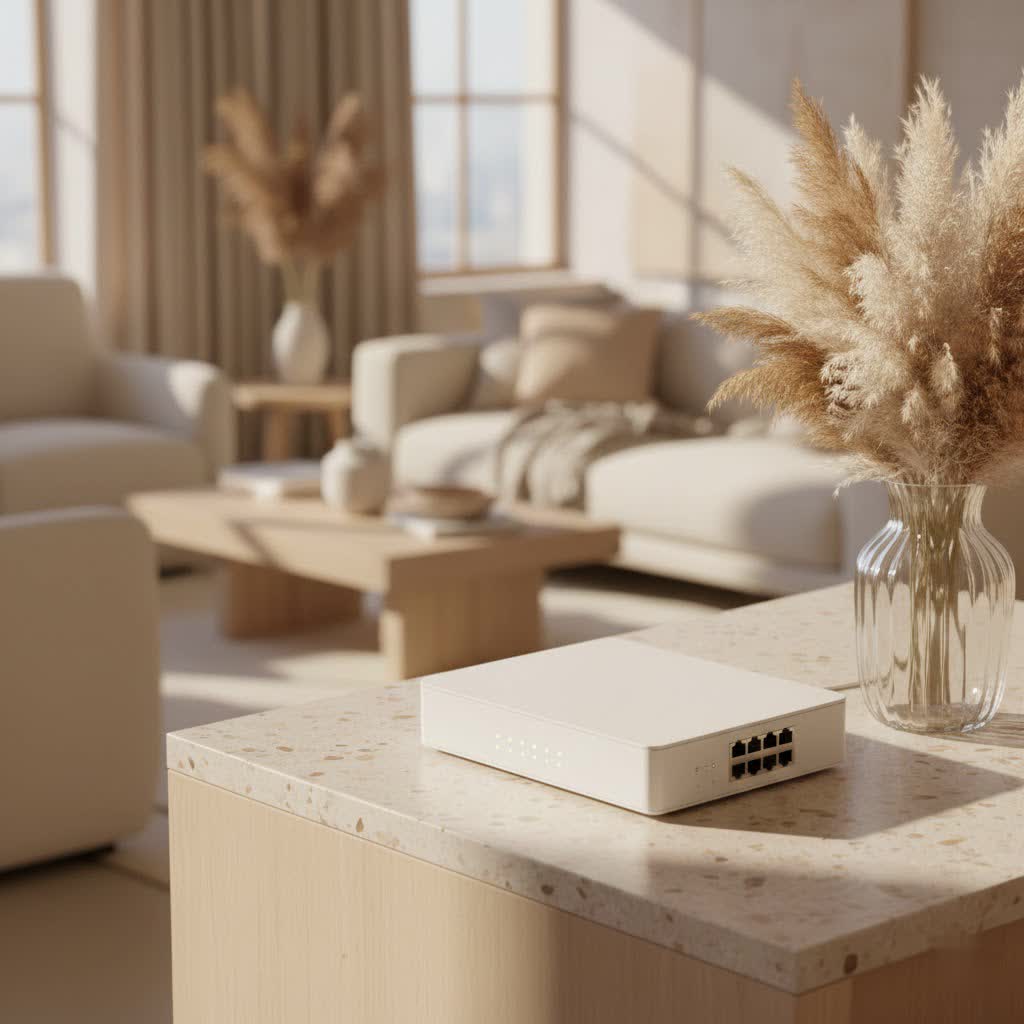
What is a Gigabit Switch (GB Switch)?
At its core, a gb switch is a vital piece of networking equipment designed to manage data traffic within your local area network (LAN) at speeds up to 1 Gigabit per second (Gbps). Think of it as a super-efficient traffic controller for your home or office network. While traditional Ethernet (10 Mbps) and Fast Ethernet (100 Mbps) switches served their purpose in simpler times, they simply can’t keep up with today’s demanding applications. A gb switch offers a tenfold increase in speed compared to its Fast Ethernet predecessor, enabling seamless communication between all your connected devices. It acts as a central hub, intelligently forwarding data packets only to their intended recipient, rather than broadcasting them to every device, which vastly improves efficiency and reduces congestion.
Why Upgrade to a GB Switch? The Undeniable Benefits
The move to a gb switch isn’t just about raw speed; it’s about unlocking a smoother, more responsive, and future-proof network experience.
Enhanced Speed and Performance
|
Our Picks for the Best Network Switch in 2026
As an Amazon Associate I earn from qualifying purchases.
|
||
| Num | Product | Action |
|---|---|---|
| 1 | NETGEAR 8-Port Gigabit Ethernet Unmanaged Essentials Switch (GS308) - Home Network Hub, Office Ethernet Splitter, Plug-and-Play, Silent Operation, Desktop or Wall Mount |

|
| 2 | UGREEN 16 Port Gigabit Switch, Plug & Play Ethernt Switch, Standard/VLAN Mode, Unmanaged, Sturdy Metal, Fanless Quiet, Desktop & Wall Mount Network LAN Splitter Hub for Laptop, Printer, NAS, Router |
|
| 3 | TP-Link TL-SG105, 5 Port Gigabit Unmanaged Ethernet Switch, Network Hub, Ethernet Splitter, Plug & Play, Fanless Metal Design, Shielded Ports, Traffic Optimization |
|
| 4 | TP-Link 8 Port Gigabit Ethernet Network Switch - Ethernet Splitter - Plug & Play - Fanless - Sturdy Metal w/ Shielded Ports - Traffic Optimization - Unmanaged - Lifetime Protection (TL-SG108) |
|
| 5 | TP-Link 24 Port Gigabit Ethernet Switch Desktop/ Rackmount Plug & Play Shielded Ports Sturdy Metal Fanless Quiet Traffic Optimization Unmanaged (TL-SG1024S) |
|
| 6 | TP-Link Litewave 5 Port Gigabit Ethernet Switch - Desktop Ethernet Splitter - Unshielded Network Switch - Plug & Play - Fanless Quiet - Unmanaged (LS1005G) |
|
| 7 | BrosTrend 2.5Gb Switch, 8 Port Network Switch 2.5 Gigabit, Unmanaged Ethernet Switch for Game Console, NAS, PC, Computer Networking Switch Plug & Play Fanless, Desktop Wall Mount, Lifetime Protection |
|
| 8 | TP-Link 5-Port Gigabit Ethernet Easy Smart Switch- Plug and Play - Desktop - Sturdy Metal w/Shielded Ports - Limited Lifetime Replacement (TL-SG105E), Black… |
|
| 9 | UGREEN Ethernet Switch, 5 Port Gigabit Ethernet Splitter, Plug & Play, Wall Mount & Desktop Network Switch Hub, Unmanaged, Compact, with LED, Fanless Quiet, for Internet Cable, Laptop, Router, NAS |
|
| 10 | TP-Link TL-SG105S-M2 - 5-Port Multi-Gigabit 2.5G Ethernet Switch - Unmanaged Network Switch - Ethernet Splitter - Plug & Play - Desktop/Wall Mount - Silent Operation |
|
With a gb switch, your network can handle data transfers at 1000 Mbps, ensuring that moving large files between computers, accessing networked storage (NAS), or backing up data to the cloud happens in a blink. This dramatically cuts down on wait times and improves overall productivity, especially in environments where data-intensive tasks are common.
Reduced Latency
For activities like online gaming or video conferencing, latency—the delay before a transfer of data begins following an instruction—is the enemy. A gb switch significantly reduces this lag, providing a more responsive and fluid experience. Gamers will notice fewer frustrating delays, and remote workers will enjoy clearer, more stable video calls.
Supporting Bandwidth-Intensive Applications
Modern applications demand more bandwidth than ever before. Streaming 4K video, managing multiple IP security cameras, running virtual machines, or handling voice over IP (VoIP) traffic can quickly overwhelm older Fast Ethernet networks. A gb switch provides the necessary bandwidth to run all these applications simultaneously without a hitch, ensuring a consistent quality of service for every device.
Future-Proofing Your Network
As technology advances, our bandwidth needs only grow. Upgrading to a gb switch today ensures your network is ready for the devices and applications of tomorrow. It’s an investment that pays dividends by preventing the need for frequent, costly overhauls. “Installing a gigabit switch today is like building a highway before the traffic jam starts,” says Eleanor Vance, Senior Network Architect at VGLan Labs. “It ensures your network can scale with your needs, keeping you ahead of the curve.”
Types of GB Switches: Finding Your Perfect Match
Gigabit switches come in various forms, each suited for different needs. Understanding these types will help you select the ideal gb switch for your specific environment.
Unmanaged GB Switches
What are they? These are the simplest, most common type of gb switch, often called “plug-and-play.” They require no configuration and automatically detect network settings.
Who are they for? Perfect for home users and small offices that need to expand their wired network without complex setup. You plug it in, connect your devices, and it just works.
Managed GB Switches
What are they? Managed gb switches offer advanced features and customization options, including Virtual Local Area Networks (VLANs), Quality of Service (QoS), port mirroring, and enhanced security protocols. They require configuration, typically through a web interface or command-line interface (CLI).
Who are they for? Ideal for businesses and advanced home users who need granular control over their network traffic, security, and performance. They allow you to segment your network, prioritize critical data, and monitor network activity.
PoE GB Switches (Power over Ethernet)
What are they? PoE gb switches deliver both data and electrical power over a single Ethernet cable. This eliminates the need for separate power outlets for compatible devices.
Who are they for? Incredibly useful for deploying devices like IP cameras, wireless access points, VoIP phones, and smart lighting in locations where power outlets are scarce or inconvenient. A PoE gb switch simplifies installation and reduces cable clutter.
Other Considerations
For larger, more complex network infrastructures, you might encounter stackable gb switches, which allow multiple switches to be managed as a single unit, or Layer 3 gb switches, which include routing capabilities, enabling them to handle traffic between different network subnets. While often overkill for a typical home or small office, these options highlight the versatility of gigabit technology for growing organizations.
How to Choose the Right GB Switch for Your Network
Selecting the perfect gb switch involves assessing your current and future networking requirements. It’s not just about the fastest speed; it’s about smart choices that align with your lifestyle or business operations.
Assessing Your Needs: Number of Ports and PoE
How many devices do you need to connect? Start by counting all wired devices you currently have and consider any you might add in the near future. Common port counts are 5, 8, 16, 24, or 48. Always factor in a few extra ports for growth. Remember, one port will connect to your router, leaving the rest for your devices.
Do you need Power over Ethernet (PoE)? If you plan to install IP cameras, Wi-Fi access points, or VoIP phones, a PoE gb switch is a game-changer. It simplifies wiring and offers flexible placement options. Check the power requirements of your PoE devices against the switch’s total power budget.
Managed vs. Unmanaged: Control vs. Simplicity
For pure simplicity, go unmanaged. If you just need to expand your network and don’t require advanced configurations, an unmanaged gb switch is your best bet. It’s affordable, easy to set up, and reliable.
For ultimate control, choose managed. If you’re running a business network, have multiple subnets, or need to prioritize certain types of traffic (e.g., video streaming over general browsing), a managed gb switch provides the tools to fine-tune your network.
Cable Compatibility and Network Infrastructure
To fully leverage the speed of a gb switch, ensure your Ethernet cabling is up to standard. Cat5e (Category 5e) or Cat6 (Category 6) cables are essential for achieving gigabit speeds over typical distances. Older Cat5 cables might work but could limit performance. “Even the best gb switch won’t perform optimally if your cabling is old or damaged,” advises Eleanor Vance. “Think of your cables as the roads your data travels on – they need to be in good condition for a smooth journey.”
Budget and Future Scalability
While gb switches are generally more expensive than their Fast Ethernet counterparts, their long-term benefits in performance and future-proofing often justify the investment. Consider models with energy-efficient features (like IEEE 802.3az) to save on electricity. If you foresee even greater bandwidth demands in the future, some gb switches offer 10G uplink ports, allowing for seamless integration into even faster networks.
Setting Up Your GB Switch: A Simple Guide
Installing an unmanaged gb switch is remarkably straightforward. You don’t need to be a network wizard to get it up and running.
Step 1: Unboxing and Placement
Carefully unpack your new gb switch. Choose a cool, well-ventilated location near your existing router or modem, and close to the devices you intend to connect. Ensure there’s a power outlet nearby. Most small gb switches are compact enough for desktop placement, and some even offer wall-mounting options.
Step 2: Connecting to Your Router
- Plug in the Power: Connect the power adapter to your gb switch and then into a wall outlet or power strip. The power LED on the switch should illuminate.
- Connect to Your Router: Take one standard Ethernet cable (Cat5e or Cat6 is recommended) and plug one end into any available LAN port on your router/modem.
- Connect to the Switch: Plug the other end of that same Ethernet cable into any available port on your new gb switch. Most modern gb switches feature “Auto MDI/MDIX,” meaning you don’t need a special crossover cable, and you can use any port for the uplink connection. The corresponding LED on the switch port should light up, indicating an active connection.
Step 3: Connecting Your Devices
Now, connect your devices! For each device you want to add to your wired network (e.g., computer, gaming console, smart TV, network printer), simply plug one end of an Ethernet cable into the device’s network port and the other end into an open port on your gb switch. The link LED for each connected device should light up, and often blink to indicate data activity.
That’s it! For most unmanaged gb switches, the setup is literally “plug-and-play.” Your router will automatically assign IP addresses, and your devices should now have gigabit speed access.
Common GB Switch Issues and How to Troubleshoot Them
Even with the best hardware, sometimes things don’t go as planned. Here are some common issues you might encounter with a gb switch and how to troubleshoot them.
“My Devices Aren’t Connecting!”
If a device isn’t getting network access through your gb switch, start with the basics:
- Check Physical Connections: Ensure all Ethernet cables are securely plugged into both the device and the switch. A loose connection is a surprisingly common culprit.
- Inspect Cable Condition: Look for any visible damage, kinks, or frayed ends on your Ethernet cables. A damaged cable can cause intermittent or no connectivity.
- Verify Port Status (LEDs): Check the LED indicator lights on the gb switch for the problematic port. A solid green light usually means a good connection. If it’s off, flickering erratically, or showing an amber/red light, there might be an issue with the cable, the device, or the switch port itself. Try a different port on the switch.
- Power Cycle Devices: Sometimes, simply rebooting the connected device, and then the switch, can resolve temporary glitches.
“Why is My Network Still Slow?”
You installed a gb switch, but speeds aren’t what you expected?
- Check All Components: For true gigabit speeds, every device in the chain needs to support it: your router, the gb switch, the connected device’s network adapter, and all Ethernet cables (Cat5e or Cat6). If any component is Fast Ethernet (10/100 Mbps), your speed will be capped at 100 Mbps.
- Test Cables: Faulty or low-quality cables can significantly degrade performance. Swap out suspicious cables with known good Cat5e or Cat6 ones.
- Network Congestion: While less common with a gb switch in smaller networks, heavy traffic from many devices could still cause slowdowns. For managed switches, consider using Quality of Service (QoS) to prioritize critical traffic.
- Duplex Mismatches: (Primarily for managed switches) Ensure that the duplex settings (full-duplex vs. half-duplex) on the switch port and the connected device’s network adapter match. Mismatches can lead to severe performance issues.
“The Switch Isn’t Turning On!”
If your gb switch is completely unresponsive:
- Verify Power Supply: Double-check that the power adapter is securely plugged into both the switch and a working electrical outlet. Try plugging another device into the same outlet to confirm it has power.
- Use Original Adapter: Always use the power adapter that came with your gb switch. Generic adapters might not provide the correct voltage or amperage.
- Inspect for Damage: Look for any signs of physical damage to the power adapter or the switch itself.
If these basic troubleshooting steps don’t resolve the issue, consult the gb switch’s user manual or contact the manufacturer’s support.
FAQs about GB Switches
Q1: What is the main difference between a gb switch and a router?
A1: A router connects your local network to the internet and typically manages IP addresses (DHCP), while a gb switch connects multiple devices within your local network, enabling them to communicate at high speeds. Your router often has a built-in, small gb switch, but a standalone gb switch expands the number of wired ports and can improve internal network efficiency.
Q2: Do I need special cables for a gb switch?
A2: Yes, to achieve full gigabit speeds, you need Category 5e (Cat5e) or Category 6 (Cat6) Ethernet cables. Older Cat5 cables are generally limited to Fast Ethernet speeds (100 Mbps).
Q3: Can I connect a gb switch to a Fast Ethernet device?
A3: Absolutely! Gb switches are backward compatible. They will automatically negotiate and operate at the highest common speed supported by both devices (e.g., 100 Mbps if connected to a Fast Ethernet device).
Q4: How many ports should my gb switch have?
A4: The number of ports depends entirely on your needs. For a typical home, a 5-port or 8-port gb switch is usually sufficient. Small offices might need 16-port or 24-port switches, while larger organizations could require even more. Always consider future expansion.
Q5: Is a gb switch worth it for home use?
A5: Definitely! If you have multiple devices that stream 4K content, play online games, transfer large files, or work from home with demanding applications, a gb switch will dramatically improve your network’s speed and responsiveness, making it a highly worthwhile investment.
Final Thoughts: The GB Switch – Your Gateway to a Faster Network
In today’s interconnected world, a robust and speedy network is no longer a luxury—it’s a necessity. The gb switch stands as a cornerstone of modern networking, providing the foundational speed and efficiency required for everything from seamless 4K streaming to rapid data backups. By understanding its benefits, types, and how to properly deploy it, you’re not just buying a piece of hardware; you’re investing in a smoother, more productive, and future-ready digital environment.
Ready to take control of your network and eliminate those frustrating bottlenecks? Explore the power of a gb switch and experience the VGLan difference. Dive in, connect confidently, and optimize your network for peak performance!
