A gigabit ethernet switch is an essential networking device that connects multiple devices within a local area network (LAN), enabling them to communicate at speeds up to 1 Gigabit per second (Gbps). This tenfold increase over older Fast Ethernet (100 Mbps) is crucial for modern applications like 4K streaming, online gaming, and large file transfers, making it a necessary upgrade for optimizing home or business network performance and eliminating bottlenecks.
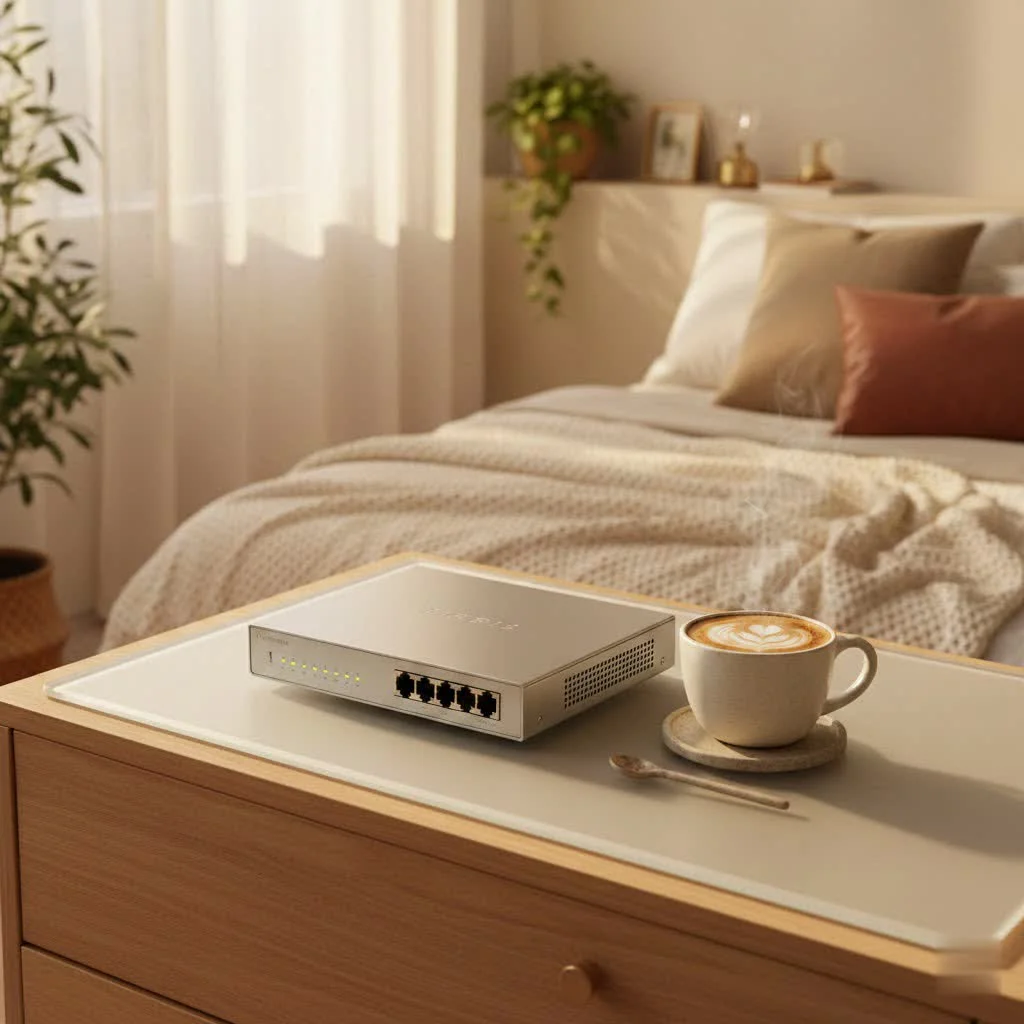
What Exactly is a Gigabit Ethernet Switch?
At its core, a gigabit ethernet switch is a networking device that connects multiple devices within a local area network (LAN), enabling them to communicate with each other and often with the internet at blazing fast speeds. Unlike older hubs that simply broadcast data to all connected devices, a switch intelligently forwards data packets only to their intended recipient based on MAC addresses, dramatically improving network efficiency.
The “gigabit” in its name refers to its impressive data transfer rate: 1 Gigabit per second (Gbps), which equates to 1000 Megabits per second (Mbps). This is a monumental leap from the older Fast Ethernet standard, which topped out at 100 Mbps. Think of it like upgrading from a country road to a multi-lane superhighway. This tenfold increase in speed is why a gigabit ethernet switch has become the standard for modern networks, essential for handling bandwidth-intensive applications such as high-definition video conferencing, seamless online gaming, large database synchronization, and rapid cloud backups. It effectively eliminates network bottlenecks, ensuring your devices can communicate at their fastest possible speeds.
Navigating the Landscape: Common Types of Gigabit Ethernet Switches
The world of network switches can seem complex, but for gigabit ethernet switches, the primary distinctions often boil down to their management capabilities and power delivery. Understanding these types is key to selecting the right fit for your specific needs.
Unmanaged Gigabit Switches: Plug-and-Play Simplicity
|
Our Picks for the Best Network Switch in 2026
As an Amazon Associate I earn from qualifying purchases.
|
||
| Num | Product | Action |
|---|---|---|
| 1 | TP-Link 24 Port Gigabit Ethernet Switch Desktop/ Rackmount Plug & Play Shielded Ports Sturdy Metal Fanless Quiet Traffic Optimization Unmanaged (TL-SG1024S) |

|
| 2 | UGREEN 16 Port Gigabit Switch, Plug & Play Ethernt Switch, Standard/VLAN Mode, Unmanaged, Sturdy Metal, Fanless Quiet, Desktop & Wall Mount Network LAN Splitter Hub for Laptop, Printer, NAS, Router |
|
| 3 | UGREEN Ethernet Switch, 5 Port Gigabit Ethernet Splitter, Plug & Play, Wall Mount & Desktop Network Switch Hub, Unmanaged, Compact, with LED, Fanless Quiet, for Internet Cable, Laptop, Router, NAS |
|
| 4 | TP-Link Litewave 5 Port Gigabit Ethernet Switch - Desktop Ethernet Splitter - Unshielded Network Switch - Plug & Play - Fanless Quiet - Unmanaged (LS1005G) |
|
| 5 | TP-Link 8 Port Gigabit Ethernet Network Switch - Ethernet Splitter - Plug & Play - Fanless - Sturdy Metal w/ Shielded Ports - Traffic Optimization - Unmanaged - Lifetime Protection (TL-SG108) |
|
| 6 | NETGEAR 8-Port Gigabit Ethernet Unmanaged Essentials Switch (GS308) - Home Network Hub, Office Ethernet Splitter, Plug-and-Play, Silent Operation, Desktop or Wall Mount |
|
| 7 | BrosTrend 2.5Gb Switch, 8 Port Network Switch 2.5 Gigabit, Unmanaged Ethernet Switch for Game Console, NAS, PC, Computer Networking Switch Plug & Play Fanless, Desktop Wall Mount, Lifetime Protection |
|
| 8 | TP-Link 5-Port Gigabit Ethernet Easy Smart Switch- Plug and Play - Desktop - Sturdy Metal w/Shielded Ports - Limited Lifetime Replacement (TL-SG105E), Black… |
|
| 9 | TP-Link TL-SG105, 5 Port Gigabit Unmanaged Ethernet Switch, Network Hub, Ethernet Splitter, Plug & Play, Fanless Metal Design, Shielded Ports, Traffic Optimization |
|
| 10 | TP-Link TL-SG105S-M2 - 5-Port Multi-Gigabit 2.5G Ethernet Switch - Unmanaged Network Switch - Ethernet Splitter - Plug & Play - Desktop/Wall Mount - Silent Operation |
|
These are the “set it and forget it” champions of the switch world. An unmanaged gigabit switch offers straightforward, plug-and-play functionality with no configuration required. You simply connect your devices, and it starts working. They are ideal for small home networks, home offices, or basic small business setups where you need to expand your wired connectivity without diving into complex network settings. They are cost-effective and perfectly suited for users who prioritize ease of use.
Managed Gigabit Switches: Control and Customization
Stepping up in sophistication, managed gigabit switches provide a robust set of features for network administrators to precisely control and monitor their network traffic. With a managed switch, you can configure Virtual Local Area Networks (VLANs) to segment your network for security or performance, implement Quality of Service (QoS) to prioritize critical data (like VoIP calls or video streams), and perform port mirroring for network analysis. They often come with web-based interfaces or command-line interfaces (CLI) for configuration. These switches are indispensable for businesses, larger organizations, or advanced home users who require granular control, enhanced security, and optimized performance.
PoE (Power over Ethernet) Gigabit Switches: Power and Data in One
Imagine powering your IP camera, VoIP phone, or wireless access point with just a single Ethernet cable, eliminating the need for separate power outlets and adapters. That’s the magic of a Power over Ethernet (PoE) gigabit switch. These switches deliver both data and electrical power simultaneously over standard Ethernet cabling. PoE significantly simplifies installation, reduces cable clutter, and offers greater flexibility in device placement. For anyone deploying smart home devices, surveillance systems, or multiple access points, a PoE gigabit switch is a major upgrade.
Stackable Gigabit Switches: Scalability for Growing Networks
For larger businesses or enterprise environments with ever-expanding network demands, stackable gigabit switches offer a solution for seamless scalability. These switches can be physically connected (or “stacked”) and managed as a single logical unit. This provides a unified management interface and allows for easier expansion of port capacity and network redundancy without increasing management overhead. It’s an efficient way to build a high-density, resilient network backbone.
Choosing Your Perfect Gigabit Ethernet Switch: Key Considerations
Selecting the right gigabit ethernet switch can feel like a significant decision, but by evaluating a few key factors, you can confidently choose a device that meets your current needs and allows for future growth.
Assess Your Network Size and Usage
Start by taking inventory. How many wired devices do you currently have? How many do you anticipate adding in the near future? Consider computers, printers, gaming consoles, smart TVs, network-attached storage (NAS), and any smart home hubs. Switches are available with varying port counts, commonly 5, 8, 16, 24, or even 48 ports. A general rule of thumb is to factor in about 20-30% extra ports for future expansion. Also, think about the type of traffic on your network. Are you mostly browsing the web, or are you heavily engaged in online gaming, 4K streaming, or large file transfers? This will influence the importance of features like QoS.
Managed vs. Unmanaged: What Level of Control Do You Need?
This is a pivotal decision. For basic home networks or small offices where simplicity is paramount, an unmanaged gigabit switch is often sufficient and more budget-friendly. You plug it in, and it works. However, if you need to segregate network traffic (VLANs), prioritize certain applications (QoS), or monitor network performance, a managed or “smart” managed gigabit switch is the way to go. Managed switches offer the flexibility and control essential for optimizing complex network environments.
Do You Need Power over Ethernet (PoE)?
If you plan to install IP cameras, VoIP phones, wireless access points, or other PoE-compatible devices, a PoE gigabit switch will dramatically simplify your wiring and installation process. It eliminates the need for separate power injectors or dedicated power outlets near each device, leading to a cleaner, more organized, and often more cost-effective setup. there are different PoE standards (PoE, PoE+, PoE++) offering varying power budgets per port, so match the switch’s capability to your devices’ power requirements.
Bandwidth Requirements: Planning for the Future
While a standard gigabit ethernet switch offers 1 Gbps, some higher-end switches may include 2.5 Gbps or even 10 Gbps (10GbE) uplink ports. If your network handles extremely demanding tasks like high-speed server connections or connecting to a very fast network backbone, considering a switch with 10GbE uplinks can be a smart move for future-proofing. For most home and small business users, standard gigabit ports are more than adequate for edge devices.
Budget and Brand Reputation
Gigabit switches come in a wide range of prices. Unmanaged switches are generally more affordable, while managed and PoE switches, especially those with higher port counts or advanced features, will naturally cost more. Investing in a reputable brand often means better build quality, reliable performance, and access to customer support. Read reviews and compare features to find the best value for your budget.
“Choosing the right gigabit ethernet switch is like building a house foundation. You need to consider not just the current structure, but also potential expansions. Over-speccing slightly now can save you headaches and expenses down the line,” advises Dr. Anya Sharma, Network Architect at TechSolutions.
Setting Up Your Gigabit Ethernet Switch: A Simple Guide
Getting your new gigabit ethernet switch up and running is often a straightforward process, especially for unmanaged models.
Basic Installation for Unmanaged Switches
- Find the Right Spot: Place your switch on a flat, stable surface. Ensure there’s adequate ventilation around it to prevent overheating. Avoid direct sunlight or cramped spaces.
- Connect to Your Router: Take one standard Ethernet cable (Cat5e or Cat6 is recommended for gigabit speeds) and connect one end to an available LAN port on your internet router (or existing main switch) and the other end to any port on your new gigabit switch. Most modern switches feature auto-sensing ports (Auto MDI/MDIX), so you don’t have to worry about using a specific uplink port or crossover cable.
- Connect Your Devices: Use additional Ethernet cables to connect your computers, gaming consoles, smart TVs, NAS devices, or any other wired devices to the remaining ports on the gigabit switch.
- Power On: Plug the switch’s power adapter into an electrical outlet. The power LED on the switch should light up, indicating it’s receiving power. As devices connect and transmit data, you’ll typically see activity LEDs illuminate or flash on their respective ports.
Initial Configuration for Managed Switches (Overview)
For managed gigabit switches, the initial setup involves a few more steps to unlock their advanced capabilities. Typically, you’ll connect a computer to one of its ports, then access its web-based management interface by entering its default IP address into your browser. Here, you’ll change default login credentials, assign a static IP address, configure VLANs, set up QoS policies, and enable any other desired features. Always refer to your switch’s specific user manual for detailed configuration instructions.
Troubleshooting Common Gigabit Ethernet Switch Issues
Even the most reliable network gear can occasionally run into hiccups. Here are some common issues you might encounter with your gigabit ethernet switch and how to troubleshoot them.
No Connectivity / Link Down
- Check Physical Connections: The simplest solution is often the best. Ensure all Ethernet cables are securely plugged into both the switch and the connected devices. Look for any visible damage to the cables themselves.
- Verify Power: Is the switch powered on? Check the power LED indicator. If it’s off, ensure the power adapter is firmly connected to the switch and a working electrical outlet. Try a different outlet or power strip.
- Test Different Ports/Cables: If one device isn’t connecting, try plugging it into a different port on the switch. Also, swap out the Ethernet cable with a known working one to rule out a faulty cable.
- Reboot the Switch: Sometimes, a simple reboot (power cycling the switch) can resolve temporary glitches.
Slow Network Speeds
- Cable Quality: Ensure you are using at least Cat5e or Cat6 Ethernet cables. Older Cat5 cables might not reliably support gigabit speeds, acting as a bottleneck.
- Duplex Mismatches (Managed Switches): On managed switches, an incorrect duplex setting (half-duplex vs. full-duplex) between the switch port and the connected device can severely impact performance. Ensure both are set to auto-negotiate or explicitly to full-duplex.
- Network Congestion: While a gigabit switch helps, if your internet connection is slow or a single device is hogging bandwidth (e.g., large downloads), overall network performance can suffer. Use a managed switch’s monitoring tools to identify heavy users.
Intermittent Connections
- Loose Cables or Power: Similar to no connectivity, intermittent issues often stem from loose cable connections or an unstable power supply to the switch or the connected device.
- Faulty Ports: If a specific port consistently experiences intermittent connectivity, it might be faulty. Try using another port.
- Firmware Updates: For managed switches, ensuring the firmware is up-to-date can resolve known bugs that might contribute to unstable connections.
VLAN Issues (for Managed Switches)
- Incorrect VLAN Assignments: If devices within the same VLAN cannot communicate, or devices in different VLANs are unexpectedly communicating, check your VLAN port assignments.
- Trunk Port Configuration: For inter-VLAN communication, the trunk ports connecting switches or routers must be correctly configured to carry traffic for all necessary VLANs.
“When troubleshooting, always start with the physical layer. A loose cable or a dead power outlet is far more common than a complex configuration error. Think of it as checking the tires before diagnosing the engine,” advises Mr. Ben Carter, Senior Network Engineer at VGLan.
Frequently Asked Questions (FAQ)
Q: What is the main difference between a Gigabit Ethernet switch and a Fast Ethernet switch?
A: The primary difference lies in speed. A gigabit ethernet switch supports data transfer rates of up to 1 Gigabit per second (1000 Mbps), while a Fast Ethernet switch is limited to 100 Mbps. This makes gigabit switches ten times faster, crucial for modern high-bandwidth applications.
Q: Do I need special cables for a Gigabit Ethernet switch?
A: To achieve true gigabit speeds, it’s recommended to use at least Category 5e (Cat5e) or Category 6 (Cat6) Ethernet cables. While older Cat5 cables might work, they are not certified for gigabit speeds and can lead to performance degradation or unreliable connections.
Q: Can I connect a Gigabit switch to a non-Gigabit router?
A: Yes, absolutely. A gigabit ethernet switch is backward compatible. When connected to a Fast Ethernet router, the connection between the switch and the router will operate at 100 Mbps, but devices connected to the gigabit switch will still communicate with each other at gigabit speeds.
Q: What are the benefits of a PoE Gigabit switch?
A: A Power over Ethernet (PoE) gigabit switch simplifies installations by delivering both data and power over a single Ethernet cable. This reduces cable clutter, eliminates the need for nearby power outlets for PoE-compatible devices (like IP cameras or wireless access points), and offers greater flexibility in device placement.
Q: How many ports should my Gigabit switch have?
A: The ideal number of ports depends on your current and future needs. Count your existing wired devices and add a few extra ports (e.g., 20-30% more) for growth. Common options include 5-port, 8-port, 16-port, 24-port, and 48-port switches.
Conclusion
A gigabit ethernet switch is no longer just a component for enterprise networks; it’s a vital piece of equipment for anyone looking to build a robust, high-performance, and future-ready network at home or in a small business. By understanding its fundamental role, the different types available, and how to effectively choose, set up, and troubleshoot one, you can unlock the full potential of your connected devices. Embrace the speed and efficiency that a gigabit ethernet switch offers, and improve your network experience to new heights. For more in-depth insights and practical guides on network switches and optimization, to visit VGLan.com – your trusted resource for all things networking!
Frequently Asked Questions
What is the main difference between a Gigabit Ethernet switch and a Fast Ethernet switch?
The primary difference lies in speed. A gigabit ethernet switch supports data transfer rates of up to 1 Gigabit per second (1000 Mbps), while a Fast Ethernet switch is limited to 100 Mbps. This makes gigabit switches ten times faster, crucial for modern high-bandwidth applications.
Do I need special cables for a Gigabit Ethernet switch?
To achieve true gigabit speeds, it's recommended to use at least Category 5e (Cat5e) or Category 6 (Cat6) Ethernet cables. While older Cat5 cables might work, they are not certified for gigabit speeds and can lead to performance degradation or unreliable connections.
Can I connect a Gigabit switch to a non-Gigabit router?
Yes, absolutely. A gigabit ethernet switch is backward compatible. When connected to a Fast Ethernet router, the connection between the switch and the router will operate at 100 Mbps, but devices connected to the gigabit switch will still communicate with each other at gigabit speeds.
What are the benefits of a PoE Gigabit switch?
A Power over Ethernet (PoE) gigabit switch simplifies installations by delivering both data and power over a single Ethernet cable. This reduces cable clutter, eliminates the need for nearby power outlets for PoE-compatible devices (like IP cameras or wireless access points), and offers greater flexibility in device placement.
How many ports should my Gigabit switch have?
The ideal number of ports depends on your current and future needs. Count your existing wired devices and add a few extra ports (e.g., 20-30% more) for growth. Common options include 5-port, 8-port, 16-port, 24-port, and 48-port switches.
Set Up Your Gigabit Ethernet Switch
This guide provides simple steps to install and get your new gigabit ethernet switch up and running, especially for unmanaged models.
Place your switch on a flat, stable surface. Ensure there's adequate ventilation around it to prevent overheating. Avoid direct sunlight or cramped spaces.
Take one standard Ethernet cable (Cat5e or Cat6 is recommended for gigabit speeds) and connect one end to an available LAN port on your internet router (or existing main switch) and the other end to any port on your new gigabit switch. Most modern switches feature auto-sensing ports (Auto MDI/MDIX), so you don't have to worry about using a specific uplink port or crossover cable.
Use additional Ethernet cables to connect your computers, gaming consoles, smart TVs, NAS devices, or any other wired devices to the remaining ports on the gigabit switch.
Plug the switch's power adapter into an electrical outlet. The power LED on the switch should light up, indicating it's receiving power. As devices connect and transmit data, you'll typically see activity LEDs illuminate or flash on their respective ports.
Get our weekly buyer guide
Practical specs, not advice. Unsubscribe anytime.

This switch has been a game-changer for my small business. We do a lot of large file transfers between workstations, and our old Fast Ethernet setup just wasn’t cutting it. Now, everything is so much faster and smoother. I appreciate how it intelligently forwards data packets, which I learned about when researching these devices. My only minor complaint is that the indicator lights are a bit bright in our office at night.
I was hesitant to upgrade from my old 100 Mbps hub, but I’m so glad I did. This gigabit switch has completely eliminated the lag I used to experience during online gaming. My ping is consistently lower, and I don’t have any more dropped connections. It’s amazing how much of a difference a proper networking device makes. Highly recommend for any serious gamer!
I finally upgraded my home network with a gigabit ethernet switch after dealing with constant buffering during 4K streaming. The difference is night and day! Installation was super easy, just plug and play. My smart TV and gaming console are now getting full speeds, and there are no more frustrating bottlenecks. Definitely worth the investment for anyone serious about their home network.
I picked up a basic 8-port gigabit switch for my home lab. While it does deliver the promised 1 Gbps speeds, which is great for my virtual machines, I found the build quality a little flimsy compared to some other brands I’ve used. It works, but I’m not sure how it would hold up in a more demanding environment. For the price, it’s decent, but I might look for something more robust next time.