In today’s interconnected world, a robust and efficient network is no longer a luxury—it’s a necessity. Whether you’re powering a home filled with smart devices or managing a bustling small business, the humble network switch forms the backbone of your digital life. But when it comes to powering those devices alongside delivering data, a 16-port Power over Ethernet (PoE) switch emerges as a true game-changer. Imagine a world where your IP cameras, wireless access points, and VoIP phones spring to life with just a single Ethernet cable, eliminating clutter and simplifying installation. That’s the power of a 16-port PoE switch.
At VGLan, with over two decades of practical experience, we understand the intricate dance between power and data. We’re here to guide you through everything you need to know about these versatile devices, helping you confidently build and manage an optimized network. For more network switches guides on this site.
What is a 16-Port PoE Switch and How Does It Revolutionize Your Network?
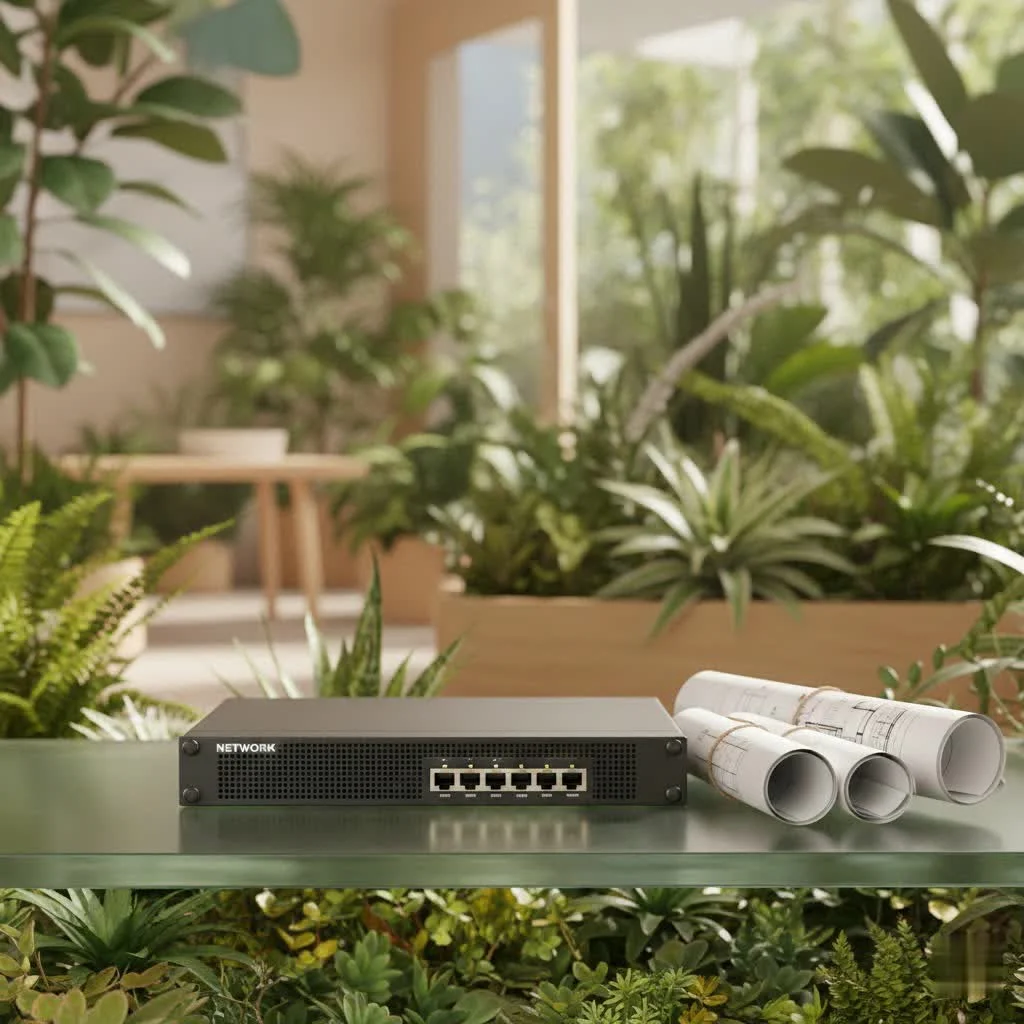
A 16-port PoE switch is a sophisticated networking device that does double duty: it acts as a standard Ethernet switch, connecting multiple devices within your Local Area Network (LAN), while simultaneously delivering electrical power over the same Ethernet cable to compatible devices. This innovative technology, Power over Ethernet (PoE), streamlines your network infrastructure by removing the need for separate power adapters and electrical outlets for each connected device.
Think about it: instead of running both a data cable and a power cord to every IP camera or access point, you only need one Cat5e or Cat6 Ethernet cable. This not only simplifies installation but also drastically reduces cable clutter and installation costs. A 16-port model is particularly well-suited for medium-sized networks, offering a sweet spot between capacity and manageability for home offices, small-to-medium businesses, and advanced smart home setups.
Understanding PoE Technology
PoE technology operates by injecting direct current (DC) power into standard Ethernet cabling. When a PoE switch detects a compatible “Powered Device” (PD), such as an IP camera, VoIP phone, or wireless access point, it intelligently negotiates and supplies the appropriate amount of power. This ensures that non-PoE devices are protected by preventing power delivery to them, providing a safe and efficient power management solution.
The key to understanding PoE’s capabilities lies in its standards, defined by the IEEE:
- 802.3af (PoE): Delivers up to 15.4 watts per port, ideal for low-power devices.
- 802.3at (PoE+): Boosts power to up to 30 watts per port, supporting higher-demand devices like PTZ (Pan-Tilt-Zoom) cameras or dual-band wireless access points.
- 802.3bt (PoE++): The latest standard, offering up to 60 watts (Type 3) or even 90 watts (Type 4) per port, perfect for high-performance access points, kiosks, or thin clients.
Exploring the Different Types of 16-Port Network Switches
Not all 16-port switches are created equal, and understanding the different types is crucial for making the right choice for your network.
Unmanaged PoE Switches: Simple and Straightforward
|
Our Picks for the Best Network Switch in 2026
As an Amazon Associate I earn from qualifying purchases.
|
||
| Num | Product | Action |
|---|---|---|
| 1 | UGREEN 16 Port Gigabit Switch, Plug & Play Ethernt Switch, Standard/VLAN Mode, Unmanaged, Sturdy Metal, Fanless Quiet, Desktop & Wall Mount Network LAN Splitter Hub for Laptop, Printer, NAS, Router |

|
| 2 | UGREEN Ethernet Switch, 5 Port Gigabit Ethernet Splitter, Plug & Play, Wall Mount & Desktop Network Switch Hub, Unmanaged, Compact, with LED, Fanless Quiet, for Internet Cable, Laptop, Router, NAS |
|
| 3 | TP-Link TL-SG105, 5 Port Gigabit Unmanaged Ethernet Switch, Network Hub, Ethernet Splitter, Plug & Play, Fanless Metal Design, Shielded Ports, Traffic Optimization |
|
| 4 | BrosTrend 2.5Gb Switch, 8 Port Network Switch 2.5 Gigabit, Unmanaged Ethernet Switch for Game Console, NAS, PC, Computer Networking Switch Plug & Play Fanless, Desktop Wall Mount, Lifetime Protection |
|
| 5 | TP-Link TL-SG105S-M2 - 5-Port Multi-Gigabit 2.5G Ethernet Switch - Unmanaged Network Switch - Ethernet Splitter - Plug & Play - Desktop/Wall Mount - Silent Operation |
|
| 6 | NETGEAR 8-Port Gigabit Ethernet Unmanaged Essentials Switch (GS308) - Home Network Hub, Office Ethernet Splitter, Plug-and-Play, Silent Operation, Desktop or Wall Mount |
|
| 7 | TP-Link 5-Port Gigabit Ethernet Easy Smart Switch- Plug and Play - Desktop - Sturdy Metal w/Shielded Ports - Limited Lifetime Replacement (TL-SG105E), Black… |
|
| 8 | TP-Link Litewave 5 Port Gigabit Ethernet Switch - Desktop Ethernet Splitter - Unshielded Network Switch - Plug & Play - Fanless Quiet - Unmanaged (LS1005G) |
|
| 9 | TP-Link 8 Port Gigabit Ethernet Network Switch - Ethernet Splitter - Plug & Play - Fanless - Sturdy Metal w/ Shielded Ports - Traffic Optimization - Unmanaged - Lifetime Protection (TL-SG108) |
|
| 10 | TP-Link 24 Port Gigabit Ethernet Switch Desktop/ Rackmount Plug & Play Shielded Ports Sturdy Metal Fanless Quiet Traffic Optimization Unmanaged (TL-SG1024S) |
|
What are they? These are plug-and-play devices that require no configuration. You simply connect your devices, and the switch automatically handles data forwarding.
Who are they for? Ideal for residential users or small offices with basic networking needs and minimal IT expertise. If you just want to connect a few PoE devices without complex settings, an unmanaged switch is a cost-effective solution.
Benefits:
- Cost-effective.
- Easy, plug-and-play setup.
- Simplified cabling for PoE devices.
Limitations: - No remote monitoring or control.
- Lacks advanced features like VLANs or QoS.
- Limited diagnostic tools and security options.
Smart Managed (or Lite Managed) PoE Switches: Bridging the Gap
What are they? These switches offer a web-based interface for basic configurations, providing more control than unmanaged switches without the complexity of fully managed solutions.
Who are they for? Small-to-medium businesses that need some control over their network, such as traffic prioritization (QoS) or network segmentation (VLANs), but don’t require enterprise-grade features.
Benefits:
- Web-based interface for basic settings (VLANs, QoS, port mirroring).
- Improved security features.
- Moderate price point compared to fully managed switches.
Limitations: - Limited command-line access.
- Fewer advanced features than fully managed options.
Fully Managed PoE Switches: Ultimate Control and Scalability
What are they? These are robust switches offering comprehensive control over your network through advanced features like Link Aggregation, Spanning Tree Protocol (STP), Access Control Lists (ACLs), and full SNMP/CLI/GUI management.
Who are they for? Enterprise environments, professional installations, and larger businesses demanding high availability, redundancy, granular control, and the ability to scale their network infrastructure.
Benefits:
- Extensive configuration possibilities (VLANs, QoS, link aggregation, security).
- Real-time network monitoring via SNMP.
- Enhanced security measures and network segmentation.
- Excellent for scalable and complex network environments.
Limitations: - Higher initial cost.
- Requires technical knowledge and expertise to configure and maintain.
How to Choose the Right 16-Port PoE Switch for Your Needs
Selecting the perfect 16-port PoE switch requires a thoughtful assessment of your current and future network demands. Let’s break down the key factors to consider.
Assessing Power Budget Requirements
This is arguably the most critical factor for any PoE switch. The total power budget dictates how much power the switch can distribute across all its ports.
- Calculate your needs: List all the PoE-powered devices you intend to connect (IP cameras, access points, VoIP phones, etc.) and note their maximum power draw in watts. Sum these values and then add an extra 20% headroom for safety and future expansion.
- Match standards: Ensure your chosen switch’s PoE standard (802.3af, .at, or .bt) matches or exceeds the requirements of your devices. Backward compatibility generally exists, but always verify the actual power delivered.
- Check per-port power: While a switch might have a high total budget, some models may limit the power per port or reduce it when many devices are active. Verify this in the specifications.
Evaluating Gigabit Ethernet Capabilities
For a modern network, Gigabit Ethernet (10/100/1000 Mbps) on all 16 ports is non-negotiable. This ensures high-speed data transfer and prevents bottlenecks, especially crucial for streaming video, large file transfers, and real-time applications.
- Switching Capacity: Look for a switching capacity of at least 32 Gbps for a 16-port Gigabit switch to handle simultaneous full-speed communication across all ports.
- Jumbo Frames: Support for Jumbo Frames can improve efficiency for large data transfers.
Considerations for Switch Management
As we discussed with managed vs. unmanaged switches, your need for control dictates this choice.
- Interface Type: Do you prefer a simple web-based Graphical User Interface (GUI), a more powerful Command Line Interface (CLI), or cloud-managed platforms like NETGEAR Insight?
- VLAN & QoS: If network segmentation or traffic prioritization is important (e.g., ensuring VoIP calls are clear even during heavy network activity), opt for switches with VLAN and Quality of Service (QoS) support.
- Monitoring: Managed switches often offer SNMP (Simple Network Management Protocol) for real-time network monitoring, helping you detect and troubleshoot issues proactively.
Scalability and Expansion Options
Even a 16-port switch should offer room to grow.
- Uplink Ports: Look for dedicated 1G or 10G uplink ports, often SFP/SFP+ slots, for connecting to your router, core switch, or fiber optic networks for long-distance transmission.
- Stackable Design: Some managed switches can be stacked, allowing multiple physical switches to act as a single logical unit, simplifying management and increasing port density.
Energy Efficiency and Build Quality
- Energy-Efficient Ethernet (EEE): Look for IEEE 802.3az compliance to reduce power consumption during idle periods, saving on operational costs.
- Durability: For mission-critical environments, switches with metal casings, fanless designs (for quiet operation), or reliable cooling systems are preferred.
Security Features
In any network, security is paramount. Advanced switches offer:
- Port Security: Controls the number and identity of devices that can access each port.
- Access Control Lists (ACLs): Filter network traffic based on predefined rules.
- 802.1X Authentication: Ensures only authorized devices can connect to the network.
Basic Installation and Configuration of Your 16-Port PoE Switch
Setting up your 16-port PoE switch doesn’t have to be daunting. Here’s a step-by-step guide to get your network humming.
1. Unboxing and Inspection
- Carefully unpack the switch and verify all components are present: the switch, power adapter/cord, rubber feet (for desktop use), rack-mount kit (if applicable), and user manual.
- Visually inspect the switch for any physical damage.
2. Selecting the Best Place for Installation
- Choose a location free from direct sunlight, excessive heat, and humidity, ensuring good air circulation around the device to prevent overheating.
- The switch can be placed on a stable, flat surface (desktop mounting) or mounted in a standard 19-inch server rack (rack mounting) or even on a wall.
- Ensure the location provides easy access to power outlets and the devices you’ll connect.
3. Connecting the Power Supply
- Plug the provided AC power cord into the switch’s power inlet and then into a grounded electrical outlet.
- Confirm the power LED indicator on the switch illuminates, signaling it’s receiving power.
4. Linking Devices to the Switch
- Using Category 5e (Cat5e) or higher Ethernet cables, connect your network devices (computers, IP cameras, VoIP phones, wireless access points, Network Attached Storage) to the switch’s RJ-45 ports.
- For PoE-enabled devices, simply plug them into any available PoE port; the switch will automatically supply both data and power.
5. Connecting to the Network Router (Uplink)
- Connect one of the switch’s ports to your network router (or core switch) using an Ethernet cable. This “uplink” connection provides internet access or connectivity to other parts of your network for all devices connected to the 16-port switch.
- If your switch has dedicated SFP/SFP+ uplink ports, use an appropriate fiber module and fiber optic cable for long-distance or higher-bandwidth connections.
6. Basic Configuration for Managed Switches
For unmanaged switches, you’re often done! For managed or smart managed switches, a few initial steps are usually needed:
- Access the Management Interface: Open a web browser on a computer connected to the same network as the switch. Enter the switch’s default IP address (often found in the manual or discovered using a vendor-provided tool like NETGEAR Insight).
- Log In: Use the default administrator credentials (username/password, usually “admin/password” or similar). Always change the default password immediately for security.
- Initial Setup: From the management interface, you can:
- Configure VLANs: Create Virtual Local Area Networks to segment your network, improving security and managing traffic more efficiently.
- Set up QoS: Prioritize critical traffic (like VoIP or video streaming) to ensure smooth performance.
- Update Firmware: Check the manufacturer’s website for the latest firmware updates to ensure optimal performance, security, and bug fixes.
7. Verifying Connectivity and Performance
- After configuration, test that all devices connected to the switch can communicate with each other and access the internet (if applicable).
- For managed switches, monitor the traffic logs and port statistics in the management interface to ensure everything is operating as expected.
Common Issues and Troubleshooting When Using a 16-Port PoE Switch
Even with the best planning, network issues can arise. Here are some common problems you might encounter with a 16-port PoE switch and how to troubleshoot them:
1. PoE Not Supplying Power to Devices
- Cause: Insufficient power budget, incompatible devices, or a faulty PoE port/cable.
- Solution:
- Check Power Budget: Ensure the switch’s total PoE power budget is adequate for all connected devices. If the PoE Max LED is solid yellow, you’re nearing or exceeding the budget. Disconnect one or more high-draw devices if necessary.
- Verify Compatibility: Confirm that your devices are indeed PoE-enabled and adhere to the IEEE 802.3af/at/bt standards that your switch supports.
- Inspect Cables: A damaged Ethernet cable can prevent power delivery. Try a shorter, known-good cable.
- Restart Device/Switch: Sometimes a simple reboot of the powered device or the switch itself can resolve transient power issues.
2. Failure to Connect Through a Specific Port
- Cause: Defective cable, misconfigured port (on managed switches), or hardware failure.
- Solution:
- Check Cable: Replace the Ethernet cable with a known working one. Ensure it’s Cat5e or better for Gigabit speeds.
- Check Port Status: For managed switches, log into the management interface to ensure the port is enabled and configured correctly.
- Test with Another Device: Try connecting a different, known-working device to the port. If it works, the issue might be with the original device.
- Check Link/Activity LEDs: If the link light is off, there’s no physical connection. If it’s on but no data is flowing, there might be a configuration issue.
3. Weak Network Performance / Slow Speeds
- Cause: Bandwidth limitations, network congestion, misconfigured QoS, outdated firmware, or electromagnetic interference (EMI).
- Solution:
- Verify Gigabit Speeds: Ensure your devices and cables are all rated for Gigabit Ethernet. Older Fast Ethernet (10/100 Mbps) devices will limit speeds.
- QoS Configuration: If you have a managed switch, set up QoS policies to prioritize critical applications and prevent less important traffic from hogging bandwidth.
- Update Firmware: Always keep your switch’s firmware updated to benefit from performance improvements and bug fixes.
- Reduce EMI: Route cables away from high-powered electrical devices or strong electromagnetic fields. Use shielded (STP) cables if necessary.
- Link Aggregation (LAG): For high-traffic connections (e.g., to a server or NAS), configure Link Aggregation (if supported by your managed switch) to combine multiple ports for increased bandwidth.
4. Switch Management Interface Not Responding
- Cause: Incorrect IP settings, network connectivity issues to the switch, or a system glitch.
- Solution:
- Verify IP Address: Ensure you’re entering the correct IP address for the switch in your browser. If the switch uses DHCP, its IP might have changed. Use a discovery tool (like NETGEAR Insight) if available.
- Check Network Connection: Ensure the computer you’re using to access the interface is properly connected to the same network as the switch.
- Restore Factory Defaults: As a last resort, if you can’t access the management interface, a factory reset might be necessary (refer to your manual for instructions). Be aware this will erase all configurations.
5. Intermittent Connectivity
- Cause: Loose cable connections, IP address conflicts, or network loops.
- Solution:
- Secure Cables: Ensure all Ethernet cables are securely plugged into their ports.
- Check for IP Conflicts: Use network diagnostic tools to check for duplicate IP addresses on your network.
- Spanning Tree Protocol (STP): If you’ve daisy-chained switches or have redundant paths, ensure STP or Rapid Spanning Tree Protocol (RSTP) is enabled on your managed switch to prevent network loops, which can cause severe performance issues.
Applications of a 16-Port PoE Switch in Modern Networks
A 16-port PoE switch is a versatile workhorse, finding its place in a myriad of environments.
Powering IP Cameras and Surveillance Systems
One of the most common applications, a 16-port PoE switch simplifies the deployment of IP security cameras. Installers can run a single Ethernet cable per camera for both video transmission and power, eliminating the need for separate power outlets near each camera. This is particularly beneficial for large surveillance systems where power outlets might be scarce or difficult to access.
Deploying Wireless Access Points (WAPs)
For extending Wi-Fi coverage across large homes, offices, or commercial spaces, PoE switches are invaluable. Wireless access points can be strategically placed on ceilings or walls for optimal signal coverage without worrying about proximity to power outlets.
Integrating VoIP Phones
Voice over IP (VoIP) phones receive both data and power through their Ethernet connection, making a 16-port PoE switch an efficient solution for office environments. This reduces cable clutter on desks and simplifies phone system deployment.
Enhancing Smart Buildings and IoT Deployments
The rise of IoT devices in smart buildings—from smart lighting to environmental sensors and access control systems—benefits immensely from PoE. A 16-port PoE switch can centrally power and manage many of these devices, creating a more integrated and efficient smart infrastructure.
Optimizing Small to Medium Business Networks
For SMBs, these switches offer scalability, streamlined cabling, and enhanced management capabilities (with managed models). They facilitate efficient integration of various network devices, from computers and printers to servers, fostering better communication and data sharing.
Frequently Asked Questions (FAQs)
Q: Are all 16 ports on a PoE switch guaranteed to deliver power simultaneously?
A: Not always. While many 16-port PoE switches have all ports capable of PoE, the total power budget of the switch is the limiting factor. If too many high-power devices are connected, the switch might not be able to deliver maximum power to all ports simultaneously. Always check the product specifications for the total power budget and per-port power allocation.
Q: Can I daisy-chain two 16-port PoE switches?
A: Yes, you can daisy-chain two 16-port switches by connecting them with an Ethernet cable. However, connect them via a dedicated uplink port if available, and ensure you understand the potential for bottlenecks or a single point of failure with high-traffic applications. If creating redundant paths, enable Spanning Tree Protocol (STP) on managed switches to prevent network loops.
Q: What’s the difference between passive and standard PoE?
A: Standard PoE (IEEE 802.3af/at/bt) involves a negotiation process where the switch (Power Sourcing Equipment) and the device (Powered Device) communicate to determine the correct power level before delivery. This prevents damage to incompatible devices. Passive PoE simply sends a constant voltage without negotiation and can damage non-PoE-compatible devices. Always confirm compatibility before use.
Q: Is a managed 16-port PoE switch worth the extra cost for a home network?
A: For a basic home network with only a few PoE devices, an unmanaged switch is usually sufficient and more cost-effective. However, if you’re running a sophisticated smart home with multiple IP cameras, several wireless access points, or require network segmentation and advanced security, a managed 16-port PoE switch offers superior control, security, and diagnostics that can be well worth the investment.
Q: How do I calculate the total power needs for my PoE devices?
A: List each PoE-powered device and find its maximum power draw (in watts) from its product specifications. Sum these individual power draws, and then add an additional 20% to 30% for overhead and future expansion. Compare this total to the advertised power budget of the 16-port PoE switch to ensure it meets or exceeds your requirements.
Wrapping It Up: Powering Your Network’s Future
The 16-port PoE switch is far more than just a networking device; it’s a strategic investment in the efficiency, scalability, and simplicity of your network infrastructure. From powering critical surveillance systems to providing seamless Wi-Fi coverage and streamlining VoIP communications, its ability to deliver both data and power over a single cable truly redefines network deployment.
At VGLan, we’ve seen firsthand how the right network switch can transform operations. By understanding the different types, carefully evaluating key features like power budget and management capabilities, and following best practices for installation and troubleshooting, you can harness the full potential of a 16-port PoE switch. So, take the leap, empower your devices, and build a network that’s not just connected, but intelligently powered for whatever tomorrow brings. Share your networking triumphs and questions with us—we’re always here to help you navigate the ever-evolving world of network technology!
Get our weekly buyer guide
Practical specs, not advice. Unsubscribe anytime.
