In today’s fast-paced digital world, network infrastructure is the backbone of almost every operation, from smart homes to sprawling enterprise campuses. We’re constantly adding new devices – cameras, wireless access points, VoIP phones – all demanding reliable data and power. This is where Power over Ethernet (PoE) technology steps in, revolutionizing how we deploy and manage network devices. And among the various PoE standards, the PoE+ switch has emerged as a true workhorse, offering a fantastic balance of power, flexibility, and cost-effectiveness for a wide array of modern applications.
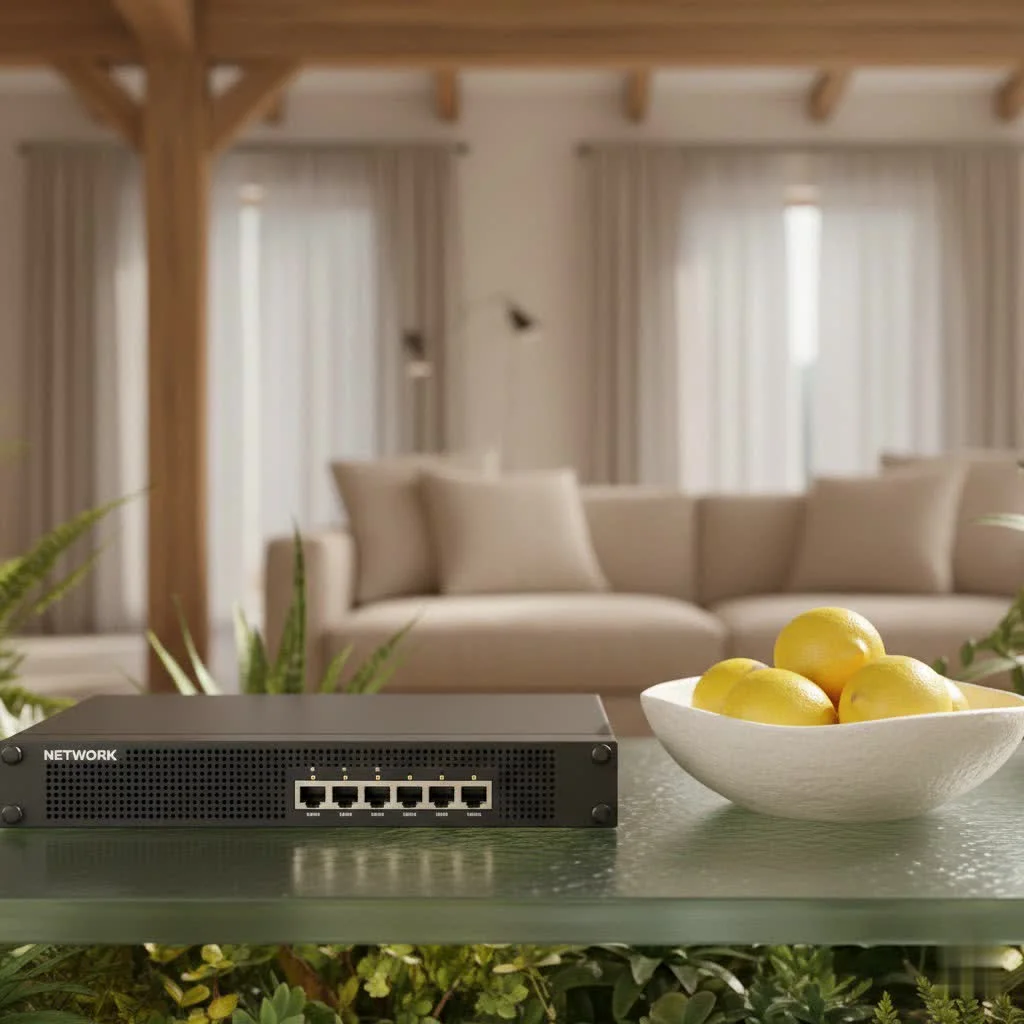
At VGLan, we believe in empowering you with the knowledge to build and maintain robust, efficient networks. In this comprehensive guide, we’ll strip away the jargon and explore everything you need to know about PoE+ switches, from their core functionality to choosing the perfect one for your unique needs. Let’s get started! For compare top network switches on this site.
What Exactly is a Network Switch? (And Why PoE Matters)
Before we dive into the specifics of PoE+, let’s quickly recap what a network switch does. At its heart, a network switch is a device that connects multiple computers, servers, and other network devices within a Local Area Network (LAN). It acts like a traffic controller, intelligently forwarding data packets only to their intended recipient, which makes your network more efficient than older hub-based systems.
Now, imagine if that same Ethernet cable that carries your data could also deliver electrical power. That’s the magic of Power over Ethernet (PoE). This innovative technology eliminates the need for separate power cables and electrical outlets for connected devices, simplifying installations, reducing cable clutter, and offering unprecedented flexibility in device placement. It’s a game-changer for deploying devices in hard-to-reach locations or where running new electrical wiring would be costly and disruptive.
Decoding the Power: PoE vs. PoE+ vs. PoE++
The world of PoE has evolved to meet the increasing power demands of modern devices. There are three primary IEEE standards you’ll encounter: PoE, PoE+, and PoE++. Understanding their differences is crucial for choosing the right equipment.
- PoE (IEEE 802.3af): The Original Standard
- This is the foundational PoE standard, providing up to 15.4 watts of power per port from the Power Sourcing Equipment (PSE), like a PoE switch. After accounting for cable loss, the Powered Device (PD) typically receives around 12.95 watts.
- It uses two of the four twisted pairs within a standard Ethernet cable to transmit power.
- Best for: Low-power devices such as basic Voice over IP (VoIP) phones, simple static IP cameras, and entry-level wireless access points.
What is a PoE+ Switch? The IEEE 802.3at Standard
|
Our Picks for the Best Network Switch in 2026
As an Amazon Associate I earn from qualifying purchases.
|
||
| Num | Product | Action |
|---|---|---|
| 1 | UGREEN 16 Port Gigabit Switch, Plug & Play Ethernt Switch, Standard/VLAN Mode, Unmanaged, Sturdy Metal, Fanless Quiet, Desktop & Wall Mount Network LAN Splitter Hub for Laptop, Printer, NAS, Router |

|
| 2 | TP-Link Litewave 5 Port Gigabit Ethernet Switch - Desktop Ethernet Splitter - Unshielded Network Switch - Plug & Play - Fanless Quiet - Unmanaged (LS1005G) |
|
| 3 | UGREEN Ethernet Switch, 5 Port Gigabit Ethernet Splitter, Plug & Play, Wall Mount & Desktop Network Switch Hub, Unmanaged, Compact, with LED, Fanless Quiet, for Internet Cable, Laptop, Router, NAS |
|
| 4 | TP-Link TL-SG105, 5 Port Gigabit Unmanaged Ethernet Switch, Network Hub, Ethernet Splitter, Plug & Play, Fanless Metal Design, Shielded Ports, Traffic Optimization |
|
| 5 | TP-Link 24 Port Gigabit Ethernet Switch Desktop/ Rackmount Plug & Play Shielded Ports Sturdy Metal Fanless Quiet Traffic Optimization Unmanaged (TL-SG1024S) |
|
| 6 | NETGEAR 8-Port Gigabit Ethernet Unmanaged Essentials Switch (GS308) - Home Network Hub, Office Ethernet Splitter, Plug-and-Play, Silent Operation, Desktop or Wall Mount |
|
| 7 | TP-Link TL-SG105S-M2 - 5-Port Multi-Gigabit 2.5G Ethernet Switch - Unmanaged Network Switch - Ethernet Splitter - Plug & Play - Desktop/Wall Mount - Silent Operation |
|
| 8 | TP-Link 5-Port Gigabit Ethernet Easy Smart Switch- Plug and Play - Desktop - Sturdy Metal w/Shielded Ports - Limited Lifetime Replacement (TL-SG105E), Black… |
|
| 9 | BrosTrend 2.5Gb Switch, 8 Port Network Switch 2.5 Gigabit, Unmanaged Ethernet Switch for Game Console, NAS, PC, Computer Networking Switch Plug & Play Fanless, Desktop Wall Mount, Lifetime Protection |
|
| 10 | TP-Link 8 Port Gigabit Ethernet Network Switch - Ethernet Splitter - Plug & Play - Fanless - Sturdy Metal w/ Shielded Ports - Traffic Optimization - Unmanaged - Lifetime Protection (TL-SG108) |
|
A PoE+ switch (also known as Type 2 PoE) is an enhanced version of the original PoE, designed to deliver more power to your network devices. It adheres to the IEEE 802.3at standard, introduced to support a new generation of powered devices with higher power consumption.
- Power Delivery: A PoE+ switch can supply up to 30 watts of power per port from the PSE. After accounting for potential power loss over the cable, the connected device can receive up to 25.5 watts. This nearly doubles the power available compared to the original PoE standard.
- Wiring: Like standard PoE, PoE+ typically utilizes two of the four twisted pairs in an Ethernet cable for power transmission.
- Backward Compatibility: One of the significant advantages of PoE+ switches is their backward compatibility. This means a PoE+ switch can safely power both PoE (802.3af) and PoE+ (802.3at) devices. The switch intelligently negotiates the required power with the connected device, ensuring optimal and safe power delivery.
Looking Ahead: Understanding PoE++ (802.3bt Type 3 & 4)
For devices with even greater power appetites, the latest standard, PoE++ (IEEE 802.3bt), offers even more robust power delivery.
- Type 3 PoE++: Delivers up to 60 watts per port from the PSE (51 watts at the device). This standard can utilize either two or all four twisted pairs for power.
- Type 4 PoE++: The most powerful variant, supplying up to 100 watts per port from the PSE (71 watts at the device). It exclusively uses all four twisted pairs for power transmission.
- Best for: High-performance wireless access points (like Wi-Fi 6/7), advanced pan-tilt-zoom (PTZ) cameras with heaters, video conferencing systems, interactive kiosks, thin clients, and even smart LED lighting fixtures.
The Unbeatable Benefits of Integrating a PoE+ Switch
Implementing a PoE+ switch into your network infrastructure brings a multitude of advantages that go beyond simply powering devices.
Simplified Installation and Reduced Cabling
Think about a traditional setup: you need an Ethernet cable for data and a separate power adapter and electrical outlet for each device. With a PoE+ switch, one Ethernet cable handles both, drastically reducing the amount of cabling you need to run. This not only makes installations cleaner and faster but also cuts down on material costs and labor. Fewer cables mean less clutter and a more organized workspace, too!
Flexible Device Placement
Since devices powered by a PoE+ switch don’t need to be near an electrical outlet, you gain immense flexibility in where you can deploy them. Want to install a security camera high on a wall, a wireless access point on a ceiling, or a digital display in a corner? No problem! As long as an Ethernet cable can reach, your device can go there. This opens up new possibilities for optimizing network coverage and physical security.
Centralized Power Management and Control
A significant benefit of PoE+ switches, especially managed ones, is the ability to centralize power management. From a single interface, you can monitor power consumption per port, schedule power cycles, and even remotely reboot devices if they become unresponsive. This simplifies maintenance and troubleshooting, saving valuable time and resources.
Cost Efficiency and Scalability
While the upfront cost of a PoE+ switch might be slightly higher than a non-PoE switch, the long-term savings are substantial. You eliminate the need for electrical outlets, power adapters, and the associated installation costs. Furthermore, as your network grows, adding new PoE+ compatible devices becomes much more straightforward, allowing for easy scalability without significant infrastructure overhauls.
Enhanced Network Reliability and Security
Many PoE+ switches come with advanced features like surge protection and intelligent power allocation, safeguarding your connected devices. In a power outage, a PoE+ switch connected to an Uninterruptible Power Supply (UPS) can keep essential devices like security cameras and emergency phones operational, adding a critical layer of reliability.
Where Does a PoE+ Switch Shine? Key Applications
Given its robust power delivery and versatility, the PoE+ switch is ideally suited for a wide range of applications that demand more power than basic PoE can provide.
Advanced Surveillance Systems
High-definition, feature-rich IP cameras, particularly those with pan-tilt-zoom (PTZ) capabilities, infrared night vision, or built-in heaters for outdoor use, often require more than 15 watts. A PoE+ switch is perfect for powering these advanced cameras, providing up to 30 watts per port to ensure they operate reliably, even in demanding conditions.
High-Performance Wireless Access Points
Modern wireless access points (WAPs) that support Wi-Fi 5 (802.11ac) or Wi-Fi 6 (802.11ax) standards, especially those with multiple radios, require more power to deliver faster speeds and handle more client devices. Deploying these with a PoE+ switch ensures they receive adequate power for optimal performance and broad coverage, making them easier to place strategically for the best signal.
Modern VoIP and Video IP Phones
While basic VoIP phones might run on standard PoE, video IP phones with larger screens, advanced features, or integrated cameras often demand the higher wattage offered by PoE+. This ensures all functionalities are supported without the need for additional power sources.
Smart Building Sensors and Access Control
In smart buildings, PoE+ switches power various sensors (environmental, occupancy), access control readers, and digital signage. These devices often have slightly higher power requirements than basic sensors, and PoE+ ensures their seamless integration into building automation systems, simplifying deployment across a facility. “PoE+ is truly the sweet spot for many modern IoT deployments,” remarks Sarah Chen, a Senior Network Architect at NetInnovate Solutions. “It bridges the gap between basic power needs and the high demands of cutting-edge applications, giving clients a future-proof foundation.”
Choosing Your Perfect PoE+ Switch: A Practical Guide
Selecting the right PoE+ switch involves more than just picking one off the shelf. Here’s a pragmatic approach to ensure your investment meets your network’s current and future needs:
Assess Your Power Demands and Budget
What is the “power budget” in a PoE+ switch?
The power budget, or power capacity, is the total amount of power a PoE+ switch can deliver across all its PoE-enabled ports simultaneously. It’s crucial to calculate the cumulative power requirements of all the devices you intend to connect. Ensure the switch’s total power budget (e.g., 240W, 370W) is significantly higher than your total device consumption to allow for headroom and future expansion. Remember, a PoE+ switch has a maximum per-port output (30W), so even if the total budget is high, a single port can’t exceed its limit.
Determine Port Density and Network Speed
- Port Count: How many devices do you need to power and connect? PoE+ switches come in various port configurations (8, 16, 24, 48 ports). Always aim for a few extra ports to accommodate future additions.
- Data Rate: Consider your network’s speed requirements. Do you need Fast Ethernet (10/100 Mbps), Gigabit Ethernet (10/100/1000 Mbps), or even Multi-Gigabit (2.5G/5G/10G) ports? For high-bandwidth applications like 4K IP cameras or Wi-Fi 6 WAPs, Gigabit or Multi-Gigabit ports are essential to avoid bottlenecks. Ensure your uplink ports (connecting to your core network) are also adequately fast.
Managed vs. Unmanaged: What’s Right for You?
- Unmanaged PoE+ Switches: These are plug-and-play devices, simple to set up, and ideal for small offices or home networks where advanced features aren’t required. They typically offer limited or no configuration options.
- Managed PoE+ Switches: Offering a wealth of features via a web interface or command-line interface (CLI), managed switches provide granular control over network traffic, security, and power allocation. They are perfect for larger businesses or complex networks where monitoring, VLANs, QoS, and advanced troubleshooting are necessary.
Consider the Operating Environment
Where will your PoE+ switch be deployed? For standard office or indoor environments, commercial-grade switches are suitable. However, for harsh conditions like industrial settings, outdoor deployments, or areas with extreme temperatures, look for industrial-grade or hardened PoE+ switches designed to withstand challenging environments.
Plan for Future Growth
Always think about scalability. Choosing a PoE+ switch with a higher port count and a generous power budget than your immediate needs will save you from costly upgrades down the line as your network inevitably expands.
Setting Up Your PoE+ Switch: Basic Installation and Configuration
Installing a PoE+ switch is generally straightforward, but the specifics depend on whether it’s managed or unmanaged.
For Unmanaged Switches (Plug-and-Play)
- Mount the Switch: Place the switch in a secure, well-ventilated location.
- Connect to Power: Plug the switch into an appropriate electrical outlet.
- Connect Network Backbone: Connect one of the switch’s uplink ports (or a standard data port) to your router or main network.
- Connect PoE Devices: Simply plug your PoE+ compatible devices (IP cameras, WAPs, etc.) into the PoE+ ports using standard Ethernet cables. The switch will automatically detect the device and negotiate power.
For Managed Switches (Web Interface, CLI Basics)
- Initial Setup: Follow the manufacturer’s instructions to connect your computer to the switch (often via a dedicated management port or a standard port with a default IP address).
- Access Management Interface: Open a web browser and navigate to the switch’s default IP address. Log in with the default credentials. For CLI, use a terminal emulator.
- Change Default Credentials: Immediately change the default username and password for security.
- Configure IP Address: Assign a static IP address within your network’s subnet, if desired, to make it easily accessible.
- Configure PoE Settings: In the PoE settings section, you can monitor power consumption, set power priorities for critical devices, or schedule port power.
- Basic Network Configuration: Configure VLANs, QoS, port mirroring, or any other advanced features relevant to your network design.
- Connect PoE Devices: Connect your devices to the PoE+ ports. The switch will negotiate power.
Troubleshooting Common PoE+ Switch Issues
Even with the best planning, you might encounter issues. Here are common problems and how to tackle them:
- Insufficient Power Budget:
- Problem: Devices randomly disconnect or fail to power on. The switch’s total power output capability is exceeded.
- Solution: Check the switch’s total power budget and the actual consumption of all connected devices. Disconnect non-essential devices, upgrade to a switch with a higher power budget, or distribute devices across multiple switches.
- Device Incompatibility:
- Problem: A PoE+ switch doesn’t power a device, or a device designed for PoE++ struggles on a PoE+ port.
- Solution: Always verify device specifications against the switch’s PoE standard (802.3af, 802.3at, 802.3bt). Remember, PoE+ is backward compatible with PoE, but not forward compatible with PoE++ power levels.
- Cable Quality and Length:
- Problem: Devices lose power or connectivity over longer cable runs.
- Solution: Use high-quality Ethernet cables (Cat5e or Cat6 for best results with PoE). Power loss increases with cable length; while PoE can generally run up to 100 meters (328 feet), excessive length or poor cable quality can reduce available power. Test shorter cable runs or consider a PoE extender for very long distances.
- Overheating Concerns:
- Problem: The switch feels excessively hot, or performance degrades.
- Solution: Ensure the switch is in a well-ventilated area, free from obstructions. Passive cooling switches need airflow, while active cooling switches rely on fans. High power utilization can generate heat, so proper ventilation is key to longevity and stable performance.
Expert Insight: A Word from the Field
“From my two decades in network engineering, I’ve seen countless installations benefit from PoE+,” says David Nguyen, a veteran network infrastructure specialist. “The seamless integration of power and data through a single cable drastically simplifies deployments, especially for critical systems like advanced security cameras and high-density Wi-Fi. It’s not just about convenience; it’s about creating a more resilient and adaptable network.”
Frequently Asked Questions (FAQ)
What’s the maximum distance for PoE+?
PoE+ (IEEE 802.3at) operates over standard Ethernet cables (Cat5e or Cat6) and typically supports distances up to 100 meters (328 feet) without significant power degradation, similar to standard Ethernet data transmission.
Can I connect a non-PoE device to a PoE+ port?
Yes, you can. PoE+ switches are designed to be “smart” and will only deliver power if they detect a PoE-compatible device. If a non-PoE device is connected, the switch will only provide data connectivity, ensuring your non-PoE devices remain safe.
Do PoE+ switches consume more power overall?
A PoE+ switch will consume more power than a non-PoE switch, as it needs to generate and supply power to the connected devices. However, this centralized power consumption is often more efficient than having multiple individual power adapters, and the overall convenience and installation savings usually outweigh the marginal increase in power draw.
Is PoE+ compatible with older PoE devices?
Absolutely! PoE+ (802.3at) is fully backward compatible with the original PoE (802.3af) standard. This means a PoE+ switch can power both PoE and PoE+ devices, making it a flexible choice for mixed environments.
What’s “power budget” in a PoE+ switch?
The power budget refers to the total amount of electrical power (in watts) that a PoE+ switch can provide across all its PoE-enabled ports combined. It’s vital to ensure your total power requirement for all connected devices does not exceed this budget to prevent instability or power drops.
Conclusion: Empowering Your Network with PoE+
In the intricate world of network infrastructure, the PoE+ switch stands out as a versatile and indispensable tool. From powering advanced surveillance cameras and high-performance wireless access points to simplifying deployments and reducing cable clutter, PoE+ technology offers tangible benefits for businesses and homes alike. By understanding its capabilities, discerning its differences from other PoE standards, and carefully considering your specific needs, you’re well-equipped to select and deploy the perfect PoE+ switch, building a more efficient, flexible, and robust network that’s ready for tomorrow’s challenges. Here at VGLan, we’re dedicated to helping you navigate these complexities, making advanced networking accessible and actionable. Embrace the power of PoE+ and transform your network today!
Get our weekly buyer guide
Practical specs, not advice. Unsubscribe anytime.
