Ever feel like your home or office network is just limping along, struggling to keep up with your digital demands? You’re not alone. In today’s hyper-connected world, where 4K streaming, online gaming, and large file transfers are the norm, a sluggish network can be incredibly frustrating. While your router does a great job of connecting to the internet and broadcasting Wi-Fi, it often comes with a limited number of wired ports. That’s where a Gigabit Network Switch steps in, acting as your network’s unsung hero, ready to transform your data highway into a blazing-fast express lane.
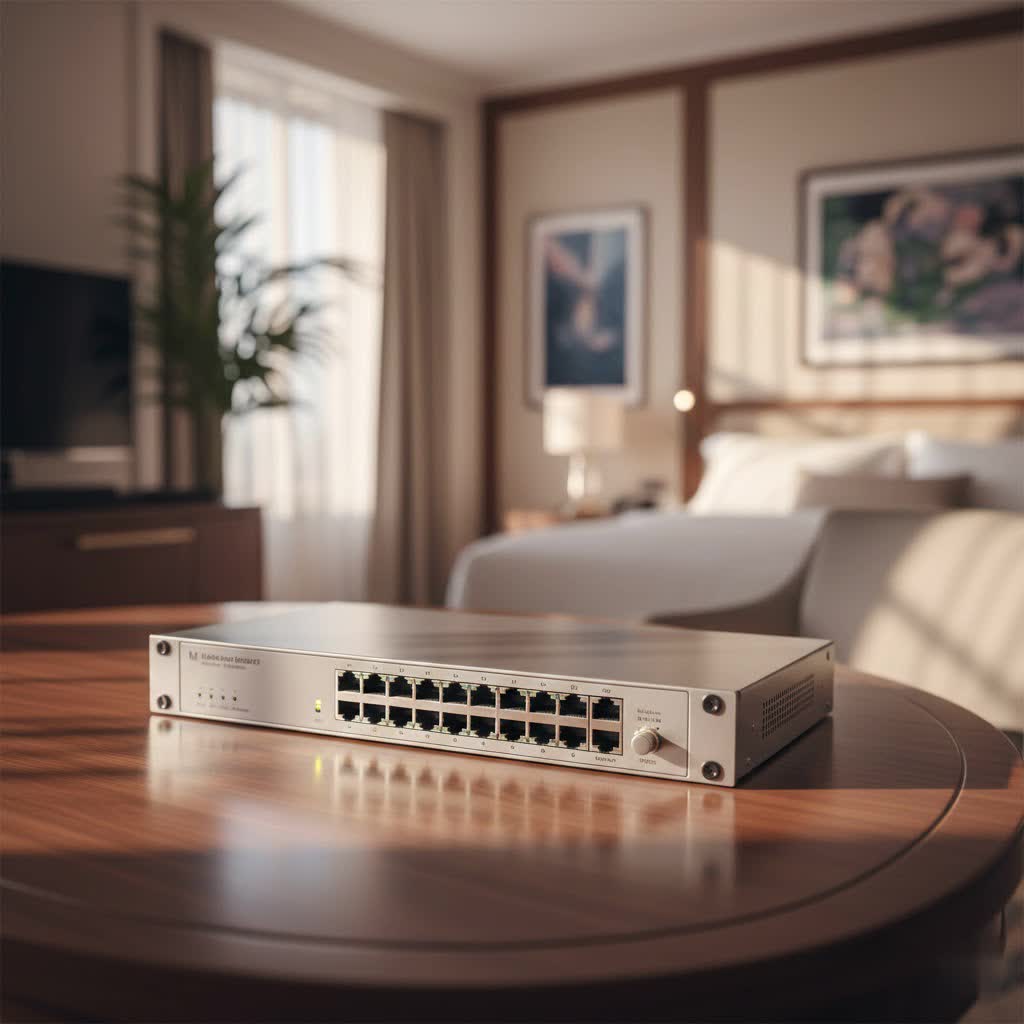
At VGLan, we’ve seen countless setups, and we can tell you that a well-chosen gigabit switch is often the missing piece for a truly optimized network. It’s not just about adding more ports; it’s about unlocking the speed and reliability your devices crave, ensuring a smooth, lag-free experience for everyone.
What Exactly is a Gigabit Network Switch?
Think of a traditional network hub as a megaphone: it shouts data to every device connected, hoping the right one hears it. In contrast, a network switch is like a smart postal worker. When a data packet arrives, the switch intelligently reads its destination (the MAC address) and delivers it directly to the intended device’s port, no detours or unnecessary broadcasts. This focused delivery dramatically improves efficiency and reduces network congestion.
A gigabit network switch takes this efficiency to the next level by supporting data transfer speeds of up to 1 Gigabit per second (Gbps), or 1000 Megabits per second (Mbps). This is ten times faster than older “Fast Ethernet” (100 Mbps) switches. For comparison, imagine upgrading from a narrow country road to a multi-lane superhighway – that’s the difference a gigabit switch makes to your data flow. It’s the standard for any modern network aiming for peak performance.
Why Do I Need a Gigabit Switch?
|
Our Picks for the Best Network Switch in 2026
As an Amazon Associate I earn from qualifying purchases.
|
||
| Num | Product | Action |
|---|---|---|
| 1 | TP-Link 5-Port Gigabit Ethernet Easy Smart Switch- Plug and Play - Desktop - Sturdy Metal w/Shielded Ports - Limited Lifetime Replacement (TL-SG105E), Black… |

|
| 2 | TP-Link 8 Port Gigabit Ethernet Network Switch - Ethernet Splitter - Plug & Play - Fanless - Sturdy Metal w/ Shielded Ports - Traffic Optimization - Unmanaged - Lifetime Protection (TL-SG108) |
|
| 3 | TP-Link TL-SG105S-M2 - 5-Port Multi-Gigabit 2.5G Ethernet Switch - Unmanaged Network Switch - Ethernet Splitter - Plug & Play - Desktop/Wall Mount - Silent Operation |
|
| 4 | BrosTrend 2.5Gb Switch, 8 Port Network Switch 2.5 Gigabit, Unmanaged Ethernet Switch for Game Console, NAS, PC, Computer Networking Switch Plug & Play Fanless, Desktop Wall Mount, Lifetime Protection |
|
| 5 | TP-Link 24 Port Gigabit Ethernet Switch Desktop/ Rackmount Plug & Play Shielded Ports Sturdy Metal Fanless Quiet Traffic Optimization Unmanaged (TL-SG1024S) |
|
| 6 | TP-Link TL-SG105, 5 Port Gigabit Unmanaged Ethernet Switch, Network Hub, Ethernet Splitter, Plug & Play, Fanless Metal Design, Shielded Ports, Traffic Optimization |
|
| 7 | UGREEN Ethernet Switch, 5 Port Gigabit Ethernet Splitter, Plug & Play, Wall Mount & Desktop Network Switch Hub, Unmanaged, Compact, with LED, Fanless Quiet, for Internet Cable, Laptop, Router, NAS |
|
| 8 | TP-Link Litewave 5 Port Gigabit Ethernet Switch - Desktop Ethernet Splitter - Unshielded Network Switch - Plug & Play - Fanless Quiet - Unmanaged (LS1005G) |
|
| 9 | UGREEN 16 Port Gigabit Switch, Plug & Play Ethernt Switch, Standard/VLAN Mode, Unmanaged, Sturdy Metal, Fanless Quiet, Desktop & Wall Mount Network LAN Splitter Hub for Laptop, Printer, NAS, Router |
|
| 10 | NETGEAR 8-Port Gigabit Ethernet Unmanaged Essentials Switch (GS308) - Home Network Hub, Office Ethernet Splitter, Plug-and-Play, Silent Operation, Desktop or Wall Mount |
|
If you’re wondering if a gigabit switch is truly necessary, consider your daily online activities. Are you streaming high-definition content, engaging in competitive online gaming, or frequently moving large files between computers or network-attached storage (NAS) devices? A gigabit switch ensures these bandwidth-intensive tasks run smoothly, preventing frustrating lags and buffering. It helps eliminate network bottlenecks, ensuring that your wired connections perform at their absolute best, reducing reliance on potentially slower or less stable Wi-Fi for critical devices.
Diving Deeper: Types of Gigabit Network Switches
Not all gigabit switches are created equal. Depending on your needs, you might opt for a simple plug-and-play solution or a more advanced device offering granular control. Let’s break down the common types.
Unmanaged Gigabit Switches: The Plug-and-Play Champions
What are unmanaged switches? Unmanaged switches are the simplest and most cost-effective option. They are designed for “plug-and-play” operation, meaning you just connect your devices, and they work. There’s no complex setup or configuration required.
Who are they for? These are perfect for home users or small offices that need to expand their wired network capacity without any technical hassle. If you just need more Ethernet ports for your gaming console, smart TV, or home office PC, an unmanaged gigabit switch is likely your best bet. They seamlessly integrate into your existing network, extending gigabit speeds with minimal effort.
Managed Gigabit Switches: The Network Architect’s Toolkit
What are managed switches? Managed switches offer a wealth of advanced features, allowing network administrators to configure, monitor, and optimize network traffic with precision. You typically access their settings through a web-based interface or a command-line interface (CLI).
Who are they for? Businesses, power users, and those with complex home networks benefit from managed switches. They provide capabilities like Virtual Local Area Networks (VLANs) for network segmentation, Quality of Service (QoS) to prioritize specific types of traffic (e.g., VoIP calls over general browsing), and port security features. This level of control is essential for maintaining network stability, security, and performance in more demanding environments. Within managed switches, you’ll also find “smart” or “easy smart” switches, which offer a subset of common management features, bridging the gap between unmanaged simplicity and full managed complexity.
PoE (Power over Ethernet) Gigabit Switches: Power and Data in One Cable
What are PoE switches? Power over Ethernet (PoE) switches can transmit both data and electrical power over a single Ethernet cable. This eliminates the need for separate power outlets for PoE-compatible devices.
Who are they for? PoE gigabit switches are incredibly useful for deploying devices like IP security cameras, wireless access points (WAPs), or VoIP phones in locations where power outlets are scarce or inconvenient. This simplifies cabling, reduces installation costs, and offers greater flexibility in device placement. While a PoE switch can be more expensive, the convenience and neatness it brings to certain installations are often well worth the investment.
How to Choose the Right Gigabit Network Switch for Your Needs
Selecting the perfect gigabit switch doesn’t have to be a headache. It’s all about matching the switch’s capabilities to your specific requirements.
How many ports do you really need?
Start by counting your current wired devices and then factor in any future expansion plans. Switches typically come with 5, 8, 16, 24, or even 48 ports. Remember that one port will always be used to connect the switch to your router or another switch. For most homes, an 8-port gigabit switch is a good starting point, providing ample room for growth. If you have multiple clusters of devices or a rapidly expanding network, consider a 16-port or 24-port option.
What about speed beyond Gigabit?
While gigabit (1 Gbps) is the standard, some switches offer Multi-Gigabit ports (2.5 Gbps, 5 Gbps, or even 10 Gbps). If you’re running a high-performance network with demanding servers, high-speed NAS devices, or modern workstations with Multi-Gigabit Ethernet cards, these can offer even greater bandwidth. However, for most everyday home and small office use, standard gigabit speeds are more than sufficient and highly cost-effective.
Managed or Unmanaged: What level of control do you prefer?
This is a critical decision. If you prefer a “set it and forget it” approach and simply need more ports, an unmanaged switch is ideal. If you want to segment your network, prioritize traffic, or require more robust security features, a managed switch (or an “easy smart” managed switch) will give you the control you need. Keep in mind that managed switches require some technical know-how to configure.
Do you need Power over Ethernet (PoE)?
If you plan to install IP cameras, Wi-Fi access points, or other PoE-compatible devices, a PoE gigabit switch will save you a lot of hassle by eliminating separate power cables. Make sure to check the total power budget of the PoE switch to ensure it can supply enough power to all your connected devices.
Form Factor and Features
Consider where the switch will be located. Desktop switches are compact and quiet, often fanless. Rackmount switches are designed to fit into standard server racks. Look for useful features like Quality of Service (QoS) for traffic prioritization, VLAN support for network segmentation, and SFP or SFP+ slots if you plan to integrate fiber optic connections for longer distances or even higher speeds.
“A Gigabit network switch isn’t just about speed; it’s about building a robust, resilient foundation for your digital life, ensuring every packet of data finds its way home efficiently,” says network architect Dr. Anya Sharma.
Basic Installation and Configuration of a Gigabit Network Switch
Getting your gigabit network switch up and running is typically straightforward, especially for unmanaged models.
Unmanaged Switch Setup: Quick and Easy
- Find a Spot with Power: Place your switch near an electrical outlet and close to your router or the devices you want to connect.
- Power On: Plug in the switch’s power adapter. The power LED should illuminate.
- Connect to Your Router: Take a standard Ethernet cable (Cat5e or Cat6 recommended for gigabit speeds) and connect one end to any available LAN port on your router and the other end to any port on your gigabit switch. Modern switches have auto-sensing ports, so you don’t need special crossover cables.
- Connect Your Devices: Plug your computers, gaming consoles, smart TVs, or other wired devices into the remaining ports on the gigabit switch.
- Verify Connection: Check the LED indicators on the switch. A solid green light usually indicates a successful gigabit connection. If it’s amber or blinking differently, consult the switch’s manual.
- Test It Out: Ensure all connected devices can access the network and the internet.
Managed Switch Setup: A Step-by-Step Guide for More Control
Configuring a managed gigabit switch gives you powerful control but requires a few more steps:
- Initial Connection: Power on the switch. Connect your computer directly to one of the switch’s LAN ports using an Ethernet cable. Your computer will likely need its IP address set to be on the same subnet as the switch’s default management IP (e.g., if the switch is 192.168.1.254, set your PC to 192.168.1.10).
- Access the Web Interface: Open a web browser on your computer and type the switch’s default IP address (found in the manual). You’ll be prompted for a username and password.
- Change Default Credentials: Crucially, change the default username and password immediately to prevent unauthorized access.
- Assign a Static IP Address: For easier management, assign a static IP address to your switch within your network’s IP range. This ensures you can always find it.
- Configure VLANs (Optional): If you need to segment your network (e.g., separating guest Wi-Fi from your primary network or IoT devices from critical data), create VLANs through the switch’s management interface. Assign specific ports to different VLANs as needed.
- Set Up QoS (Optional): Prioritize certain types of network traffic, like voice (VoIP) or video conferencing, to ensure they get preferential bandwidth.
- Enable Port Security (Optional): Restrict access to specific ports based on MAC addresses to enhance security.
- Update Firmware: Always check for and install the latest firmware updates from the manufacturer’s website. This ensures you have the latest features, security patches, and performance enhancements.
- Save Configuration: After making changes, remember to save your configuration to the switch’s non-volatile memory. Otherwise, your settings will be lost if the switch reboots.
- Connect to Router and Devices: Once configured, connect the switch to your router and other network devices as you would an unmanaged switch.
Troubleshooting Common Gigabit Network Switch Issues
Even the most reliable network equipment can sometimes run into snags. Here are some common problems with gigabit network switches and how to tackle them.
My Switch Isn’t Powering On
- Check Power Supply: Is the power cord securely plugged into the switch and the electrical outlet? Try a different outlet or power cable.
- Power Strip/UPS: If using a power strip or UPS, ensure it’s turned on and functioning correctly.
Devices Aren’t Connecting or Slow Speeds
- Inspect Cables: Are all Ethernet cables securely connected at both ends (switch to device, switch to router)? Check for any visible damage like kinks or frayed insulation. Use Cat5e or Cat6 cables for optimal gigabit performance.
- Verify Port Status: Look at the LED indicators on the switch for each port. A solid green usually means a good gigabit connection. If it’s off, blinking erratically, or a different color, there might be a cable issue, a problem with the connected device, or a faulty port. Try a different port.
- Device Compatibility: Ensure the connected devices support gigabit speeds. Older devices might only support 100 Mbps, which will limit the speed for that specific connection.
- Overloaded Ports/Network Congestion: If multiple devices on a single port are consuming massive bandwidth, it can cause slowdowns. For managed switches, consider using VLANs to segment traffic or QoS to prioritize critical data.
- Duplex Mismatch: While modern switches and devices usually auto-negotiate duplex settings (full or half), a mismatch can cause performance issues. For managed switches, you can check and manually configure these settings if necessary.
- Firmware: Ensure your switch’s firmware is up to date.
Managed Switch Access Problems (Web Interface/CLI)
- IP Address Mismatch: Verify that your computer’s IP address is on the same subnet as the switch’s management IP.
- Incorrect Credentials: Double-check the username and password.
- Ping Test: Try pinging the switch’s IP address from your computer to see if it’s reachable on the network.
- Restart the Switch: A simple reboot can often resolve temporary glitches.
- Factory Reset (Last Resort): If all else fails and you can’t access the switch, you might need to perform a factory reset. Warning: This will erase all your custom configurations, so only do this if you have a backup or are prepared to reconfigure from scratch.
Overheating
- Ventilation: Ensure the switch is in a well-ventilated area and its air vents are not blocked by other equipment or dust.
- Cleaning: Periodically clean dust from the switch’s vents with compressed air.
- Environment: Ensure the ambient temperature around the switch is within its operating limits.
Frequently Asked Questions About Gigabit Network Switches
Q1: What’s the main difference between a router and a gigabit network switch?
A: A router connects your home or office network to the internet and manages traffic between different networks (like your home network and the internet). A gigabit network switch, on the other hand, connects multiple devices within your local network, allowing them to communicate with each other at gigabit speeds and expanding the number of available wired ports.
Q2: Can I use an older Ethernet cable (Cat5) with a gigabit switch?
A: While Cat5 cables might technically work, they are not certified for gigabit speeds and can lead to performance degradation, especially over longer distances. It’s highly recommended to use Cat5e or Cat6 cables to ensure you get the full gigabit performance from your switch.
Q3: Do gigabit switches consume a lot of power?
A: Most modern gigabit switches, especially unmanaged ones, are energy-efficient, often featuring energy-saving technologies like IEEE 802.3az (Energy Efficient Ethernet). PoE switches will consume more power if they are actively powering connected devices.
Q4: How many devices can a gigabit switch handle?
A: A gigabit switch can handle as many devices as it has ports. Each port provides a dedicated gigabit connection. The overall network performance, however, depends on the total network traffic and the capabilities of your router and internet connection.
Q5: Is a gigabit switch better than Wi-Fi?
A: For stability, consistent speed, and low latency, a wired gigabit connection through a switch is generally superior to Wi-Fi. While modern Wi-Fi standards (like Wi-Fi 6) can offer comparable theoretical speeds, wired connections are less susceptible to interference, signal drops, and performance fluctuations, making them ideal for gaming, large file transfers, and video conferencing.
Q6: Can I connect multiple gigabit switches together?
A: Yes, you can daisy-chain multiple gigabit switches. Simply connect a port on the first switch to a port on the second switch. However, be mindful of creating network loops, especially with managed switches, unless you have Spanning Tree Protocol (STP) configured. Each hop can add a small amount of latency, but for typical home networks, this is usually negligible.
Your Network, Supercharged
A gigabit network switch is far more than just a simple box to expand your network ports; it’s a fundamental component for building a robust, high-performance network that meets the demands of modern digital life. Whether you’re a casual home user looking for smoother streaming or a small business owner requiring reliable data transfer and network segmentation, understanding the different types and how to choose and configure them is key.
At VGLan, we’re committed to helping you navigate the complexities of network technology. By investing in the right gigabit switch and following these guidelines, you’re not just adding hardware; you’re upgrading your entire digital experience, ensuring every device on your network performs at its absolute best.
So, go ahead, take control of your network, and witness the transformative power of a gigabit network switch! Feel free to share your experiences and questions in the comments below, or explore more in-depth guides on VGLan.com for further optimization tips.
