The Ubiquiti USW-Pro-48-PoE is a professional-grade, 48-port managed network switch designed for robust, scalable, and high-performance networks, offering extensive Power over Ethernet (PoE) capabilities with a 600W budget, 10G SFP+ uplinks, and advanced Layer 3 features. This switch is a strategic investment for future-proofing network infrastructure in enterprises, educational institutions, and smart buildings, supporting up to 48 devices with both data and power through a single Ethernet cable.
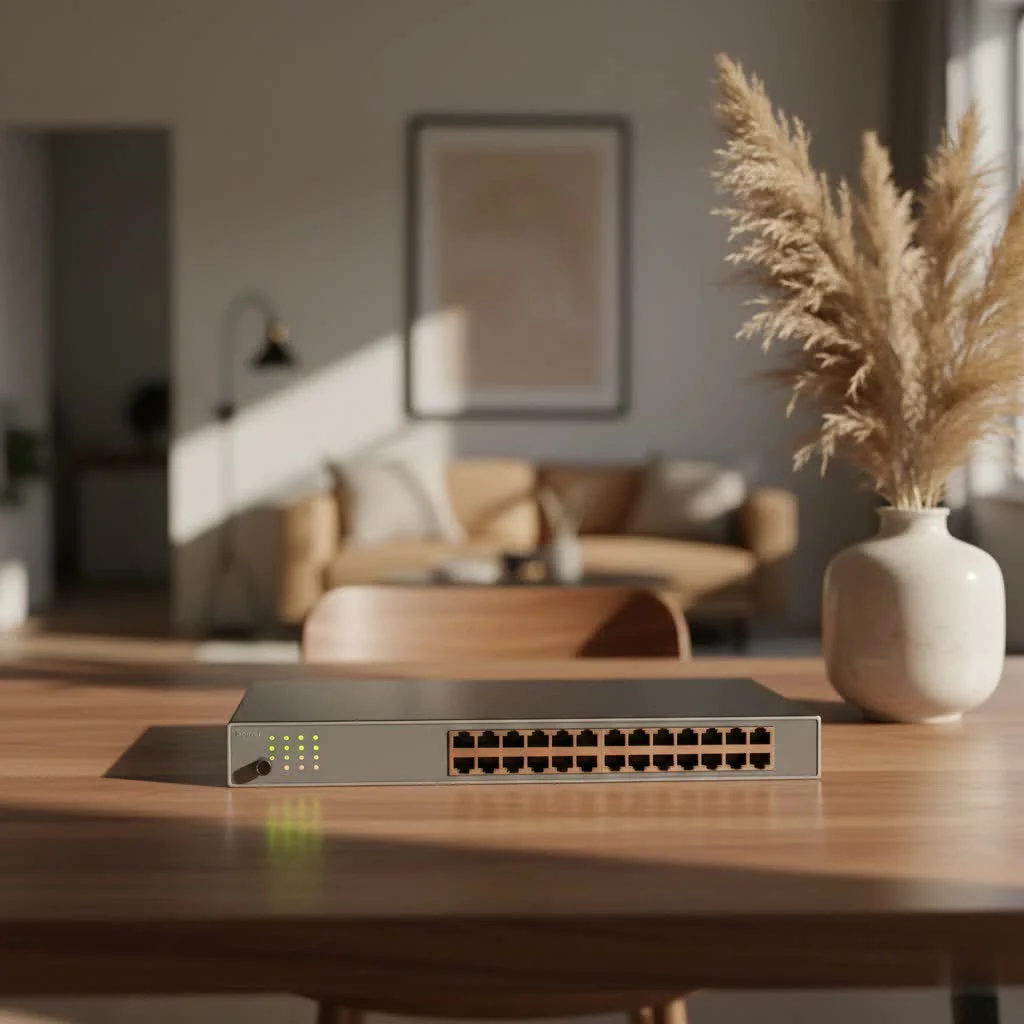
In the fast-evolving world of IT, your network switch is the heart of your digital operations. It dictates how efficiently data flows, how many devices you can connect, and how resilient your system is against outages. The USW-Pro-48-PoE is designed precisely for these demanding scenarios, offering a blend of extensive port density, advanced Power over Ethernet capabilities, and sophisticated Layer 3 features that make it a formidable ally for any network architect or IT professional. Let’s unravel what makes this particular UniFi Pro PoE Switch a major upgrade. For see our network switches recommendations on this site.
What Exactly is a Network Switch and Why Does it Matter?
At its core, a network switch is a device that connects other devices together on a computer network by using packet switching to receive, process, and forward data to the destination device. Think of it as the central traffic controller for your data. In a small home network, a basic switch might suffice. But for larger organizations, where hundreds or even thousands of devices need to communicate seamlessly and reliably, a robust, managed switch is indispensable.
Why is a powerful switch like the USW-Pro-48-PoE crucial? Modern networks are rife with bandwidth-hungry applications, high-definition video streams, and a multitude of PoE-powered devices like Wi-Fi access points, security cameras, and VoIP phones. A capable switch ensures that all these devices receive the necessary data throughput and, critically, power, without creating bottlenecks or sacrificing performance. It’s about ensuring your network doesn’t just work, but thrives.
Diving Deep into the USW-Pro-48-PoE: Features That Define Excellence
The Ubiquiti USW-Pro-48-PoE is engineered with a suite of features that cater to the most demanding network environments. Let’s break down what makes this professional-grade UniFi Pro PoE Switch truly exceptional.
High-Density Gigabit PoE Ports for Every Need
Imagine connecting 48 devices, each receiving both data and power through a single Ethernet cable. That’s the magic of the USW-Pro-48-PoE. It boasts 48 Gigabit Ethernet RJ45 ports, specifically configured with a powerful combination:
- 40 ports with 802.3af/at (PoE+): Delivering up to 30W per port, perfect for standard access points, IP phones, and most surveillance cameras.
- 8 ports with 802.3bt (PoE++): These are your heavy lifters, capable of providing up to 64W per port. This is essential for high-power devices like advanced PTZ cameras, LED lighting, or even compact client devices.
|
Our Picks for the Best Network Switch in 2026
As an Amazon Associate I earn from qualifying purchases.
|
||
| Num | Product | Action |
|---|---|---|
| 1 | BrosTrend 2.5Gb Switch, 8 Port Network Switch 2.5 Gigabit, Unmanaged Ethernet Switch for Game Console, NAS, PC, Computer Networking Switch Plug & Play Fanless, Desktop Wall Mount, Lifetime Protection |

|
| 2 | UGREEN 16 Port Gigabit Switch, Plug & Play Ethernt Switch, Standard/VLAN Mode, Unmanaged, Sturdy Metal, Fanless Quiet, Desktop & Wall Mount Network LAN Splitter Hub for Laptop, Printer, NAS, Router |
|
| 3 | TP-Link 24 Port Gigabit Ethernet Switch Desktop/ Rackmount Plug & Play Shielded Ports Sturdy Metal Fanless Quiet Traffic Optimization Unmanaged (TL-SG1024S) |
|
| 4 | TP-Link 5-Port Gigabit Ethernet Easy Smart Switch- Plug and Play - Desktop - Sturdy Metal w/Shielded Ports - Limited Lifetime Replacement (TL-SG105E), Black… |
|
| 5 | TP-Link TL-SG105, 5 Port Gigabit Unmanaged Ethernet Switch, Network Hub, Ethernet Splitter, Plug & Play, Fanless Metal Design, Shielded Ports, Traffic Optimization |
|
| 6 | UGREEN Ethernet Switch, 5 Port Gigabit Ethernet Splitter, Plug & Play, Wall Mount & Desktop Network Switch Hub, Unmanaged, Compact, with LED, Fanless Quiet, for Internet Cable, Laptop, Router, NAS |
|
| 7 | TP-Link 8 Port Gigabit Ethernet Network Switch - Ethernet Splitter - Plug & Play - Fanless - Sturdy Metal w/ Shielded Ports - Traffic Optimization - Unmanaged - Lifetime Protection (TL-SG108) |
|
| 8 | NETGEAR 8-Port Gigabit Ethernet Unmanaged Essentials Switch (GS308) - Home Network Hub, Office Ethernet Splitter, Plug-and-Play, Silent Operation, Desktop or Wall Mount |
|
| 9 | TP-Link TL-SG105S-M2 - 5-Port Multi-Gigabit 2.5G Ethernet Switch - Unmanaged Network Switch - Ethernet Splitter - Plug & Play - Desktop/Wall Mount - Silent Operation |
|
| 10 | TP-Link Litewave 5 Port Gigabit Ethernet Switch - Desktop Ethernet Splitter - Unshielded Network Switch - Plug & Play - Fanless Quiet - Unmanaged (LS1005G) |
|
With a substantial total PoE budget of 600W, this managed switch ensures that even the most power-hungry deployments are well-catered for, simplifying your cabling infrastructure and reducing the need for separate power outlets. This intelligent power delivery is a cornerstone of an efficient network.
Unleashing Speed with 10G SFP+ Uplinks
While Gigabit Ethernet handles most local traffic admirably, high-capacity networks often require even faster connections to the backbone or other switches. The USW-Pro-48-PoE addresses this with four 10G SFP+ ports. These fiber uplink ports are vital for:
- Connecting to network backbone: Ensuring high-speed data flow to your core switches or server infrastructure.
- Long-distance links: Extending network segments over greater distances using fiber optic cables.
- Aggregation: Consolidating traffic from multiple switches without performance degradation.
These 10 Gigabit uplinks provide a significant boost in throughput, enabling the USW-Pro-48-PoE to handle intensive data loads and ensuring your network remains responsive, even under peak demand. It’s about building a highway for your data, not just a two-lane road.
Advanced Layer 3 Capabilities: Beyond Basic Connectivity
Many switches operate at Layer 2, handling basic frame forwarding within a single broadcast domain. However, the USW-Pro-48-PoE elevates your network management with robust Layer 3 capabilities. What does this mean for you?
- Inter-VLAN Routing: This feature allows devices on different Virtual Local Area Networks (VLANs) to communicate with each other directly through the switch, rather than relying on an external router. This significantly improves performance and reduces latency for inter-VLAN traffic.
- Static Routing: Enables you to define fixed paths for network traffic, offering precise control and optimizing data flow in specific scenarios.
- DHCP Server Functionality: The switch can assign IP addresses to devices on your network, simplifying client configuration and management.
These Layer 3 features empower you to segment your network more effectively, enhance security by isolating traffic, and optimize routing paths, making the USW-Pro-48-PoE a truly enterprise-grade solution. As network expert Evelyn Reed, a veteran in data center architecture, once shared with me, “Effective Layer 3 switching isn’t just about speed; it’s about intelligent traffic management that fundamentally strengthens your network’s security posture and operational efficiency.”
Quiet Operation and Redundant Power for Reliability
Network equipment, especially in larger deployments, can sometimes be a noisy affair. However, the USW-Pro-48-PoE is designed with “near-silent cooling.” Its integrated fans feature PWM (Pulse Width Modulation) control, intelligent air ducts, and temperature sensors to ensure optimal cooling without the distracting hum. This makes it suitable for deployment in various environments, including offices or classrooms, not just server rooms.
Network reliability is paramount. The USW-Pro-48-PoE supports an external DC input interface, specifically the proprietary USP RPS (UniFi SmartPower Redundant Power System) interface. This offers a crucial redundant power feature, providing backup if the internal power supply unit (PSU) fails. This level of foresight in design means maximum uptime and peace of mind for mission-critical operations.
Seamless Management with UniFi Controller
One of the standout advantages of any Ubiquiti UniFi device, including the USW-Pro-48-PoE, is its integration with the UniFi Network Controller. This intuitive, centralized management platform allows you to:
- Discover and adopt new devices with ease.
- Configure network settings, VLANs, and advanced features from a single dashboard.
- Monitor network performance in real-time with detailed statistics and insights.
- Troubleshoot issues quickly with powerful diagnostic tools.
This unified approach to network management significantly reduces operational complexity and allows you to maintain full control over your entire UniFi ecosystem from anywhere.
Who Needs the USW-Pro-48-PoE? Ideal Use Cases
The Ubiquiti USW-Pro-48-PoE isn’t for every small office, but it’s an indispensable asset for specific scenarios where performance, scalability, and power delivery are non-negotiable.
- Enterprise Networks: Large corporations needing to power numerous IP devices across multiple departments and support high-bandwidth applications.
- Educational Institutions: Schools and universities deploying extensive Wi-Fi networks, IP cameras for security, and smart classroom devices.
- Hospitality and Retail: Hotels and large retail spaces requiring robust connectivity for point-of-sale systems, guest Wi-Fi, digital signage, and surveillance.
- Smart Buildings and IoT Deployments: Environments with a high density of PoE-enabled sensors, lighting, and control systems.
- Data Centers and Server Rooms: As an access layer switch connecting servers or other network devices that require reliable PoE.
- Any Environment with High PoE Device Density: If you’re running dozens of IP cameras, VoIP phones, or enterprise-grade Wi-Fi 6/7 access points, the USW-Pro-48-PoE is built to handle the load.
Choosing Your Network Switch: Is the USW-Pro-48-PoE Right for You?
Selecting the correct network switch is a critical decision that impacts your entire network’s future. When considering the USW-Pro-48-PoE, ask yourself these questions:
- Do you require extensive PoE power? With 48 ports supporting PoE+ and 8 ports supporting PoE++, and a 600W budget, this switch is a workhorse for powered devices.
- Is high data throughput and scalability a priority? The 10G SFP+ uplinks and substantial switching capacity ensure your network can grow and handle demanding applications.
- Do you need Layer 3 routing capabilities? If network segmentation, inter-VLAN routing, or static routing are part of your design, the USW-Pro-48-PoE offers these advanced features natively.
- Are you already invested in the UniFi ecosystem or planning to be? Seamless integration with the UniFi Controller makes management a breeze.
- Is reliability and uptime crucial? Features like near-silent cooling and redundant power options contribute significantly to network stability.
If you answered “yes” to most of these, especially concerning extensive PoE, high bandwidth, and advanced routing, then the USW-Pro-48-PoE is likely an excellent fit for your network infrastructure needs.
Setting Up Your USW-Pro-48-PoE: A Quick Guide
Getting your USW-Pro-48-PoE up and running is straightforward, especially if you’re familiar with the UniFi ecosystem.
- Physical Installation: Unbox your switch and securely mount it in your server rack using the included rack-mount hardware. Ensure adequate airflow around the unit, although its silent cooling design is quite forgiving.
- Power Connection: Connect the power cord to the switch and a suitable power outlet. If you have a UniFi SmartPower RPS, now is the time to connect it for power redundancy.
- Network Uplink: Connect one of the 10G SFP+ ports (or a standard RJ45 port if not using fiber uplink) to your core network or router.
- Device Connections: Plug in your PoE-powered devices (access points, cameras, phones) and other network clients into the 48 Gigabit Ethernet ports.
- UniFi Controller Adoption: Launch your UniFi Network Controller (either a software instance, a Cloud Key, or a Dream Machine). The USW-Pro-48-PoE should appear in the “Devices” section as “Pending Adoption.” Click “Adopt” to bring it under management.
- Basic Configuration: Once adopted, you can dive into the UniFi Controller to:
- Assign a static IP address to the switch if desired.
- Configure VLANs and assign them to specific ports.
- Enable or disable PoE per port, if needed, and set PoE modes.
- Set up Layer 3 routing rules if you plan to use inter-VLAN routing.
The beauty of the UniFi Controller is its intuitive interface, guiding you through these steps with ease.
Common Questions About the USW-Pro-48-PoE
You’ve got questions, and I’ve got answers! Here are some common inquiries about the USW-Pro-48-PoE:
Q: What is the maximum PoE power per port on the USW-Pro-48-PoE?
A: Eight of the ports support 802.3bt PoE++, providing up to 64W per port. The remaining 40 ports support 802.3af/at PoE+, delivering up to 30W per port.
Q: Does the USW-Pro-48-PoE support Layer 3 routing?
A: Yes, it absolutely does! This UniFi Pro PoE Switch offers Layer 3 capabilities such as inter-VLAN routing, static routing, and DHCP server functionality, allowing for more advanced network segmentation and traffic management.
Q: Can I stack multiple USW-Pro-48-PoE switches?
A: While Ubiquiti UniFi switches, including the USW-Pro-48-PoE, are designed for seamless management through the UniFi Controller, they typically use aggregated uplinks rather than traditional stacking technologies found in some other enterprise switches. This approach offers flexibility and simplifies scalability within the UniFi ecosystem.
Q: What is the purpose of the SFP+ ports on this switch?
A: The four SFP+ ports provide 10 Gigabit per second fiber uplink capabilities. They are primarily used for high-speed connections to a network backbone, aggregation switches, or for connecting to high-performance storage servers over longer distances.
Q: Is the USW-Pro-48-PoE noisy in an office environment?
A: No, Ubiquiti has designed the USW-Pro-48-PoE with “near-silent cooling.” It uses intelligent fan control and optimized airflow to minimize noise, making it suitable for deployment in less-than-ideal environments outside a dedicated server room.
Elevating Your Network with USW-Pro-48-PoE: My VGLan Perspective
From my vantage point, having navigated the intricate world of networking for over two decades, the Ubiquiti USW-Pro-48-PoE stands out as a genuinely transformative device. It’s more than just a piece of hardware; it’s an enabler for complex, efficient, and resilient network architectures. Whether you’re upgrading an existing infrastructure or designing a new one from scratch, this UniFi Pro PoE Switch provides the power, speed, and intelligence required to meet the demands of today and tomorrow.
Its comprehensive PoE capabilities simplify deployments, its 10G uplinks ensure future scalability, and its Layer 3 features provide the advanced control necessary for finely-tuned network performance and security. Coupled with the intuitive UniFi Controller, the USW-Pro-48-PoE delivers an experience that is both powerful and user-friendly.
I encourage you to explore how this switch can solve your network challenges. Don’t just settle for connectivity; aim for intelligent, high-performance networking. The USW-Pro-48-PoE is a shows what modern network equipment can achieve. Build smart, build strong, and empower your network with VGLan’s recommended solutions.
Get our weekly buyer guide
Practical specs, not advice. Unsubscribe anytime.
We installed the USW-Pro-48-PoE in our school for our new smart building initiative, and it’s performing flawlessly. Being able to power and connect 48 devices with just one Ethernet cable per device has simplified our wiring immensely. The network is much more resilient now, and we haven’t had any outages since deployment. Highly recommend for educational institutions.
The Layer 3 features on the Ubiquiti USW-Pro-48-PoE are pretty good for the price point, and it handles a lot of traffic. However, I found the initial configuration process a bit more complex than I anticipated, especially for someone not deeply familiar with advanced network settings. It took some time to get everything dialed in exactly how I wanted it. Once it’s set up, it runs well, but be prepared for a learning curve.
I recently upgraded my office network with the Ubiquiti USW-Pro-48-PoE and it’s been a game changer. The 48 ports are more than enough for all our devices, and the 600W PoE budget handles everything from security cameras to VoIP phones without a hitch. Setup was surprisingly straightforward for such a powerful switch, and the performance is incredibly stable. Definitely a solid investment for any growing business.
This switch is a beast! I love the 10G SFP+ uplinks; they really future-proofed my home lab setup. I’m running multiple servers and a ton of smart home devices, and everything is snappy. My only minor complaint is the fan noise can be a bit noticeable in a quiet room, but it’s not a dealbreaker for the performance you get. Overall, very happy with the USW-Pro-48-PoE.