Welcome to VGLan.com, where we bridge the gap between complex network technology and practical, real-world application. With over two decades in the trenches of network infrastructure, I’ve seen firsthand how critical robust connectivity is, especially in demanding operational settings. Today, we’re diving deep into the world of the Industrial Ethernet Switch, a foundational component often misunderstood yet indispensable for modern industrial automation. If you’re looking to build a network that truly stands the test of harsh environments, understanding these specialized devices is not just an advantage—it’s a necessity.
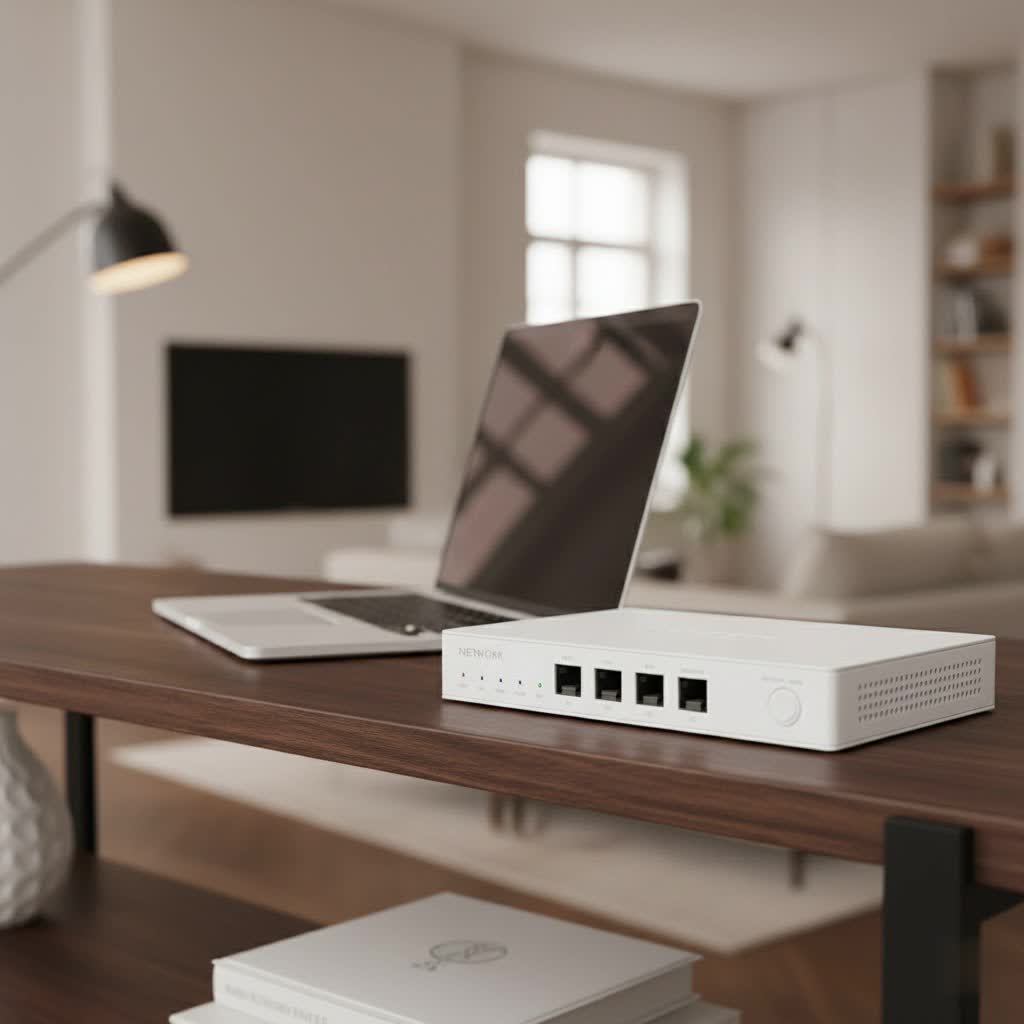
In the fast-paced landscape of industrial automation, factory floors, and critical infrastructure, standard network equipment simply doesn’t cut it. An industrial ethernet switch isn’t merely a piece of networking gear; it’s a hardened workhorse designed to ensure uninterrupted data flow where commercial switches would falter. These devices form the reliable backbone, connecting everything from sensors and PLCs to cameras and control systems, empowering the smart, interconnected operations that define Industry 4.0.
What Exactly is an Industrial Ethernet Switch?
At its core, an industrial ethernet switch is a network switch engineered to perform reliably in environments far more challenging than a typical office or data center. Think of it as the ruggedized, all-terrain vehicle of the networking world, built to endure conditions that would quickly bring down its commercial counterparts. This isn’t just about a tougher casing; it’s a comprehensive design philosophy focused on resilience.
What truly sets an industrial ethernet switch apart?
- Extreme Durability & Ruggedization: Unlike the plastic or light metal housings of commercial switches, industrial switches feature robust, often fanless, metal enclosures designed to resist impacts, vibrations, and shocks. They are typically mounted on DIN rails in control cabinets or in industrial racks, built to stay put even when things get shaky.
- Wide Operating Temperature Range: This is a big one. While commercial switches might operate from 0°C to 50°C, industrial versions commonly handle extreme temperatures, often ranging from -40°C to 75°C (or even wider), ensuring performance in freezing warehouses or scorching factory floors.
- Resistance to Environmental Contaminants: Dust, dirt, moisture, and corrosive substances are par for the course in industrial settings. Industrial switches often carry Ingress Protection (IP) ratings (e.g., IP30, IP67) indicating their resilience against these elements, preventing internal damage and ensuring continuous operation.
- Electromagnetic Compatibility (EMC/EMI): Industrial environments are rife with electromagnetic interference from heavy machinery, motors, and power lines. Industrial ethernet switches are designed with superior shielding and circuitry to withstand high levels of EMI and RFI, preventing data corruption and network disruptions.
- Power Redundancy & Stability: Power fluctuations and outages can be common in industrial plants. Many industrial switches incorporate dual power inputs for redundancy, ensuring continuous operation even if one power source fails. They also often support a wider voltage input range to accommodate unstable power grids.
- Specialized Connectors: While RJ45 is common, some industrial switches utilize more robust, screw-lock M12 or M8 connectors that are highly resistant to vibration and provide secure connections, crucial in moving applications like railway systems. You might also find serial ports for legacy industrial equipment.
- Compliance with Industrial Standards: These switches adhere to specific industrial standards like IEC 61850-3 (for power substations), EN50155 (for railway applications), and increasingly, IEC 62443-4-2 (for cybersecurity in industrial automation systems), ensuring interoperability and mission-critical reliability.
As Clara Johansson, a veteran industrial network architect, often says, “In the industrial world, network failure isn’t just an inconvenience; it can mean costly downtime, safety hazards, or even environmental damage. An industrial ethernet switch is your first line of defense, purpose-built for that unforgiving reality.”
Unpacking the Types of Industrial Ethernet Switches
Just like there isn’t a single “car” for every need, industrial ethernet switches come in various types, each suited for different functionalities and deployment scenarios. Understanding these distinctions is key to making an informed choice for your industrial network.
Managed vs. Unmanaged Industrial Switches
This is perhaps the most fundamental distinction.
- Unmanaged Industrial Switches: These are the “plug-and-play” heroes of simple networks. They’re straightforward, easy to install, and generally more affordable. They offer basic connectivity, automatically detecting network parameters. If your application involves only a few devices, minimal traffic, and no need for advanced features or remote monitoring, an unmanaged switch might be perfectly adequate. They essentially act as a transparent conduit for data.
- Managed Industrial Switches: For more complex, critical, or larger-scale industrial networks, managed switches are the go-to. They offer a rich suite of features, allowing network administrators full control over network traffic. This includes capabilities like:
- VLANs (Virtual Local Area Networks): Segmenting your network for improved security and performance.
- QoS (Quality of Service): Prioritizing critical data traffic (e.g., real-time control signals over surveillance video).
- SNMP (Simple Network Management Protocol): For remote monitoring, configuration, and troubleshooting.
- Network Redundancy Protocols: Such as RSTP (Rapid Spanning Tree Protocol) and ring topologies, ensuring network uptime even if a link fails.
- Advanced Security Features: Port security, access control lists (ACLs), and authentication to protect against unauthorized access and cyber threats.
|
Our Picks for the Best Network Switch in 2026
As an Amazon Associate I earn from qualifying purchases.
|
||
| Num | Product | Action |
|---|---|---|
| 1 | NETGEAR 8-Port Gigabit Ethernet Unmanaged Essentials Switch (GS308) - Home Network Hub, Office Ethernet Splitter, Plug-and-Play, Silent Operation, Desktop or Wall Mount |

|
| 2 | TP-Link 24 Port Gigabit Ethernet Switch Desktop/ Rackmount Plug & Play Shielded Ports Sturdy Metal Fanless Quiet Traffic Optimization Unmanaged (TL-SG1024S) |
|
| 3 | UGREEN 16 Port Gigabit Switch, Plug & Play Ethernt Switch, Standard/VLAN Mode, Unmanaged, Sturdy Metal, Fanless Quiet, Desktop & Wall Mount Network LAN Splitter Hub for Laptop, Printer, NAS, Router |
|
| 4 | BrosTrend 2.5Gb Switch, 8 Port Network Switch 2.5 Gigabit, Unmanaged Ethernet Switch for Game Console, NAS, PC, Computer Networking Switch Plug & Play Fanless, Desktop Wall Mount, Lifetime Protection |
|
| 5 | TP-Link 8 Port Gigabit Ethernet Network Switch - Ethernet Splitter - Plug & Play - Fanless - Sturdy Metal w/ Shielded Ports - Traffic Optimization - Unmanaged - Lifetime Protection (TL-SG108) |
|
| 6 | TP-Link TL-SG105, 5 Port Gigabit Unmanaged Ethernet Switch, Network Hub, Ethernet Splitter, Plug & Play, Fanless Metal Design, Shielded Ports, Traffic Optimization |
|
| 7 | TP-Link TL-SG105S-M2 - 5-Port Multi-Gigabit 2.5G Ethernet Switch - Unmanaged Network Switch - Ethernet Splitter - Plug & Play - Desktop/Wall Mount - Silent Operation |
|
| 8 | UGREEN Ethernet Switch, 5 Port Gigabit Ethernet Splitter, Plug & Play, Wall Mount & Desktop Network Switch Hub, Unmanaged, Compact, with LED, Fanless Quiet, for Internet Cable, Laptop, Router, NAS |
|
| 9 | TP-Link 5-Port Gigabit Ethernet Easy Smart Switch- Plug and Play - Desktop - Sturdy Metal w/Shielded Ports - Limited Lifetime Replacement (TL-SG105E), Black… |
|
| 10 | TP-Link Litewave 5 Port Gigabit Ethernet Switch - Desktop Ethernet Splitter - Unshielded Network Switch - Plug & Play - Fanless Quiet - Unmanaged (LS1005G) |
|
Power over Ethernet (PoE/PoE+) Industrial Switches
Imagine needing to power a surveillance camera or a wireless access point in a remote corner of a factory, far from any power outlet. That’s where PoE industrial switches shine. These switches deliver both data and electrical power over a single Ethernet cable, dramatically simplifying cabling and installation for connected devices (Power Devices or PDs).
- PoE (IEEE 802.3af), PoE+ (IEEE 802.3at), and PoE++ (IEEE 802.3bt): These standards specify different power levels, allowing you to power a wide range of devices, from simple sensors to high-power PTZ cameras or LED lighting. When choosing, consider the total power budget of the switch and the power requirements per port for your devices.
Mounting and Form Factors
Industrial switches come in various physical designs to suit different installation environments:
- DIN-rail Mount: Extremely common in industrial control cabinets, allowing for quick, secure, and space-saving installation alongside other industrial equipment.
- Rack-mount: For larger deployments in industrial IT closets or outdoor enclosures where multiple switches are consolidated.
- Wall-mount: Offers flexibility when DIN-rail or rack space is unavailable.
Specialized Industrial Switches
Beyond the general categories, some industrial ethernet switches are built for very specific, extreme applications:
- Railway Ethernet Switches: Certified to EN50155, these switches are designed to withstand constant vibration, shock, extreme temperature shifts, and voltage fluctuations inherent in rail vehicles and trackside applications.
- Hazardous Area Ethernet Switches: These are built to operate safely in environments with potentially explosive gases or dust (e.g., Class I Div 2 rated), crucial for industries like oil and gas or mining.
- Marine-grade Switches: Constructed to endure salt spray, extreme humidity, and vibration on ships and offshore platforms.
Choosing the Right Industrial Ethernet Switch: A Practical Approach
Selecting the ideal industrial ethernet switch for your needs isn’t a one-size-fits-all decision. It requires careful consideration of several key factors to ensure optimal performance, reliability, and cost-effectiveness.
1. Assess Your Environment
This is the absolute first step. Don’t underestimate the harshness of your operating conditions.
- Temperature Extremes: What’s the minimum and maximum ambient temperature the switch will experience? Ensure the switch’s operating temperature range matches or exceeds this.
- Presence of Dust, Moisture, or Corrosives: Will the switch be exposed to fine particulates, dripping water, or even chemicals? Look for appropriate IP ratings (e.g., IP30 for basic dust protection, IP67 for submersion resistance) and corrosion-resistant chassis materials.
- Vibration and Shock Potential: Is the switch going to be on a factory floor with heavy machinery, a moving vehicle, or subject to sudden impacts? Ensure it’s rated for vibration and shock resistance.
- Electromagnetic Interference (EMI): Are there large motors, variable frequency drives, or other sources of electromagnetic noise nearby? Choose switches with strong EMI/EMC hardening and surge protection on both data and power lines.
- Power Supply Stability: Are power fluctuations common? Dual redundant power inputs and a wider voltage tolerance are crucial for maintaining uptime.
2. Connectivity Needs
Consider your network’s present and future demands.
- Number of Devices (Port Count): How many devices need to connect to the switch now? Always factor in potential future growth to avoid quickly outgrowing your equipment.
- Data Speed Requirements: Do you need Fast Ethernet (100 Mbps), Gigabit Ethernet (1000 Mbps), or even 10 Gigabit (10G) uplinks for high-bandwidth applications like high-resolution video streams or SCADA systems?
- Copper vs. Fiber Optics: Most industrial switches offer RJ45 copper ports. For longer distances or immunity to EMI, fiber optic connections via SFP (Small Form-Factor Pluggable) modules are essential. Determine your mix.
- PoE Requirements: Do you need to power devices remotely? If so, select a PoE-enabled switch, considering the power budget per port and the total power budget of the switch. Ensure it meets IEEE 802.3af/at/bt standards for interoperability.
3. Management & Control
Your operational complexity will dictate your management needs.
- Managed vs. Unmanaged: As discussed, if you need control over network traffic, segmentation (VLANs), prioritization (QoS), security, or remote monitoring, a managed industrial switch is indispensable. For truly simple setups with basic device connectivity, unmanaged switches can save cost and complexity.
- Network Redundancy: For mission-critical applications where downtime is unacceptable, look for managed switches that support redundancy protocols like RSTP, ERPS (Ethernet Ring Protection Switching), or other proprietary ring protocols to ensure rapid recovery from network failures.
- Cybersecurity Features: With increasing connectivity, industrial networks are targets. Choose switches with built-in security features such as port security, access control lists, authentication protocols (e.g., 802.1X), and secure management interfaces (HTTPS, SSH).
4. Compliance & Trust
Reliability and long-term support are paramount.
- Industry Standards: Ensure the switch complies with relevant industry standards (e.g., IEEE 802.3 for Ethernet, IEC 61850-3, EN50155, NEMA TS2 for traffic control). For industrial cybersecurity, look for switches adhering to IEC 62443-4-2.
- Vendor Reputation and Support: Choose a reputable manufacturer known for industrial-grade networking products. Check their warranty, technical support availability, and Mean Time Between Failures (MTBF) ratings – higher MTBF indicates greater reliability.
Installation and Basic Configuration: Getting Your Switch Up and Running
So, you’ve chosen your industrial ethernet switch. Now, let’s get it operational. While specifics vary by model, here’s a general guide to physical installation and basic configuration, especially for managed switches.
Physical Installation
- Mounting:
- DIN-rail: Snap the switch securely onto the DIN rail in your control cabinet. Ensure adequate clearance for cabling and ventilation (if any).
- Rack-mount: Secure the switch in your industrial rack using the provided mounting brackets and screws.
- Wall-mount: Use the appropriate anchors and screws to firmly attach the switch to a stable surface.
- Power Connection:
- Connect the primary power source to the designated terminal block. If your switch supports dual redundant power, connect the secondary power source as well. Always double-check polarity.
- Ensure the power supply voltage is within the switch’s specified input range.
- Cable Connection:
- Connect your Ethernet devices (PLCs, HMIs, cameras, etc.) to the switch ports. For industrial environments, use shielded industrial-grade Ethernet cables with robust connectors to minimize EMI and ensure durability.
- If using fiber optic, ensure you use the correct SFP modules and clean fiber connectors.
Basic Configuration (for Managed Switches)
For unmanaged switches, installation is often truly plug-and-play. For managed switches, some initial setup is required:
- Initial Access: Connect a PC directly to the switch’s console port (using a serial cable) or a standard Ethernet port. Consult the manual for the default IP address and login credentials.
- Set IP Address: Assign a static IP address to the switch that fits within your industrial network’s addressing scheme. This is crucial for remote management.
- Change Default Credentials: Immediately change the default username and password to a strong, unique combination. This is a fundamental cybersecurity best practice.
- VLAN Setup (If Needed): If you plan to segment your network, configure VLANs according to your network design. Assign specific ports to their respective VLANs.
- QoS (If Needed): Prioritize critical traffic by configuring QoS settings. This might involve marking traffic with DSCP values or assigning bandwidth to specific applications.
- Enable Redundancy (If Applicable): If your network design uses redundant rings (e.g., RSTP), enable and configure these protocols on your managed switches to ensure failover capability.
- Monitor & Test: Once configured, monitor the network for a period to ensure all devices are communicating correctly and that the switch is performing as expected under load.
Troubleshooting Common Industrial Ethernet Switch Issues
Even with the most robust equipment, issues can arise. Knowing how to diagnose common problems with your industrial ethernet switch can save you significant downtime.
- No Link/Connectivity:
- Check Physical Connections: Are all Ethernet cables securely plugged in? Are they damaged? Are the link/activity LEDs on the switch and connected device illuminated?
- Power Supply: Is the switch receiving power? Check power LEDs and redundant power sources.
- Port Configuration (Managed Switches): Have ports been disabled or misconfigured (e.g., incorrect VLAN assignment, speed/duplex mismatch)?
- Cable Type/Length: Is the cable type correct (straight-through vs. crossover, though most modern switches auto-negotiate)? Is the cable length within specifications for Ethernet (100 meters for copper)?
- Performance Problems (Slow Network):
- Network Congestion: Are too many devices competing for bandwidth? Check switch utilization.
- QoS Misconfiguration: Is critical traffic not being prioritized correctly, leading to delays?
- Duplex Mismatch: Ensure connected devices and switch ports are set to the same duplex mode (full or half).
- Loops: An accidental network loop can cripple a network. If Spanning Tree Protocol (STP) isn’t enabled or configured correctly, this can happen.
- Intermittent Connection:
- Environmental Factors: Could extreme temperature fluctuations, high vibration, or increased EMI be affecting the switch’s operation? Look for changes in the environment.
- Faulty Cable/Connector: A damaged or loose cable/connector can cause intermittent issues.
- Power Instability: Fluctuating power can lead to drops. Check your power supply.
- Hardware Failure: In rare cases, the switch itself might be developing a fault. Check error logs.
- Power Issues:
- No Power/Sudden Shutdown: Verify the power source, check circuit breakers, and ensure all power cables are securely connected to the switch and power supply. If using redundant power, check both inputs.
- Indicator Lights: Observe power indicator lights on the switch. If they’re off or flashing unusually, it points to a power problem.
When troubleshooting, always start with the simplest checks and systematically work your way through potential causes. A well-documented network and careful configuration are your best friends here.
Frequently Asked Questions (FAQ)
What is the main difference between an industrial and commercial Ethernet switch?
The primary difference lies in their design for resilience. Industrial ethernet switches are built to withstand harsh environments (extreme temperatures, vibration, dust, EMI) with rugged enclosures, wider operating ranges, and often redundant power, whereas commercial switches are designed for controlled office environments.
Do I need a managed or unmanaged industrial switch?
If your network is small, simple, and doesn’t require advanced features like VLANs, QoS, or remote monitoring, an unmanaged switch might suffice. However, for complex industrial networks demanding control, security, and high reliability, a managed industrial switch is essential.
What is PoE in an industrial switch?
PoE (Power over Ethernet) allows an industrial switch to deliver both data and electrical power to connected devices (like IP cameras or wireless access points) over a single Ethernet cable. This simplifies cabling, reduces installation costs, and provides flexibility in device placement in industrial settings.
What do IP ratings mean for industrial switches?
IP (Ingress Protection) ratings, such as IP30 or IP67, classify the degree of protection against solids (like dust) and liquids (like water). A higher first digit means better protection against dust, and a higher second digit means better protection against liquids. This is crucial for selecting switches suitable for dusty, wet, or corrosive environments.
Why are industrial switches more expensive?
Industrial ethernet switches are more expensive due to their specialized components, ruggedized construction (e.g., metal housings, fanless designs), extensive testing for extreme conditions, adherence to stringent industrial standards, and often advanced management features and redundancy protocols necessary for mission-critical operations.
Can I use a regular Ethernet cable with an industrial switch?
While a regular Ethernet cable might physically fit, it’s generally not recommended for industrial environments. Industrial-grade shielded Ethernet cables with more robust connectors are designed to withstand vibration, resist EMI, and endure harsh conditions, ensuring reliable data transmission in challenging settings.
Building a Resilient Industrial Network
As we’ve explored, the industrial ethernet switch is far more than just a component; it’s the very heartbeat of a resilient industrial network. From navigating the relentless demands of factory floors to ensuring seamless communication in critical infrastructure, these hardened devices are engineered for uptime, efficiency, and safety.
At VGLan, we believe that understanding these intricate pieces of technology empowers you to make smarter, safer, and more effective decisions. By carefully assessing your environment, connectivity needs, management requirements, and commitment to standards, you can confidently select the right industrial ethernet switch to build a network that not only performs today but thrives in the face of tomorrow’s industrial challenges. Invest wisely, and watch your operations hum with unparalleled reliability and precision.
